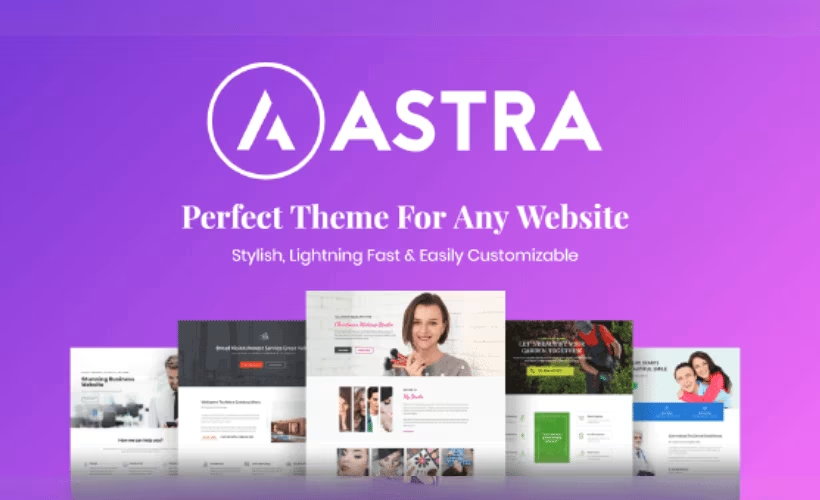
Astra Theme is one of the most popular WordPress themes, designed to help users build fast, customizable websites without relying on a large stack of plugins. This Astra Theme Review examines whether Brainstorm Force has genuinely solved that problem with a lightweight theme, built-in header and footer builder, starter templates, and compatibility with every major page builder. Setup completed in around two minutes during testing, which sets an encouraging first impression for the overall experience.
The real question is whether the free tier holds up for serious builds, or whether Pro is where Astra actually lives.
Quick Verdict
Astra suits bloggers, freelancers, and agencies who want a fast, flexible starting point without committing to a paid theme upfront. Site owners who need deep layout control or advanced customization without upgrading will find the free tier runs out of road sooner than expected.
Pros
- Free version on WordPress.org includes starter templates — genuinely useful out of the box
- Built-in header and footer builder eliminates a common plugin dependency
- Works with Elementor, Beaver Builder, Spectra, and the native block editor
- Basic site setup takes roughly two minutes from install to working layout
- Covers blogs, business sites, portfolios, and WooCommerce stores from a single theme
Cons
- Advanced customization options are locked behind the Pro upgrade, making the free tier limiting for complex builds
- Full feature set relies on optional third-party integrations rather than a single bundled plugin
- Teams already committed to one page builder may find broad multi-builder support adds overhead rather than value
Core Features
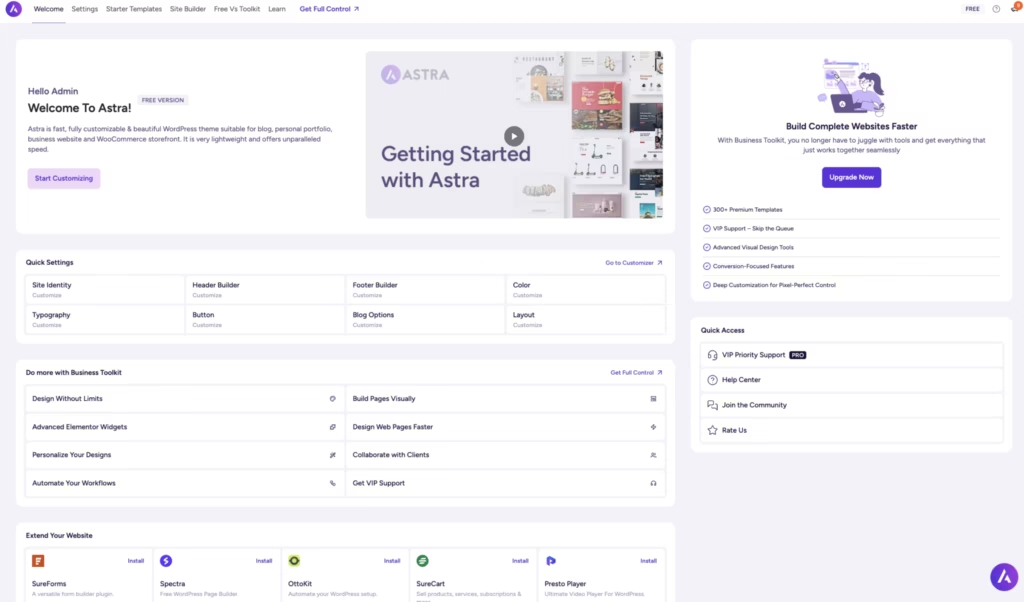
Built-In Site Builder
Astra ships with its own site builder rather than relying entirely on a third-party tool to handle layout and design. That builder works alongside a dedicated header and footer builder — both included in the theme itself — so you can construct and customize the full page frame without installing a separate plugin for each layer.
The practical result is a tighter setup process. Installation and basic configuration complete in approximately two minutes on WordPress 6.5 and PHP 8.4, with the theme package delivered as a single astra.zip file. For freelancers and agencies building sites on a schedule, that speed at the starting line matters.
Header and Footer Builder
The header and footer builder is a built-in component, not an add-on. It gives you direct control over both structural zones of the page from within the theme’s own interface, reducing plugin dependencies for structural layout rather than implying all customization is consolidated in one place.
For business owners and agencies managing multiple site builds, this consolidation reduces plugin dependencies and the maintenance overhead that comes with them. Changes to navigation, branding elements, and footer layout stay within a single, consistent editing environment.
Page Builder Integrations
Astra supports Gutenberg, Elementor, Spectra, and Beaver Builder. That breadth means the theme doesn’t dictate which editing tool you use — it adapts to whichever builder your workflow already depends on, or whichever a client’s site requires.
Spectra, developed by the same team behind Astra, integrates particularly closely with the theme. Teams already using Elementor or Beaver Builder can bring those tools into an Astra-based project without rebuilding their process around a new editor.
Starter Templates Library
A library of starter templates is included with both the free and Pro tiers, covering blogs, business sites, portfolios, and WooCommerce stores. The free tier includes access to free templates, giving new users a working starting point without requiring an immediate upgrade.
These aren’t just visual placeholders — they’re pre-built site structures designed for specific site types, which shortens the gap between a fresh install and a functional, designed page. For agencies handling rapid builds or freelancers pitching clients with live previews, that head start is a concrete time saving.
WooCommerce Support
WooCommerce compatibility is built into Astra’s feature set rather than treated as an afterthought. The theme is designed to support online store builds as a primary use case, sitting alongside blogs and business sites as an equal target audience.
Store operators get a theme already oriented toward that environment, rather than a general-purpose theme adapted after the fact. Combined with the starter templates library, which includes store-ready layouts, the path from blank install to a structured product catalog is shorter than starting from scratch.
Free and Pro Tiers
The free version of Astra is available directly from WordPress.org and includes access to free starter templates alongside the core theme functionality. The free tier is a genuine starting point for simpler builds, though more complex projects needing deeper design control will reach its limits sooner.
Installation and Setup
- Log in to your WordPress dashboard and navigate to Appearance → Themes.
- Click Add New, then search for “Astra” in the theme directory. Select the theme from the results and click Install, followed by Activate.
- Alternatively, if you have purchased a Pro license, download
astra.zipfrom your account, click Upload Theme, and upload the file directly.
- Alternatively, if you have purchased a Pro license, download
- Once activated, Astra prompts you to explore its onboarding wizard. Follow the on-screen steps to configure basic site settings and choose a starting point for your design.
- To import a pre-built site, navigate to Appearance → Starter Templates. Browse the library, select a template that fits your project, and click Import Complete Site or Import This Page depending on your needs.
- If you plan to use a page builder or extend Astra’s functionality, install any of the following optional plugins from the WordPress plugin directory:
- WooCommerce — for online store functionality
- Elementor — for drag-and-drop visual editing
- Spectra — for Gutenberg-based block building
- Beaver Builder — for an alternative visual editing workflow
- Customize your site via Appearance → Customize, where Astra’s header builder, footer builder, and layout controls are accessible. Pro license holders will find additional options unlocked within the same Customizer panel.
Compatibility and Requirements
Astra is tested and confirmed to run on WordPress 6.5 and PHP 8.4. No companion plugin is required to activate or use the theme — the integrations with WooCommerce, Elementor, Spectra, and Beaver Builder are all optional and additive.
| Component | Detail |
|---|---|
| WordPress (tested on) | 6.5 (first-hand test) |
| PHP (tested on) | 8.4 (first-hand test) |
| Required plugins | None |
| Optional integrations | WooCommerce, Elementor, Spectra, Beaver Builder |
| License type | GPL |
The free version is available directly from the WordPress.org theme directory, making it accessible on any standard WordPress hosting environment. The GPL license means the theme can be used, modified, and redistributed under its terms.
Astra Pricing
Current pricing details are not available in this review.
Astra is available as a free theme through the WordPress.org theme directory. The free version includes access to the core theme and a selection of starter templates, making it a workable starting point for straightforward sites without any upfront cost.
A Pro tier unlocks additional customization options and advanced features beyond what the free version provides. Brainstorm Force also offers a Business Toolkit bundle, which carries up to 40% off. Visit wpastra.com directly for current tier names, prices, and license terms.
👉 Get Astra at the best available price
Alternatives to Astra
Several well-established freemium themes compete directly with Astra, each making a different trade-off between native design flexibility, page builder dependency, and raw performance.
| Product | Key Difference | Best For | Price Tier |
|---|---|---|---|
| Astra | Broad page builder compatibility with built-in header/footer builder and WooCommerce readiness | Business owners, freelancers, and agencies building across multiple site types | Freemium |
| GeneratePress | Minimal code output prioritized over visual builder features | Developers who want a lightweight foundation and prefer to control markup | Freemium |
| Kadence | Deep block-editor-native design controls with a growing companion blocks ecosystem | Sites built primarily in the Gutenberg block editor | Freemium |
| Blocksy | Granular per-element styling controls with a performance-conscious architecture | Block-editor users who want fine-grained design control without a page builder | Freemium |
| OceanWP | Broad range of free extensions and WooCommerce customization options without a paid upgrade | Store builders who want to extend functionality while staying on the free tier | Freemium |
| Hello Elementor | Bare-bones canvas with no independent design layer of its own | Sites built entirely within Elementor where the theme should stay out of the way | Free |
Competitor positioning and pricing models may change; verify current details on each product’s official site.
The right choice depends on how you build. If you rely heavily on Elementor, Hello Elementor removes all theme-level friction. If performance and clean markup are the priority, GeneratePress or Blocksy are worth a close look. Astra sits in the middle — a practical default for teams that want flexibility across builders without committing to a single workflow.
Frequently Asked Questions
Is Astra theme free?
Yes, Astra has a free version available directly from WordPress.org. The free tier includes access to starter templates, making it possible to build a complete site without spending anything. Advanced customization options require upgrading to the Pro tier.
What is the difference between Astra free and Pro?
The free version covers core functionality including starter templates and page builder integrations. Pro unlocks additional customization options not available in the free tier. Users with straightforward sites may find the free version sufficient, while more complex builds will likely need the upgrade.
Does Astra work with Elementor?
Yes, Astra includes built-in integration with Elementor. It also integrates with Beaver Builder, Spectra, and the native WordPress block editor, so it works across the most widely used page-building tools without requiring additional configuration.
Is Astra good for WooCommerce stores?
Astra includes dedicated WooCommerce support, making it a practical choice for online stores. The starter templates library covers ecommerce use cases, which can speed up the initial build considerably. WooCommerce is a companion plugin that works alongside the theme rather than being bundled with it.
Astra vs GeneratePress — which is better?
Both are lightweight, performance-focused WordPress themes with free tiers and active development communities. Astra differentiates itself with a built-in header and footer builder and broader out-of-the-box page builder compatibility, including Elementor, Beaver Builder, and Spectra. GeneratePress takes a more minimal approach by default, which some developers prefer for its lower overhead. The better choice depends on how much visual control you need without reaching for additional plugins.
How fast is Astra to set up?
Installation and basic setup can be completed in approximately two minutes. The theme is delivered as a standard zip file and activates like any other WordPress theme, after which the starter templates library is available to accelerate the design process.
Download & Pricing Options
🆓 Free Version
👉 Download the Free Version of Astra
💎 Get Astra (Best Available Price)
👉 Check Current Pricing for Astra
Pricing and availability may change — use the link above for current rates.