blog-logo
  • Home
  • WP Plugins
    WP PluginsShow More
    SEOPress Pro Review 2026: Features, Pricing and Verdict
    21 Min Read
    Most WordPress form plugins stop at the point of submission: the entry lands in the database, an email goes out, and everything after that is your problem. This Formidable Forms Pro review looks at a builder that treats submitted data as something you can act on — collecting payments, triggering automated workflows, and publishing entries back to the front end through Views. For anyone who has outgrown a basic contact form and started sketching directories, calculators, or client-facing dashboards, that distinction matters more than field types do. The question is whether an annual license justifies itself for site owners whose forms need to do real work after the submit button. Quick Verdict Formidable Forms suits freelancers, agencies, and business owners building data-driven forms — payment flows, application systems, front-end listings — on WordPress. Anyone who only needs a styled contact form will find the license hard to justify, and the plugin has no use outside WordPress. Pros Views display submitted entry data on the front end, turning forms into simple web applications rather than one-way capture points Payment collection through Stripe, PayPal, Square, and Authorize.net covers most common checkout setups CRM and automation integrations include Salesforce, Zapier, Google Sheets, HubSpot, and Mailchimp Business and Elite licenses cover unlimited sites, including client sites — practical for agencies juggling multiple builds Over 100 form templates give you a starting point instead of a blank canvas Layered spam protection built in via reCAPTCHA, honeypot, and Akismet Pro zip uploads directly through the WordPress plugin uploader with no extraction step Cons User registration is limited to certain plans and requires a separate add-on rather than working out of the box Single-site and three-site limits on Basic and Plus push multi-site owners toward the pricier Business or Elite tiers 👉 See Formidable Forms pricing Core Features The formidable-pro-6.34.zip file installs directly in WordPress via Plugins → Add New Plugin → Upload Plugin, without extracting it first — a small detail, but one that saves a step for anyone used to unzipping archives before upload. Views: Displaying Submitted Entries on the Front End Views are the feature that separates Formidable Forms from the average contact form plugin. Instead of entry data sitting in the WordPress admin waiting for someone to export it, Views pull submitted entries back out and render them on the front end — as directories, listings, tables, profile pages, or whatever layout the data suits. That changes what a form is for. A submission stops being a message you reply to and becomes content that populates a page. Job boards, member directories, event calendars, review listings, and internal dashboards all become achievable without a separate directory plugin or custom post type work. For anyone considering the Pro license specifically, this is usually the reason. Views are what make the "front-end web applications" claim more than marketing language. Form Builder for Simple Forms and Full Applications The builder handles the ordinary case — a contact form, a quote request, a newsletter signup — and then keeps going. The same interface builds multi-step forms and calculation-driven applications, so you are not learning a second tool when a project grows past a name-and-email field. The practical benefit is consistency across a portfolio. A freelancer building a five-field contact form on one site and a mortgage calculator on another works inside the same builder both times, which shortens the second build considerably. Payment Collection Payments run through Stripe, PayPal, Square, and Authorize.net. Having four processors available matters more than it sounds: merchant account availability varies by country and by business type, and being locked to a single gateway is a common reason form plugins get replaced mid-project. This covers the transactions that do not belong in a full store — donations, deposits, booking fees, application charges, invoice payments. Rather than installing WooCommerce to take a single fee, you attach payment collection to a form you were building anyway. A WooCommerce integration is available separately for sites that do run a store. Workflow Automation Automation ties what happens after submission to conditions you set, so form data triggers actions instead of just landing in a database table. Combined with Views, it is the second half of the application-building story — data comes in, actions fire, results display. For a business owner, this is the difference between checking an inbox and having submissions route themselves. Approval steps, conditional notifications, and follow-up actions run without anyone opening the WordPress dashboard. Integrations With CRMs, Marketing Tools, and Automation Platforms The integration list covers Salesforce, HubSpot, Mailchimp, Zapier, Google Sheets, ChatGPT, and Webhooks alongside the payment gateways, plus WooCommerce and ACF on the WordPress side. Two of those deserve attention. Zapier and Webhooks together mean that anything not on the native list is still reachable, and Webhooks in particular gives developers a direct route into custom endpoints. Google Sheets suits teams who want submissions in a spreadsheet their non-technical colleagues already use, without granting WordPress admin access. 100+ Form Templates The template library ships with over 100 prebuilt forms. For agencies handling repetitive client requests — contact, quote, registration, application, feedback — starting from a template and editing fields is faster than building from an empty canvas each time. Templates also serve as a reference for how the builder handles more complex structures, which helps when you are moving from simple forms toward calculation or multi-page setups. Layered Spam Protection Three spam defenses are built into the plugin's settings: reCAPTCHA, a honeypot field, and Akismet. They work at different points — the honeypot catches naive bots silently, reCAPTCHA challenges suspicious sessions, and Akismet checks submission content against a shared spam database. Because all three are configured inside Formidable Forms rather than bolted on through separate plugins, you can layer them according to how aggressive a given form needs to be. A newsletter signup and a public job application do not need the same level of friction. User Registration Forms can create WordPress user accounts, which turns a signup form into the front door of a membership area, client portal, or community site. Registration is not part of the base install — it depends on the user registration add-on and is limited to certain plans, so confirm plan eligibility before committing to a build that relies on it. Paired with Views, registration supports a common pattern: users sign up, submit entries, and see their own submissions displayed back to them on the front end. Installation and Setup Setup is quick. Tested on WordPress 6.5 with PHP 8.4, installation and basic configuration took about two minutes from upload to a working form. Install the free Formidable Forms plugin first. The free core plugin is distributed through the WordPress.org plugin directory. Search for it under Plugins → Add New Plugin, install it, and activate it. The Pro plugin is an extension, not a replacement — the free core plugin must remain installed and active for Pro to function. Deactivating it will break the Pro features. Purchase a Pro license. Four tiers are sold: Basic, Plus, Business, and Elite. Download the Pro plugin ZIP from your account after purchase. Upload the Pro ZIP through WordPress. Go to Plugins → Add New Plugin → Upload Plugin, choose the ZIP file, and install it. The archive installs directly — there is no need to extract it or dig for a nested plugin folder inside it first. Activate the Pro plugin. Both plugins now appear in your plugin list, and the Pro features become available inside the Formidable Forms admin screens. Build your first form, starting from a template rather than a blank canvas. Turn on spam protection. reCAPTCHA, honeypot, and Akismet are all supported and configured through the plugin's settings. Connect the services you need. Payment processors and third-party tools are set up per form or through the global settings, depending on the integration. Add the user registration add-on if your plan includes it. The vendor maintains a Docs & Support area and a community resource for anything beyond the basics. Compatibility and Requirements Requirement Detail WordPress version 6.3 or higher PHP version 7.4 or higher License GPL The vendor is blunt about the platform requirement: "Formidable Forms is a WordPress Plugin. In order to use Formidable Forms, you must have a WordPress site. That's all." There is no standalone, hosted, or non-WordPress version — if your site runs on Squarespace, Webflow, or a static generator, this is not the tool for you. For a live, public-facing site, pair a currently supported PHP version with the current stable WordPress release rather than sitting at the stated minimums. Unsupported PHP branches stop receiving security patches, and a form plugin handling payments and personal data is the last place to accept that risk. On the integration side, the plugin connects with Stripe, PayPal, Square, and Authorize.net for payments, plus Salesforce, HubSpot, Mailchimp, Zapier, ChatGPT, Google Sheets, Webhooks, WooCommerce, and ACF. Formidable Forms Pricing Formidable Forms runs on a freemium model. The free core plugin, distributed through the WordPress.org plugin directory and often referred to as Formidable Forms Lite, is a drag-and-drop form builder used on hundreds of thousands of active sites. It handles standard form building on its own, and it also acts as the foundation for the paid product. The Pro version is sold as an annual license across four tiers. Plan Price Sites Basic $79/year 1 site Plus $199/year Up to 3 sites Business $399/year Unlimited sites, including client sites Elite $599/year Unlimited sites, including client sites All four tiers are currently listed at 50% off those regular rates — Basic at $39.50/year, Plus at $99.50/year, Business at $199.50/year, and Elite at $299.50/year. Discounting at this depth is a familiar pattern in the WordPress form builder market, so treat the promotional figure as the price you are likely to see rather than the price the plugin is nominally worth. Paid plans are GPL licensed and include one year of updates and support. A 14-day money-back guarantee applies to purchases. For agencies and freelancers, the Business and Elite tiers are the ones worth weighing. Both cover unlimited sites, client sites included, which removes the per-project license math that eats into small builds. Alternatively, a license can be purchased per client site if you would rather bill each project separately. Formidable Forms also runs an affiliate program paying 20% commission. Feature availability differs by tier. Check the current plan comparison at formidableforms.com before buying so the tier you choose covers the integrations and add-ons your build actually needs. 👉 Get Formidable Forms at the best available price Alternatives to Formidable Forms Formidable Forms sits at the heavier end of the WordPress form builder market, where the job extends past capturing a message into payments, automation, and displaying submitted entries on the front end through Views. The alternatives below are the names most site owners weigh against it, and they differ mainly in how far past basic form capture they go. Product Key Difference Best For Price Tier Formidable Forms Views display submitted entry data on the front end, alongside payments, workflow automation, and unlimited-site licensing on the Business and Elite tiers Freelancers and agencies building data-driven forms and front-end applications across multiple sites Freemium, with paid annual Pro licenses WPForms Beginner-oriented drag-and-drop builder with a template-first onboarding flow Site owners who want conventional contact, survey, and order forms with minimal setup Freemium, with paid annual licenses Gravity Forms Long-established developer-focused builder with a large third-party add-on ecosystem Developers who want extensive hooks and a wide catalog of extensions Paid, subscription-based Fluent Forms Positioned around a lightweight footprint and fast form rendering Sites where keeping plugin overhead low is a priority Freemium, with paid licenses Ninja Forms Modular architecture where features are added as individual extensions Users who prefer to pay only for the specific functions they need Freemium, with paid extensions Contact Form 7 Minimal, markup-driven form handling with no built-in visual builder Simple contact forms on sites that need nothing more Free Competitor data is sourced from publicly available information as of 2026 and may have changed. The right pick comes down to what you are actually building. A single contact form does not justify an annual license, but if you need front-end entry display, payment gateways, and CRM handoff on several client sites, the comparison narrows quickly. Frequently Asked Questions Is Formidable Forms free or do you need the Pro version? A free version exists and is distributed through the WordPress.org plugin directory as a drag-and-drop form builder. The Pro version is sold as a paid annual license and adds the features covered above, including Views, payment collection, and the wider integration set. Does Formidable Forms require the free plugin to be installed? Yes. The free Formidable Forms core plugin must remain installed and active for the Pro plugin to function — Pro runs as an extension of the core plugin rather than a standalone replacement. How much does Formidable Forms cost per year? There are four annual tiers: Basic at $79/year, Plus at $199/year, Business at $399/year, and Elite at $599/year. All four are currently listed at 50% off those regular prices, so the promotional figures are $39.50, $99.50, $199.50, and $299.50 respectively. How many sites can I use one Formidable Forms license on? Basic covers a single website and Plus covers up to three sites. Business and Elite licenses can be used on unlimited sites, including client sites, or a license can instead be purchased per client site. What are Formidable Forms Views used for? Views display submitted entry data on the front end of your site, so form submissions become readable content rather than data locked in the admin area. That is what allows the plugin to power directories, listings, and simple front-end web applications instead of just capturing and storing entries. Can Formidable Forms collect payments with Stripe or PayPal? Yes. Payment collection is a core capability, with integrations for Stripe, PayPal, Square, and Authorize.net, alongside WooCommerce for store-based workflows. What are the WordPress and PHP requirements for Formidable Forms? Recent versions require WordPress 6.3 or higher and PHP 7.4 or higher. Beyond that, a WordPress site is the only requirement — the plugin does not work on non-WordPress platforms. We installed it on WordPress 6.5 with PHP 8.4 without issues. Does Formidable Forms offer a refund or money-back guarantee? Yes, a 14-day money-back guarantee applies to purchases. That gives you a short window to test the Pro feature set on a real site before the sale becomes final. Is Formidable Forms GPL licensed? Yes, the Pro plugin is distributed under the GNU General Public License. Paid plans include one year of updates and support, which means continued access to updates depends on renewing the license. Download & Pricing Options 🆓 Free Version 👉 Download the Free Version of Formidable Forms 💎 Get Formidable Forms (Best Available Price) 👉 Check Current Pricing for Formidable Forms Pricing and availability may change — use the link above for current rates. Buying Formidable Forms Pro outright is not the only route. See our best GPL site for WordPress comparison for how ten GPL vendors differ on file integrity, update speed and licence keys.
    Formidable Forms Pro Review 2026: Features, Pricing, Verdict
    19 Min Read
    UpdraftPlus Premium Review 2026: Is the Upgrade Worth It?
    23 Min Read
    FluentCRM Pro Review 2026: Features, Pricing and Verdict
    22 Min Read
    PixelYourSite PRO Review 2026: Is This Tracking Plugin Worth It?
    17 Min Read
  • WP Themes
    WP ThemesShow More
    Loco Translate Pro + Pro Addons Review 2026: Features and Setup
    12 Min Read
    Order Delivery Date Pro Review (2026)
    14 Min Read
    MainWP Sucuri Extension Review 2026: Free Malware Scanning?
    13 Min Read
    TaxoPress Review 2026: Is This WordPress Taxonomy Plugin Worth It?
    15 Min Read
    Social Snap Review 2026: Is This WordPress Social Plugin Worth It?
    15 Min Read
  • Security
  • SEO
  • Woo
  • Contact
GPL Store
PureGPL BlogPureGPL Blog
Font ResizerAa
Search
  • Home
  • WP Plugins
  • WP Themes
  • Security
  • SEO
  • Woo
  • Contact
Follow US
Copyright © 2014-2023 Ruby Theme Ltd. All Rights Reserved.
Web GuidesWordPress Themes

MainWP Sucuri Extension Review 2026: Free Malware Scanning?

Shubhankar
By Shubhankar
Last updated: September 5, 2026
13 Min Read
SHARE

Agencies managing dozens of client sites can’t manually check each one for malware or blacklist flags every week. This MainWP Sucuri extension review looks at whether a free add-on to the MainWP Dashboard can actually cover that gap, using Sucuri’s SiteCheck engine to scan for infections without requiring a paid Sucuri.net plan. It’s a compelling pitch for anyone already centralizing site management through MainWP, but the manual-only scanning model changes how useful it is in practice.

Contents
Quick VerdictCore FeaturesSiteCheck Malware ScanningMalicious JavaScript, Drive-By Download, and Redirect DetectionBlackhat SEO Spam DetectionBlacklist Status MonitoringNo Sucuri.net Subscription RequiredUnlimited MainWP DashboardsInstallation and SetupCompatibility and RequirementsSucuri Extension PricingAlternatives to Sucuri ExtensionFrequently Asked QuestionsIs the MainWP Sucuri extension free to use?Does the MainWP Sucuri extension require a Sucuri.net subscription?Can the MainWP Sucuri extension run scheduled or automatic scans?What does the MainWP Sucuri extension actually scan for?How do I install the MainWP Sucuri extension on MainWP Dashboard?Does the MainWP Sucuri extension check blacklist status?Download & Pricing Options🆓 Free Version💎 Get Sucuri Extension (Best Available Price)

The question is whether free, on-demand scanning is enough security coverage for a real client portfolio, or whether it’s only a starting point before you need something more automated.

Quick Verdict

This extension suits freelancers and small agencies who already run MainWP Dashboard and want a no-cost way to spot-check client sites for malware and blacklist status. It’s less suited to larger operations that need hands-off, scheduled monitoring across many sites, since every scan here has to be triggered manually, one site at a time.

Pros

  • Runs Sucuri’s SiteCheck scans for malware, malicious JavaScript, and blackhat SEO spam without a paid Sucuri.net subscription
  • Monitors blacklist status across Google Safe Browsing, Norton Safe Web, Phish Tank, and SiteAdvisor from a single dashboard
  • Works across an unlimited number of MainWP Dashboards
  • Classified as an Essential/Free extension, so every MainWP user can access it regardless of tier
  • Installs and activates in minutes directly from the plugin zip file

Cons

  • Only manual scans are supported, with no option to automate recurring checks
  • Cannot scan multiple sites simultaneously, which slows monitoring for larger client portfolios
  • Only functions as an add-on to MainWP Dashboard rather than as a standalone security tool

👉 See Sucuri Extension pricing

Core Features
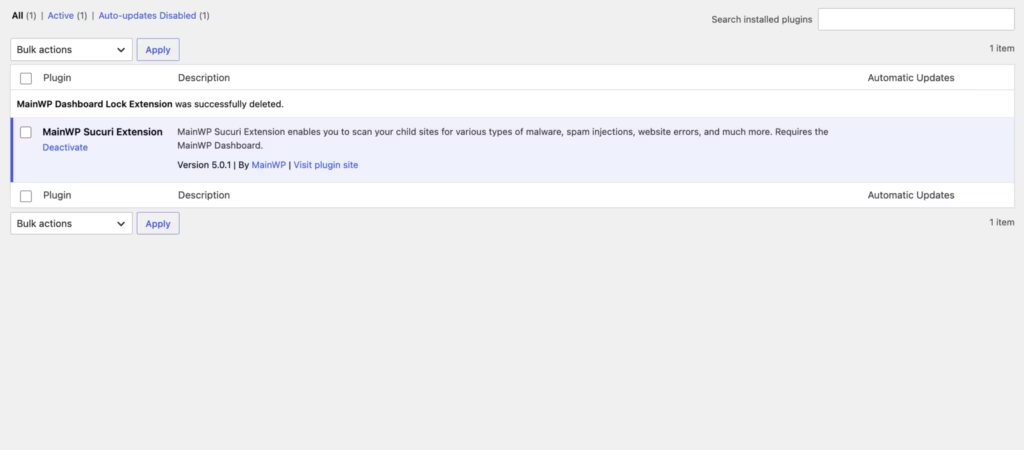
the Malware scanning via Sucuri's SiteCheck tool interface in Sucuri Extension — the strongest first-hand evidence this page can carry.


SiteCheck Malware Scanning

The extension runs its scans through Sucuri’s SiteCheck tool, triggered directly from the MainWP Dashboard rather than from each individual child site. A built-in scan trigger sits inside the dashboard interface, so a site manager checking a client’s site doesn’t need to log into that site’s own wp-admin to run the check.

For anyone managing a handful of client sites, this keeps malware checks inside the same screen already used for updates and backups. It removes the need to bounce between separate admin panels just to confirm a site is clean.

Malicious JavaScript, Drive-By Download, and Redirect Detection

Beyond generic malware signatures, SiteCheck looks specifically for malicious JavaScript injections, drive-by download scripts, and suspicious redirections planted on a page. These are common symptoms of a compromised WordPress install, often added by attackers to funnel visitors to another destination without the site owner noticing.

Catching this category early matters because these issues tend to affect visitors before they affect the site owner — a client may not know anything is wrong until a browser warning or a lost customer tips them off. Running the check from MainWP means that discovery happens on the agency’s schedule, not the client’s.

Blackhat SEO Spam Detection

SiteCheck also flags blackhat SEO spam: hidden text, spam links, or doorway content injected into a site to manipulate search rankings on someone else’s behalf. This type of compromise can sit unnoticed for months since it rarely breaks the visible site design.

Spam injections like this can quietly damage a client’s search visibility long before anyone spots the cause. Having this check bundled into the same scan as malware detection means one pass covers both the security and SEO angles of a compromise.

Blacklist Status Monitoring

The extension checks whether a domain has landed on any of four major blacklist services: Google Safe Browsing, Norton Safe Web, Phish Tank, and SiteAdvisor. This runs through a dedicated blacklist status panel built into the dashboard, separate from the malware scan itself.

A blacklisting on any of these services can block traffic outright or trigger browser warnings that scare visitors away. Surfacing that status across a whole client portfolio from one screen is a genuine time-saver compared to checking each domain manually against each service.

No Sucuri.net Subscription Required

Core scanning and blacklist monitoring work without a paid Sucuri.net account. The extension draws on Sucuri’s free SiteCheck tool, so the malware and blacklist checks described above are available without adding another vendor subscription to a client’s stack.

For agencies weighing security tooling costs across dozens of sites, this keeps a baseline layer of monitoring inside the existing MainWP setup instead of requiring a separate paid Sucuri plan just to get scan results.

Unlimited MainWP Dashboards

The extension isn’t capped to a single MainWP Dashboard installation — it can be used across an unlimited number of them. Combined with its classification as an Essential/Free extension, that makes it available the same way regardless of how many dashboards a business runs.

An agency running separate MainWP dashboards for different clients or business units doesn’t need to buy the extension multiple times or worry about a dashboard-count restriction eating into how it deploys security monitoring across its book of business.

Installation and Setup

Setting up the Sucuri Extension follows the same process as most MainWP add-ons, since it plugs directly into an existing MainWP control panel rather than running as a standalone plugin.

  1. This product requires the MainWP Dashboard plugin — it must be installed and activated on your control site before the extension can be added. The Dashboard is free and open-source, and is meant to run on a private, self-hosted WordPress install that manages your client sites.
  2. Download the Sucuri Extension package (mainwp-sucuri-extension.zip) from your MainWP account or the extensions area of your Dashboard.
  3. In your WordPress admin, go to Plugins → Add New Plugin → Upload Plugin.
  4. Choose File and select the zip — it installs directly without needing to be extracted first.
  5. Click Install Now, then Activate.
  6. Open the MainWP Dashboard and locate the Sucuri panel to begin scanning connected child sites.

Based on first-hand testing on WordPress 6.5 with PHP 8.4, the entire install and activation process took about two minutes from upload to an active extension ready to run scans.

Compatibility and Requirements

Requirement Detail
Required plugin MainWP Dashboard
Extension version 5.0.3
External integration Sucuri API (SiteCheck)

The extension pulls its scan data through the Sucuri API rather than a bundled scanner, so its functionality depends on that service being reachable rather than on local server resources.

If you’re running MainWP Dashboard on an older server, check that PHP is still on a supported version. End-of-life PHP branches no longer receive security patches and can affect plugin stability across the board.

Sucuri Extension Pricing

The Sucuri Extension itself carries no separate price tag. It’s classified as an Essential/Free extension, meaning it’s available to all MainWP users rather than gated behind a paid tier. The core scanning functionality — running Sucuri’s SiteCheck tool for malware detection and blacklist monitoring — can be used across an unlimited number of MainWP Dashboards.

MainWP’s broader pricing structure is built around annual and lifetime subscription tiers, scaled by the number of connected child sites rather than by locking individual features behind specific plans. The Sucuri Extension is distributed through both the Free Bundle and the Pro Bundle.

Current pricing details are not available in this review. Check the official developer website for up-to-date pricing information.

👉 Get Sucuri Extension at the best available price

Alternatives to Sucuri Extension

Agencies weighing MainWP’s Sucuri Extension against other security options should first consider what they actually need: a quick, no-cost malware and blacklist check, or a fuller monitoring suite with automation. The table below summarizes where this extension fits.

Product Key Difference Best For Price Tier
Sucuri Extension Manual-only SiteCheck scans and blacklist monitoring built into MainWP Dashboard, with no Sucuri.net subscription required Agencies and site managers already on MainWP who want basic scanning without added cost Freemium

Competitor data is sourced from publicly available information as of 2026 and may have changed.

The right pick ultimately depends on how much automation and depth of monitoring a given client portfolio actually requires.

Frequently Asked Questions

Is the MainWP Sucuri extension free to use?

Yes. It’s classified as an Essential/Free extension, so it’s available to all MainWP users regardless of tier, and it doesn’t require a Sucuri.net subscription for its core scanning features. It can also be used across an unlimited number of MainWP Dashboards.

Does the MainWP Sucuri extension require a Sucuri.net subscription?

No. The extension uses Sucuri’s free SiteCheck tool to scan for malware and monitor blacklist status without needing a paid Sucuri.net account. This makes it usable as a basic security check without adding a separate subscription cost.

Can the MainWP Sucuri extension run scheduled or automatic scans?

No. Only manual scans are supported, a limitation tied to Sucuri’s API terms of service. There’s no option for scheduled scanning or for scanning multiple sites at the same time, so each check has to be triggered individually from the dashboard.

What does the MainWP Sucuri extension actually scan for?

It checks for malware, malicious JavaScript, drive-by downloads, suspicious redirections, and blackhat SEO spam using Sucuri’s SiteCheck tool. Alongside malware detection, it also monitors whether a site appears on major blacklists.

How do I install the MainWP Sucuri extension on MainWP Dashboard?

The extension ships as a zip file (mainwp-sucuri-extension.zip) and installs directly without needing to extract it first. From the WordPress Dashboard, go to Plugins → Add New Plugin → Upload Plugin, choose the zip file, then click Install Now and Activate; the whole process takes about two minutes.

Does the MainWP Sucuri extension check blacklist status?

Yes. It monitors blacklist status through Google Safe Browsing, Norton Safe Web, Phish Tank, and SiteAdvisor. This runs alongside its malware scanning, giving site managers a combined view of both security threats and blacklist standing from one panel.

Download & Pricing Options

🆓 Free Version

👉 Download the Free Version of Sucuri Extension


💎 Get Sucuri Extension (Best Available Price)

👉 Check Current Pricing for Sucuri Extension

Pricing and availability may change — use the link above for current rates.

TAGGED:mainwp | sucuri extensionmainwp | sucuri extension 2026mainwp | sucuri extension reviewmainwp sucurimalcare alternativesucuri extensionwordfence alternativewordpress extension
Previous Article TaxoPress Review 2026: Is This WordPress Taxonomy Plugin Worth It?
Next Article Order Delivery Date Pro Review (2026)
FacebookLike
PinterestPin
InstagramFollow
YoutubeSubscribe

Subscribe Now

Subscribe to our newsletter to get our newest articles instantly!

    Most Popular
    SEOPress Pro Review 2026: Features, Pricing and Verdict
    September 21, 2026
    Most WordPress form plugins stop at the point of submission: the entry lands in the database, an email goes out, and everything after that is your problem. This Formidable Forms Pro review looks at a builder that treats submitted data as something you can act on — collecting payments, triggering automated workflows, and publishing entries back to the front end through Views. For anyone who has outgrown a basic contact form and started sketching directories, calculators, or client-facing dashboards, that distinction matters more than field types do. The question is whether an annual license justifies itself for site owners whose forms need to do real work after the submit button. Quick Verdict Formidable Forms suits freelancers, agencies, and business owners building data-driven forms — payment flows, application systems, front-end listings — on WordPress. Anyone who only needs a styled contact form will find the license hard to justify, and the plugin has no use outside WordPress. Pros Views display submitted entry data on the front end, turning forms into simple web applications rather than one-way capture points Payment collection through Stripe, PayPal, Square, and Authorize.net covers most common checkout setups CRM and automation integrations include Salesforce, Zapier, Google Sheets, HubSpot, and Mailchimp Business and Elite licenses cover unlimited sites, including client sites — practical for agencies juggling multiple builds Over 100 form templates give you a starting point instead of a blank canvas Layered spam protection built in via reCAPTCHA, honeypot, and Akismet Pro zip uploads directly through the WordPress plugin uploader with no extraction step Cons User registration is limited to certain plans and requires a separate add-on rather than working out of the box Single-site and three-site limits on Basic and Plus push multi-site owners toward the pricier Business or Elite tiers 👉 See Formidable Forms pricing Core Features The formidable-pro-6.34.zip file installs directly in WordPress via Plugins → Add New Plugin → Upload Plugin, without extracting it first — a small detail, but one that saves a step for anyone used to unzipping archives before upload. Views: Displaying Submitted Entries on the Front End Views are the feature that separates Formidable Forms from the average contact form plugin. Instead of entry data sitting in the WordPress admin waiting for someone to export it, Views pull submitted entries back out and render them on the front end — as directories, listings, tables, profile pages, or whatever layout the data suits. That changes what a form is for. A submission stops being a message you reply to and becomes content that populates a page. Job boards, member directories, event calendars, review listings, and internal dashboards all become achievable without a separate directory plugin or custom post type work. For anyone considering the Pro license specifically, this is usually the reason. Views are what make the "front-end web applications" claim more than marketing language. Form Builder for Simple Forms and Full Applications The builder handles the ordinary case — a contact form, a quote request, a newsletter signup — and then keeps going. The same interface builds multi-step forms and calculation-driven applications, so you are not learning a second tool when a project grows past a name-and-email field. The practical benefit is consistency across a portfolio. A freelancer building a five-field contact form on one site and a mortgage calculator on another works inside the same builder both times, which shortens the second build considerably. Payment Collection Payments run through Stripe, PayPal, Square, and Authorize.net. Having four processors available matters more than it sounds: merchant account availability varies by country and by business type, and being locked to a single gateway is a common reason form plugins get replaced mid-project. This covers the transactions that do not belong in a full store — donations, deposits, booking fees, application charges, invoice payments. Rather than installing WooCommerce to take a single fee, you attach payment collection to a form you were building anyway. A WooCommerce integration is available separately for sites that do run a store. Workflow Automation Automation ties what happens after submission to conditions you set, so form data triggers actions instead of just landing in a database table. Combined with Views, it is the second half of the application-building story — data comes in, actions fire, results display. For a business owner, this is the difference between checking an inbox and having submissions route themselves. Approval steps, conditional notifications, and follow-up actions run without anyone opening the WordPress dashboard. Integrations With CRMs, Marketing Tools, and Automation Platforms The integration list covers Salesforce, HubSpot, Mailchimp, Zapier, Google Sheets, ChatGPT, and Webhooks alongside the payment gateways, plus WooCommerce and ACF on the WordPress side. Two of those deserve attention. Zapier and Webhooks together mean that anything not on the native list is still reachable, and Webhooks in particular gives developers a direct route into custom endpoints. Google Sheets suits teams who want submissions in a spreadsheet their non-technical colleagues already use, without granting WordPress admin access. 100+ Form Templates The template library ships with over 100 prebuilt forms. For agencies handling repetitive client requests — contact, quote, registration, application, feedback — starting from a template and editing fields is faster than building from an empty canvas each time. Templates also serve as a reference for how the builder handles more complex structures, which helps when you are moving from simple forms toward calculation or multi-page setups. Layered Spam Protection Three spam defenses are built into the plugin's settings: reCAPTCHA, a honeypot field, and Akismet. They work at different points — the honeypot catches naive bots silently, reCAPTCHA challenges suspicious sessions, and Akismet checks submission content against a shared spam database. Because all three are configured inside Formidable Forms rather than bolted on through separate plugins, you can layer them according to how aggressive a given form needs to be. A newsletter signup and a public job application do not need the same level of friction. User Registration Forms can create WordPress user accounts, which turns a signup form into the front door of a membership area, client portal, or community site. Registration is not part of the base install — it depends on the user registration add-on and is limited to certain plans, so confirm plan eligibility before committing to a build that relies on it. Paired with Views, registration supports a common pattern: users sign up, submit entries, and see their own submissions displayed back to them on the front end. Installation and Setup Setup is quick. Tested on WordPress 6.5 with PHP 8.4, installation and basic configuration took about two minutes from upload to a working form. Install the free Formidable Forms plugin first. The free core plugin is distributed through the WordPress.org plugin directory. Search for it under Plugins → Add New Plugin, install it, and activate it. The Pro plugin is an extension, not a replacement — the free core plugin must remain installed and active for Pro to function. Deactivating it will break the Pro features. Purchase a Pro license. Four tiers are sold: Basic, Plus, Business, and Elite. Download the Pro plugin ZIP from your account after purchase. Upload the Pro ZIP through WordPress. Go to Plugins → Add New Plugin → Upload Plugin, choose the ZIP file, and install it. The archive installs directly — there is no need to extract it or dig for a nested plugin folder inside it first. Activate the Pro plugin. Both plugins now appear in your plugin list, and the Pro features become available inside the Formidable Forms admin screens. Build your first form, starting from a template rather than a blank canvas. Turn on spam protection. reCAPTCHA, honeypot, and Akismet are all supported and configured through the plugin's settings. Connect the services you need. Payment processors and third-party tools are set up per form or through the global settings, depending on the integration. Add the user registration add-on if your plan includes it. The vendor maintains a Docs & Support area and a community resource for anything beyond the basics. Compatibility and Requirements Requirement Detail WordPress version 6.3 or higher PHP version 7.4 or higher License GPL The vendor is blunt about the platform requirement: "Formidable Forms is a WordPress Plugin. In order to use Formidable Forms, you must have a WordPress site. That's all." There is no standalone, hosted, or non-WordPress version — if your site runs on Squarespace, Webflow, or a static generator, this is not the tool for you. For a live, public-facing site, pair a currently supported PHP version with the current stable WordPress release rather than sitting at the stated minimums. Unsupported PHP branches stop receiving security patches, and a form plugin handling payments and personal data is the last place to accept that risk. On the integration side, the plugin connects with Stripe, PayPal, Square, and Authorize.net for payments, plus Salesforce, HubSpot, Mailchimp, Zapier, ChatGPT, Google Sheets, Webhooks, WooCommerce, and ACF. Formidable Forms Pricing Formidable Forms runs on a freemium model. The free core plugin, distributed through the WordPress.org plugin directory and often referred to as Formidable Forms Lite, is a drag-and-drop form builder used on hundreds of thousands of active sites. It handles standard form building on its own, and it also acts as the foundation for the paid product. The Pro version is sold as an annual license across four tiers. Plan Price Sites Basic $79/year 1 site Plus $199/year Up to 3 sites Business $399/year Unlimited sites, including client sites Elite $599/year Unlimited sites, including client sites All four tiers are currently listed at 50% off those regular rates — Basic at $39.50/year, Plus at $99.50/year, Business at $199.50/year, and Elite at $299.50/year. Discounting at this depth is a familiar pattern in the WordPress form builder market, so treat the promotional figure as the price you are likely to see rather than the price the plugin is nominally worth. Paid plans are GPL licensed and include one year of updates and support. A 14-day money-back guarantee applies to purchases. For agencies and freelancers, the Business and Elite tiers are the ones worth weighing. Both cover unlimited sites, client sites included, which removes the per-project license math that eats into small builds. Alternatively, a license can be purchased per client site if you would rather bill each project separately. Formidable Forms also runs an affiliate program paying 20% commission. Feature availability differs by tier. Check the current plan comparison at formidableforms.com before buying so the tier you choose covers the integrations and add-ons your build actually needs. 👉 Get Formidable Forms at the best available price Alternatives to Formidable Forms Formidable Forms sits at the heavier end of the WordPress form builder market, where the job extends past capturing a message into payments, automation, and displaying submitted entries on the front end through Views. The alternatives below are the names most site owners weigh against it, and they differ mainly in how far past basic form capture they go. Product Key Difference Best For Price Tier Formidable Forms Views display submitted entry data on the front end, alongside payments, workflow automation, and unlimited-site licensing on the Business and Elite tiers Freelancers and agencies building data-driven forms and front-end applications across multiple sites Freemium, with paid annual Pro licenses WPForms Beginner-oriented drag-and-drop builder with a template-first onboarding flow Site owners who want conventional contact, survey, and order forms with minimal setup Freemium, with paid annual licenses Gravity Forms Long-established developer-focused builder with a large third-party add-on ecosystem Developers who want extensive hooks and a wide catalog of extensions Paid, subscription-based Fluent Forms Positioned around a lightweight footprint and fast form rendering Sites where keeping plugin overhead low is a priority Freemium, with paid licenses Ninja Forms Modular architecture where features are added as individual extensions Users who prefer to pay only for the specific functions they need Freemium, with paid extensions Contact Form 7 Minimal, markup-driven form handling with no built-in visual builder Simple contact forms on sites that need nothing more Free Competitor data is sourced from publicly available information as of 2026 and may have changed. The right pick comes down to what you are actually building. A single contact form does not justify an annual license, but if you need front-end entry display, payment gateways, and CRM handoff on several client sites, the comparison narrows quickly. Frequently Asked Questions Is Formidable Forms free or do you need the Pro version? A free version exists and is distributed through the WordPress.org plugin directory as a drag-and-drop form builder. The Pro version is sold as a paid annual license and adds the features covered above, including Views, payment collection, and the wider integration set. Does Formidable Forms require the free plugin to be installed? Yes. The free Formidable Forms core plugin must remain installed and active for the Pro plugin to function — Pro runs as an extension of the core plugin rather than a standalone replacement. How much does Formidable Forms cost per year? There are four annual tiers: Basic at $79/year, Plus at $199/year, Business at $399/year, and Elite at $599/year. All four are currently listed at 50% off those regular prices, so the promotional figures are $39.50, $99.50, $199.50, and $299.50 respectively. How many sites can I use one Formidable Forms license on? Basic covers a single website and Plus covers up to three sites. Business and Elite licenses can be used on unlimited sites, including client sites, or a license can instead be purchased per client site. What are Formidable Forms Views used for? Views display submitted entry data on the front end of your site, so form submissions become readable content rather than data locked in the admin area. That is what allows the plugin to power directories, listings, and simple front-end web applications instead of just capturing and storing entries. Can Formidable Forms collect payments with Stripe or PayPal? Yes. Payment collection is a core capability, with integrations for Stripe, PayPal, Square, and Authorize.net, alongside WooCommerce for store-based workflows. What are the WordPress and PHP requirements for Formidable Forms? Recent versions require WordPress 6.3 or higher and PHP 7.4 or higher. Beyond that, a WordPress site is the only requirement — the plugin does not work on non-WordPress platforms. We installed it on WordPress 6.5 with PHP 8.4 without issues. Does Formidable Forms offer a refund or money-back guarantee? Yes, a 14-day money-back guarantee applies to purchases. That gives you a short window to test the Pro feature set on a real site before the sale becomes final. Is Formidable Forms GPL licensed? Yes, the Pro plugin is distributed under the GNU General Public License. Paid plans include one year of updates and support, which means continued access to updates depends on renewing the license. Download & Pricing Options 🆓 Free Version 👉 Download the Free Version of Formidable Forms 💎 Get Formidable Forms (Best Available Price) 👉 Check Current Pricing for Formidable Forms Pricing and availability may change — use the link above for current rates. Buying Formidable Forms Pro outright is not the only route. See our best GPL site for WordPress comparison for how ten GPL vendors differ on file integrity, update speed and licence keys.

    Formidable Forms Pro Review 2026: Features, Pricing, Verdict
    September 21, 2026
    UpdraftPlus Premium Review 2026: Is the Upgrade Worth It?
    September 21, 2026
    FluentCRM Pro Review 2026: Features, Pricing and Verdict
    September 21, 2026
    PixelYourSite PRO Review 2026: Is This Tracking Plugin Worth It?
    September 17, 2026

    You Might Also Like

    Web GuidesWordPress Themes

    WoodMart Theme Review 2026: Features, Pricing and Verdict

    14 Min Read
    Web GuidesWooCommerceWordPress Plugins

    WooCommerce Coupon Box WordPress Plugin Review 2026: Features & Pricing

    15 Min Read
    Web GuidesWordPress Plugins

    Gravity Forms Review 2026: Is the Elite License Worth It?

    16 Min Read
    Web GuidesWooCommerceWordPress Plugins

    SUMO WooCommerce Dynamic Pricing Discounts Review (2026)

    14 Min Read

    Always Stay Up to Date

    Subscribe to our newsletter to get our newest articles instantly!

      blog-log blog-log

      We share tips, tricks, and guides to help you build better WordPress websites and improve online success.

      Free For You!

      • Elementor Pro
      • AvadaNew
      • JNews
      • Premium Plugins

      Quick Links

      • GPL Explained
      • Tips & Tricks
      • Tutorials
      • Web Guides

      Unlock the Unexpected!

      Think PureGPL is just another GPL site? Think again. 👀
      Surprise Me
      Welcome Back!

      Sign in to your account

      Username or Email Address
      Password

      Lost your password?




