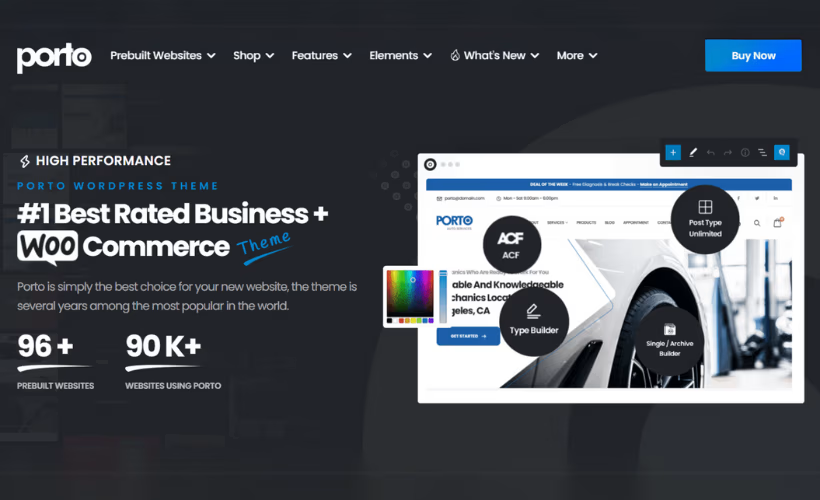
Choosing a multipurpose WordPress theme in 2026 means wading through dozens of options that look similar on the surface but diverge sharply once you start building. This Porto theme review cuts through that by examining a $59 one-time purchase that layers an AI-powered builder on top of full-site editing and WooCommerce support — a combination that positions it squarely against competitors like Avada and Divi.
Whether that combination justifies Porto over the competition depends on your workflow, your budget model, and how much you value bundled tooling versus a leaner setup.
Quick Verdict
Porto suits business owners, developers, and agencies who want a fully loaded theme at a flat one-time price — particularly those building WooCommerce stores who would otherwise pay separately for a slider and page builder. Buyers who need priority or direct support, or who want to evaluate a theme before committing, should look elsewhere.
Pros
-
- One-time $59 purchase with no recurring subscription
- AI-powered builder adds a modern layer on top of standard drag-and-drop tooling
- Full-site editing support fits current WordPress workflows
- Visual Composer and Revolution Slider bundled in, saving meaningful additional cost
- Broad WooCommerce compatibility spanning multiple major versions
Cons
- No free tier means you pay before you can properly evaluate the theme
- Installation requires manually extracting a nested ZIP archive rather than a standard one-click upload
- Forum-only support is the sole channel — no direct or priority option available
Core Features
AI-Powered Website Builder
Porto layers an AI-powered builder on top of its standard drag-and-drop tooling, giving users a way to generate site structures without manually assembling every section from scratch. This sits at the top of the editing workflow, before you reach the template builder or page builder layer beneath it.
For business owners and agencies who need to move quickly, this means a starting point already shaped around a site type rather than a blank canvas. Porto includes an AI-powered website builder as one of its core features, providing an AI-assisted starting point for creating site layouts.
Full-Site Editing Support
Porto supports WordPress full-site editing, which means headers, footers, and other global template parts can be edited through the block editor rather than through separate theme options panels. This allows headers, footers, and other global template parts to be edited through the WordPress block editor.
Developers and agencies building client sites gain a more unified editing environment — one where site-wide changes don’t require navigating multiple settings screens. Combined with the drag-and-drop template builder, Porto offers two parallel paths for controlling layout depending on the workflow a team prefers.
Drag-and-Drop Template Builder
The built-in drag-and-drop template builder handles structural layout editing directly within Porto, and it works alongside the bundled Visual Composer plugin for page-level content. That distinction matters: the template builder governs the broader site architecture, while Visual Composer extends content editing on individual pages.
This layered approach gives developers finer control over which parts of a site are locked to a template and which are open for page-by-page customization — a practical consideration when building sites for clients who will manage their own content after handoff.
WooCommerce Integration
Porto is built to work with WooCommerce across a wide range of versions, with stated compatibility covering WooCommerce 6.x through 10.x, including 10.9. That breadth of version support matters for store owners who may not always be running the latest release, whether by choice or due to plugin dependencies.
The theme’s multipurpose design means WooCommerce functionality sits alongside standard business site layouts rather than being a separate mode. A site can combine a content-heavy homepage with a full product catalog without requiring a theme switch or a separate storefront child theme.
Bundled Visual Composer and Revolution Slider
Porto ships with two premium plugins included in the purchase: Visual Composer, a page builder valued at $34, and Revolution Slider, a slider plugin valued at $19. Both are bundled at no additional cost, reducing the total outlay compared to licensing them separately.
Revolution Slider handles animated and responsive slider sections that would otherwise require a standalone purchase. For agencies building multiple site types — portfolio pages, landing pages, promotional sections — having both tools available from a single theme purchase simplifies initial project setup.
Multipurpose Design for Multiple Site Types
Porto is designed to serve business websites, online stores, and developer-built client sites from a single theme installation. The target audience spans solo business owners through to agencies managing varied project types, and the feature set reflects that range rather than optimizing narrowly for one use case.
That breadth is a deliberate design choice. A developer building a WooCommerce store for one client and a corporate site for another can work within the same theme framework without switching products between projects.
Installation and Setup
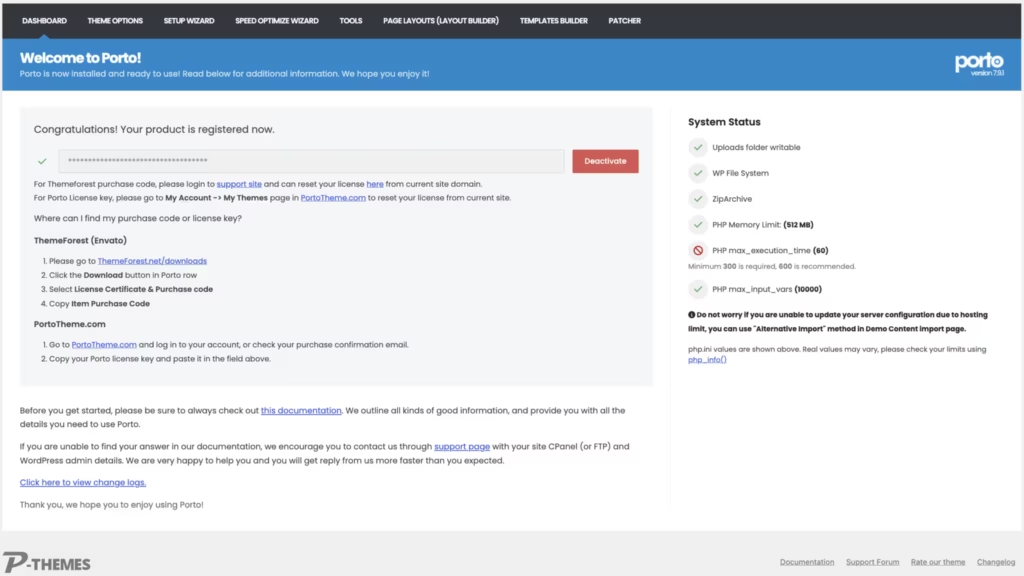
Porto’s installation differs slightly from a standard WordPress theme upload because the file you download from ThemeForest is a bundled archive, not the installable theme file itself. The steps below walk through the full process.
- Purchase Porto on ThemeForest and download the package from your ThemeForest account. The downloaded file is a ZIP archive containing the full bundle.
- Extract the downloaded ZIP on your computer. Inside you will find a folder — within it, locate the Theme files subfolder. The installable theme file,
porto.zip, is inside that subfolder.
- Log in to your WordPress dashboard and navigate to Appearance → Themes → Add New → Upload Theme.
- Upload
porto.zipand click Install Now, then Activate.
- Once the theme is active, WordPress will prompt you to install the bundled plugins. Porto ships with two companion plugins — Visual Composer and Revolution Slider — both included in the package at no additional cost. Install and activate each one when prompted.
- With the theme and both plugins active, use the onboarding flow to import a starter template or begin building with the drag-and-drop editor or the AI-powered builder.
The full setup from upload to an active theme takes only a few minutes. Porto’s documentation folder, also included in the extracted bundle, covers the onboarding process in additional detail.
Compatibility and Requirements
| Requirement | Supported versions |
|---|---|
| WordPress | 6.x |
| WooCommerce | 6.x, 7.x, 8.x, 9.x, 10.x, 10.9 |
| PHP (tested) | 8.4 |
Porto Pricing
Porto is a premium-only theme available exclusively through ThemeForest at a one-time purchase price of $59. There is no free version or trial tier.
That single payment includes the theme itself plus two bundled premium plugins: Visual Composer (valued at $34) and Revolution Slider (valued at $19). Getting those plugins included at no extra cost meaningfully offsets the purchase price compared to buying them separately.
The $59 license is a one-time charge — no annual renewal is required to continue using the theme.
For the current purchase price and full license terms, visit the Porto listing on ThemeForest.
👉 Get Porto at the best available price
Alternatives to Porto
Porto competes in a crowded segment of premium multipurpose WordPress themes, where the key differences come down to monetization model, builder approach, and ecommerce focus. The table below maps the closest alternatives across those dimensions.
| Product | Key Difference | Best For | Price Tier |
|---|---|---|---|
| Porto | AI-powered website builder layered on top of drag-and-drop tooling, with full-site editing support and bundled Visual Composer and Revolution Slider | Business owners and agencies wanting a one-time-purchase multipurpose theme with AI-assisted setup | Paid |
| Avada | Ships with its own Fusion Builder and Fusion Core ecosystem — a tightly integrated all-in-one theme and builder combination | Users who want a self-contained theme and builder without relying on third-party page builders | Paid |
| Divi | Bundles its own visual builder directly into the theme and is sold as a subscription or lifetime membership rather than a one-time marketplace purchase | Designers and developers who prefer a subscription model with a deeply integrated proprietary builder | Paid |
| Flatsome | WooCommerce-focused multipurpose theme with its own UX Builder, positioned as a specialist ecommerce option | Store owners whose primary goal is a polished WooCommerce build rather than a broad multipurpose site | Paid |
| Astra | Lightweight codebase with a widely used free tier and deep compatibility with third-party page builders like Elementor and Beaver Builder | Budget-conscious users or those who want to evaluate a theme before committing to a paid upgrade | Freemium |
| OceanWP | Freemium multipurpose theme with a free core and paid extensions for modular feature expansion | Users who want to start free and add functionality incrementally without a large upfront cost | Freemium |
Competitor data is sourced from publicly available information as of 2026 and may have changed.
The right choice depends heavily on how you plan to build. Porto’s one-time price and AI-assisted setup make it a strong option for agencies and developers who want speed and flexibility without a recurring subscription, while Flatsome suits pure ecommerce projects and Astra or OceanWP suit those who want a free starting point.
Frequently Asked Questions
How much does Porto theme cost?
Porto is a one-time purchase priced at $59 on ThemeForest — there is no subscription or recurring fee. That price includes two bundled plugins: Visual Composer (valued at $34) and Revolution Slider (valued at $19), which meaningfully offset the upfront cost.
Does Porto work with WooCommerce?
Yes. Porto is built with WooCommerce integration as a core feature and is tested against WooCommerce versions 6.x through 10.x, including 10.9. Porto lists compatibility with WooCommerce versions 6.x through 10.x, including 10.9.
How do you install Porto theme in WordPress?
Installation requires an extra step compared to a standard theme upload. The file downloaded from ThemeForest is a ZIP archive that must be extracted first; inside, a subfolder contains the actual porto.zip file, which is what you upload through the WordPress theme installer. The full process — extraction, upload, and initial setup — can be completed in around two minutes.
Porto vs Avada: which multipurpose theme is better?
Both are premium multipurpose themes sold on ThemeForest, and both target business sites and WooCommerce stores. Porto’s headline differentiator is its AI-powered website builder layered on top of drag-and-drop tooling, while Avada is widely established for its Fusion Builder and extensive template library. The better choice depends on whether the AI-assisted workflow or Avada’s mature ecosystem aligns more closely with how you build sites; pricing and feature sets for both products may have changed, so verify current details before purchasing.
Does Porto theme have an AI website builder?
Yes. An AI-powered website builder is one of Porto’s core features, sitting alongside its drag-and-drop template builder and full-site editing support. The AI-powered website builder helps users generate an initial site structure more quickly.
Is Porto theme good for beginners?
Porto offers a drag-and-drop builder and an AI-powered setup tool, both of which lower the barrier for users without coding experience. Installation follows the same nested-ZIP process described above. Once installed, the bundled Visual Composer and Revolution Slider plugins provide visual editing tools that most beginners will find approachable.
Download & Pricing Options
🔍 Try Before You Buy
Porto does not have an official free tier. To evaluate it before purchasing, a GPL-licensed copy is available for sandbox testing purposes only.
👉 Download GPL Evaluation Copy
This is a GPL-licensed redistributed copy for testing only — not an official developer product.
💎 Get Porto (Best Available Price)
👉 Check Current Pricing for Porto
Pricing and availability may change — use the link above for current rates.