
Picking a multipurpose WordPress theme usually means committing to one page builder and hoping it still fits the project six months later. This Bridge theme review looks at a different approach: a single theme that works with WPBakery, Gutenberg, and Elementor, backed by over 630 pre-built demo layouts and four bundled premium plugins, all for one ThemeForest license fee. For agencies juggling client preferences on builders, that flexibility is the whole pitch.
The question is whether that bundled value and layout library actually offset the setup complexity and marketplace-standard support that come with it.
Quick Verdict
Bridge suits freelancers and agencies who need one theme to cover creative portfolios, corporate sites, and WooCommerce stores without locking into a single page builder. It’s less appealing for buyers who want a lightweight, single-purpose theme or who need guaranteed direct developer support rather than forum-based help.
Pros
- Compatible with WPBakery, Gutenberg, and Elementor, so you’re not locked into one builder
- Bundles WPBakery, LayerSlider, Slider Revolution, and Timetable at no extra cost, worth well over $200 combined
- Over 630 pre-built demo layouts covering shops, portfolios, and agency sites
- Built with WooCommerce support, so it handles online stores as well as content-driven sites
- One-time ThemeForest license instead of a recurring subscription
Cons
- Four bundled plugins plus 630+ demos can make initial setup overwhelming for first-time users
- Support runs through Envato’s standard forum-based marketplace system rather than direct developer channels
- May require a hosting upgrade to meet server requirements
Core Features
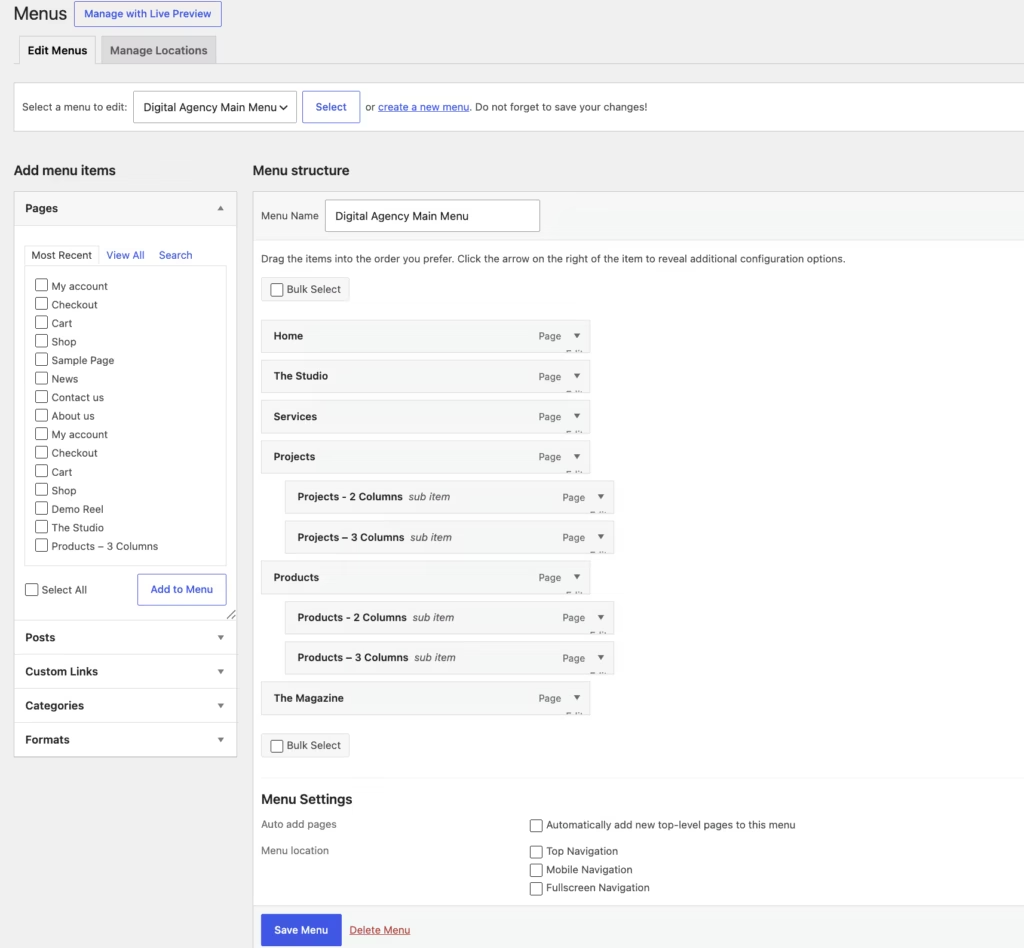
Multipurpose Design for Creative, Corporate, and E-Commerce Sites
Bridge is built as a multipurpose theme, meaning the same core package targets three fairly different site types: creative portfolios, corporate/business sites, and WooCommerce stores. Rather than shipping a single fixed layout, the theme is structured to be reconfigured for whichever of these directions a project needs.
For an agency or freelancer working across client types, this removes the need to license a separate theme for each project type. A designer building a portfolio one month and a corporate brochure site the next can work from the same Bridge installation for both.
In our testing on WordPress 6.5 with PHP 8.4, basic installation and setup took about 5 minutes.
Three Page Builders: WPBakery, Gutenberg, and Elementor
Bridge supports WPBakery Page Builder, the native WordPress Gutenberg block editor, and Elementor, all within the same theme. Rather than locking buyers into one editing workflow, the theme is built to work across whichever of these three tools a site owner already prefers.
This matters most for agencies handing sites off to clients, or for anyone migrating an existing site into Bridge. A team already standardized on Elementor can keep using it; a client more comfortable with core Gutenberg blocks isn’t forced to learn a new builder just to edit their own pages. It also reduces lock-in risk: if a future project moves away from one builder, the theme itself doesn’t need to be replaced.
Built for WooCommerce-Based Online Stores
Bridge is built to support WooCommerce, positioning it as usable for online stores rather than only content or portfolio sites. This sits alongside its creative and corporate use cases as a third supported direction for the theme.
For a store owner, this means the same theme covering a company’s marketing pages can also run its product catalog and checkout flow, without switching to a dedicated e-commerce theme. Combined with WooCommerce, Bridge can serve as the single theme behind both the storefront and the surrounding brand pages.
Installation and Setup
- Purchase the Bridge theme from ThemeForest ($69, Regular License) and download the ZIP package from your Envato account.
- Locate the theme file inside the downloaded archive. The file you receive from ThemeForest is not the installable theme itself — it is a parent archive containing documentation, licensing files, and the actual theme package. Extract bridge.zip from within it before proceeding.
- In your WordPress dashboard, go to Appearance > Themes > Add New > Upload Theme, then select the extracted bridge.zip file and click Install Now.
- Activate the theme once installation completes.
- Install and activate the bundled companion plugins as needed for your site’s design elements:
- WPBakery Page Builder for WordPress
- LayerSlider Responsive WordPress Slider Plugin
- Slider Revolution Responsive WordPress Plugin
- Timetable Responsive Schedule For WordPress Plugin
These four plugins are bundled with the Bridge license at no extra cost and support the theme’s page-building, slider, and scheduling features. None are strictly mandatory to activate the theme itself, but the demo layouts and design elements rely on them.
- Import a demo layout matching your intended site type (shop, portfolio, agency, or another available design) to begin building pages, or start from a blank setup if you prefer to build manually with Gutenberg, Elementor, or WPBakery.
On a standard WordPress install running WordPress 6.5 with PHP 8.4, the upload-and-activate process takes roughly five minutes once the correct theme file has been extracted.
Compatibility and Requirements
| Requirement | Detail |
|---|---|
| PHP version | 7.4 or higher |
| Memory limit | 128M |
| WordPress | Active, compatible WordPress environment |
| Page builders | WPBakery Page Builder, Gutenberg, Elementor |
| E-commerce | Built for WooCommerce-based stores |
Bridge is built to work across three different editing environments — WPBakery, the Gutenberg block editor, and Elementor — so the compatible builder depends on which one you choose to work with rather than a fixed requirement.
If your hosting environment still runs an end-of-life PHP version, upgrading before installing any current WordPress theme is worth doing regardless of Bridge’s own minimum, since unsupported PHP branches no longer receive security patches.
Bridge Pricing
Bridge is sold as a one-time purchase through ThemeForest rather than a subscription.
Regular License — $69
This single license includes the Bridge theme along with four companion plugins bundled at no extra cost:
- WPBakery Page Builder for WordPress (a $64 value on its own)
- LayerSlider Responsive WordPress Slider Plugin (a $69 value)
- Slider Revolution Responsive WordPress Plugin (a $109 value)
- Timetable Responsive Schedule For WordPress Plugin (a $40 value)
Bundling these plugins with the theme purchase means buyers avoid paying for each one separately, which adds up to meaningful value beyond the $69 license price itself.
Check the official developer website for up-to-date pricing information before purchasing.
👉 Get Bridge at the best available price
Alternatives to Bridge
Bridge is one of several long-running multipurpose WordPress themes competing on page-builder flexibility and template variety. Two established names worth comparing are Avada and Divi.
| Product | Key Difference | Best For | Price Tier |
|---|---|---|---|
| Bridge | Supports WPBakery, Gutenberg, and Elementor, with over 630 bundled demo layouts and four included premium plugins | Freelancers and agencies wanting page-builder choice plus a large template library | Paid |
| Avada | Uses its own Fusion Builder page building framework and is a long-established multipurpose theme on ThemeForest | Buyers who prefer a proprietary, tightly integrated builder over third-party options | Paid |
| Divi | Built by Elegant Themes with its own Divi Builder, sold via subscription or lifetime membership rather than a one-time ThemeForest license | Users who want ongoing updates tied to a membership rather than a single license purchase | Paid |
Competitor data is sourced from publicly available information as of 2026 and may have changed.
The right pick depends on how you want to build pages and how you prefer to pay for the theme. Buyers who value page-builder flexibility and a one-time license may lean toward Bridge, while those already committed to a specific builder ecosystem may find Avada or Divi a closer fit.
Frequently Asked Questions
How many demo layouts does the Bridge theme include?
Bridge includes over 630 pre-built demo layouts covering shops, portfolios, and agency sites. This library is one of the theme’s main selling points, giving buyers a large head start regardless of the type of site they’re building.
Does Bridge theme support Elementor and Gutenberg?
Yes, Bridge supports Elementor, the Gutenberg block editor, and WPBakery Page Builder. This gives buyers flexibility to build pages with whichever editor they’re already comfortable with, rather than being locked into one workflow.
What plugins are bundled with the Bridge theme?
Bridge bundles four premium plugins at no extra cost: WPBakery Page Builder, LayerSlider, Slider Revolution, and Timetable.
Why won’t the Bridge theme ZIP file install in WordPress?
The file downloaded from ThemeForest is a package archive, not the installable theme itself. The actual theme file, bridge.zip, needs to be extracted from within that downloaded archive first, and then uploaded through Appearance > Themes > Add New > Upload Theme.
What are the server requirements for the Bridge theme?
Bridge requires PHP 7.4 or higher along with a compatible, active WordPress environment. The theme also needs specific resource limits met, including a 128M memory limit, so sites on older or resource-limited hosting may need an upgrade before installing it.
Is Bridge theme good for a WooCommerce store?
Yes, Bridge is built to support WooCommerce-based online stores alongside its creative and corporate design options. It’s positioned as a genuinely multipurpose theme, so store owners get the same demo layout library and page builder flexibility as buyers building portfolio or business sites.
What kind of support comes with the Bridge theme?
Support for Bridge runs through Envato’s standard marketplace system, since the theme is sold on ThemeForest. That means buyers get forum-based support under Envato’s standard marketplace policies rather than a dedicated direct-developer support channel.
Download & Pricing Options
🔍 Try Before You Buy
Bridge does not have an official free tier. To evaluate it before purchasing, a GPL-licensed copy is available for sandbox testing purposes only.
👉 Download GPL Evaluation Copy
This is a GPL-licensed redistributed copy for testing only — not an official developer product.
💎 Get Bridge (Best Available Price)
👉 Check Current Pricing for Bridge
Pricing and availability may change — use the link above for current rates.