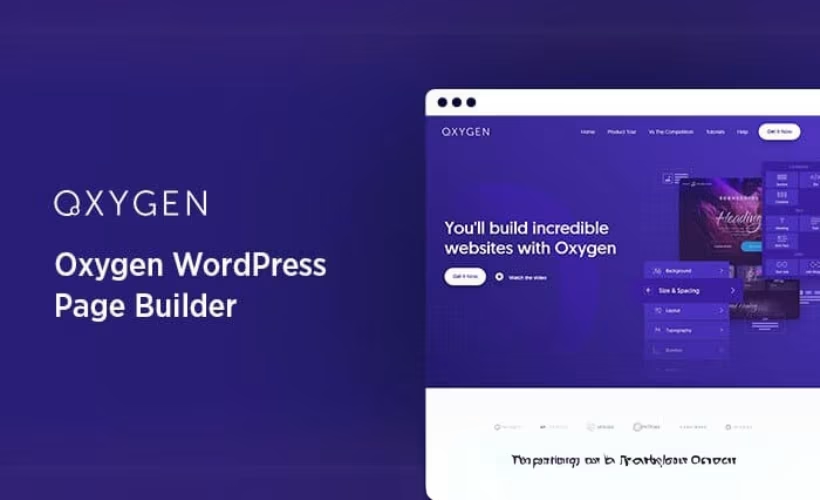
Agencies building client sites on subscription page builders eventually hit the same wall: recurring license fees that scale with every new project. This Oxygen Builder review looks at a different model, one-time lifetime pricing with unlimited site usage, and tests whether the developer-focused toolset behind it holds up for real agency work. The question is whether trading subscription flexibility for an upfront commitment actually pays off once WooCommerce builds, dynamic data, and client handoffs enter the picture.
Quick Verdict
Oxygen suits developers and agencies who want deep visual control over WordPress sites and plan to build enough projects that a one-time fee beats years of subscription payments. It’s a poor fit for beginners, hobbyists, or anyone who wants to try before they buy.
Pros
- One-time lifetime pricing with no recurring fees across all plans
- Unlimited site usage included even on entry-level tiers
- Dedicated visual WooCommerce builder covering shop, cart, checkout, and account pages
- Dynamic data binding and a reusable component system for complex, data-driven builds
- MCP edition adds AI-agent-based site building for teams exploring automated workflows
Cons
- Steeper learning curve aimed at developers rather than beginners
- WooCommerce design features require installing a separate Integration add-on alongside the core plugin
- Higher upfront cost tiers compared to low-cost monthly builder subscriptions
Core Features
Visual Website Design Tools
Oxygen’s builder works directly on the front end, giving developers a design canvas rather than a limited set of pre-made blocks. It’s built around structural control, letting you shape layouts at a level closer to hand-coded CSS than most drag-and-drop tools allow.
For agencies building varied client sites, this matters because templates rarely fit every brief. Instead of fighting a theme’s built-in constraints, you construct the layout the client actually asked for, which cuts down on the workaround hacks that slower builders tend to force.
Dynamic Data Integration
Oxygen includes dynamic data binding tools that connect design elements directly to WordPress data sources, rather than requiring hardcoded content on every page. This separates it from builders aimed purely at static marketing pages.
The practical benefit shows up on sites with repeating structures: staff directories, product catalogs, portfolios, or listings that pull from custom fields. Build the design once, bind it to the data, and every entry inherits the same layout automatically.
Reusable Design Components
The component system lets you save a designed element — a header, a card layout, a call-to-action block — and reuse it across a site or across multiple client projects. Changes to a shared component propagate wherever it’s used.
For developers managing several sites under one build workflow, this turns repetitive layout work into a one-time task. It also keeps design consistent across pages that were built weeks or months apart, without manually re-checking each one.
AI-Agent-Based Site Building (MCP Edition)
Oxygen offers an MCP (Model Context Protocol) edition that lets AI agents participate in the site-building process, positioning it among builders adapting to agent-driven workflows rather than relying solely on manual point-and-click design.
For developers curious about AI-assisted building, this is a distinct commercial and technical avenue from the traditional visual builder, though it operates as its own edition rather than a bolt-on toggle within the standard interface.
WooCommerce Visual Builder
Oxygen also ships a dedicated visual builder for WooCommerce, with modular drag-and-drop elements for single product pages, shop archives, cart, checkout, and account pages, all wired to dynamic store data. Using it requires installing both the core WooCommerce plugin and Oxygen’s separate WooCommerce Integration add-on alongside Oxygen itself.
That extra installation step aside, the payoff is design control over parts of a store that many builders leave to default templates: checkout flow, account dashboards, and archive layouts can all be rebuilt to match a client’s design rather than WooCommerce’s stock appearance.
Installation and Setup
- Purchase a license and download the Oxygen plugin file (oxygen.zip) from the official account area at oxygenbuilder.com.
- In the WordPress dashboard, go to Plugins → Add New Plugin → Upload Plugin. The oxygen.zip file can be uploaded directly without extracting it first — WordPress handles the unpacking automatically.
- Click Install Now, then Activate Plugin once the upload finishes. On a standard WordPress installation, this whole process — upload through activation — takes only a couple of minutes.
- Open the new Oxygen menu item in the dashboard to complete initial setup, such as assigning which post types and templates Oxygen should control.
- If you plan to build WooCommerce-powered pages (shop archives, single product pages, cart, checkout, or account pages) with Oxygen’s visual tools, install and activate these two plugins in addition to Oxygen itself:
- WooCommerce (the core e-commerce plugin)
- Oxygen’s WooCommerce Integration add-on
Both must be active before the e-commerce design modules appear in the builder.
- Once activated, use Oxygen’s visual editor to design pages with its drag-and-drop elements and dynamic data bindings, applying the reusable component system to keep headers, footers, and repeated layout blocks consistent across the site.
Compatibility and Requirements
| Item | Details |
|---|---|
| License scope | Unlimited site license — usable on unlimited personal or client projects with no extra per-site fees |
| Support | Priority support |
| E-commerce compatibility | Requires WooCommerce plus Oxygen’s WooCommerce Integration add-on for shop, cart, checkout, and account page building |
Oxygen’s unlimited license makes it practical for agencies handling multiple client builds under one purchase, since there’s no per-project licensing overhead to track.
For WooCommerce-based projects, the core WooCommerce plugin and Oxygen’s dedicated integration add-on both need to be active before the e-commerce design modules unlock. Oxygen alone doesn’t expose product or checkout elements without them.
If your site is currently running on an outdated, end-of-life PHP version, it’s worth updating to a currently supported PHP version before installing any modern page builder, both for security and for general plugin compatibility.
Oxygen Pricing
Oxygen is a premium-only product with no free tier. Every plan is sold as a one-time, lifetime purchase rather than a recurring subscription, which means there’s no annual renewal fee to budget for once you’ve bought in.
All plans include lifetime access, lifetime updates, and lifetime support, and each license covers unlimited sites — a notable point for agencies and freelancers who build for multiple clients under one purchase.
Four plans are currently offered:
| Plan | Price | Notes |
|---|---|---|
| Basic | $129 | Core visual builder for unlimited sites |
| WooCommerce | $149 | Adds the WooCommerce Integration add-on for store design |
| Ultimate | $179 | Expanded feature set beyond the Basic tier |
| Comprehensive bundle | $199.50 | The full package, combining Oxygen’s tools in one purchase |
If you plan to build online stores with Oxygen, the core WooCommerce plugin and Oxygen’s own WooCommerce Integration add-on both need to be installed alongside the builder itself. The e-commerce design tools won’t activate without them, which is why that functionality sits behind the WooCommerce plan rather than the Basic tier.
A 30-day window is available for refunds. For the current lineup and any active discounts, check the official developer website before purchasing.
👉 Get Oxygen at the best available price
Alternatives to Oxygen
Oxygen isn’t the only visual builder aimed at developers and agencies, and it’s worth weighing against the tools most WordPress professionals already know. The comparison below focuses on pricing model and depth of control rather than surface-level features.
| Product | Key Difference | Best For | Price Tier |
|---|---|---|---|
| Oxygen | One-time lifetime pricing with dynamic data tools, a dedicated WooCommerce builder, and an AI-agent MCP edition | Developers and agencies building unlimited client sites | Paid |
| Elementor | Widely-used builder with a free core plugin and a broad ecosystem of add-ons, aimed at a mix of beginners and professionals | Users wanting a familiar, well-supported builder with a free starting point | Freemium |
| Divi | Elegant Themes’ visual builder and theme sold as part of a membership, known for its all-in-one theme-plus-builder approach | Site owners who want a bundled theme and builder under one membership | Paid |
| Bricks Builder | Developer-oriented builder emphasizing clean code output and performance, positioned similarly to Oxygen for technical users | Developers who want Oxygen-style control with a different workflow | Paid |
Competitor data is sourced from publicly available information as of 2026 and may have changed.
The right pick depends on how you work and who you’re building for. Agencies wanting unlimited sites without recurring fees may lean toward Oxygen or Bricks, while teams prioritizing a larger plugin ecosystem or a gentler learning curve may find Elementor or Divi a better fit.
Frequently Asked Questions
How much does Oxygen cost?
Oxygen uses a one-time lifetime pricing model with no recurring fees. Current plans include Basic at $129, WooCommerce at $149, Ultimate at $179, and a comprehensive bundle at $199.50. Every tier includes lifetime access, updates, and support for unlimited sites.
Does Oxygen have a free version?
No, Oxygen does not offer a free tier or trial version. Buyers need to purchase one of the paid plans before they can test the builder on a live site.
Does Oxygen work with WooCommerce?
Yes, Oxygen includes a dedicated visual builder for WooCommerce. Using it requires installing both the core WooCommerce plugin and Oxygen’s separate WooCommerce Integration add-on, which together unlock drag-and-drop design for single product pages, shop archives, cart, checkout, and account pages using dynamic data.
What is the Oxygen MCP edition?
The MCP edition is Oxygen’s Model Context Protocol-based tool for AI-agent-based site building. It extends the builder’s dynamic data and component system so an AI agent can assist with constructing a site rather than a developer building every element manually.
How do I install Oxygen on WordPress?
Oxygen installs through the standard WordPress plugin uploader: go to Plugins, then Add New Plugin, then Upload Plugin, and select the oxygen.zip file directly without extracting it first. On a WordPress 6.5 site running PHP 8.4, this installation and basic setup took about two minutes.
Is Oxygen better than Elementor?
It depends on the use case rather than one being universally better. Oxygen targets developers and agencies with a one-time lifetime license and unlimited site usage, while Elementor is a more widely used page builder built around a subscription pricing model aimed at a broader range of skill levels.
Is Oxygen good for beginners?
Not really. Oxygen is built for developers, web agencies, and freelancers rather than first-time site builders. Its visual design tools, dynamic data binding, and reusable component system carry a steeper learning curve than beginner-oriented page builders.
Download & Pricing Options
🔍 Try Before You Buy
Oxygen does not have an official free tier. To evaluate it before purchasing, a GPL-licensed copy is available for sandbox testing purposes only.
👉 Download GPL Evaluation Copy
This is a GPL-licensed redistributed copy for testing only — not an official developer product.
💎 Get Oxygen (Best Available Price)
👉 Check Current Pricing for Oxygen
Pricing and availability may change — use the link above for current rates.