Choosing a multipurpose WordPress theme in 2026 means weighing years-old page builder architecture against native block editing that’s become the default. This Salient theme review looks at whether a WPBakery-based theme with over 170,700 sales still makes sense for agencies, photographers, and store owners building on WordPress today. The theme has clearly proven itself with buyers, but its core building block predates the tools most new WordPress projects now assume.
The question is whether Salient’s polish, WooCommerce support, and prebuilt site library outweigh the cost of committing to WPBakery long-term.
Quick Verdict
Salient suits agencies and business owners who want a proven, well-reviewed multipurpose theme and don’t mind working inside WPBakery Page Builder rather than the block editor. It’s a strong fit for WooCommerce stores and multilingual sites needing WPML support, especially those that can use its Prebuilt Websites library to speed up launch. Buyers who want a free trial, a native block-based workflow, or long-term support baked into the price should look elsewhere.
Pros
- Over 170,700 sales and a 4.8-star average rating from roughly 6,900 ThemeForest reviews
- Prebuilt Websites library with full site templates and section designs for fast one-click setup
- Skips bundling third-party sliders like Slider Revolution or LayerSlider, keeping the theme leaner
- Built-in WooCommerce and WPML compatibility for stores and multilingual sites
- Mobile-first responsive design with dedicated controls for smaller screens
Cons
- Built around WPBakery Page Builder rather than a native block editor or independent builder
- Extended License pricing jumps sharply compared to the Regular License
Core Features
Multipurpose Design for Creative and Business Websites
Salient is built as a general-purpose theme rather than a niche template, aimed at agencies, photographers, and businesses that need a flexible starting point for a creative site. Design work happens through page-level styling and section layouts rather than a fixed template structure, so the same install can serve a portfolio, an agency landing page, or a small business site without switching themes.
For a reader choosing between a niche theme and a broader one, this matters because the same license covers multiple types of projects. An agency building sites for different clients, or a photographer who also needs a shop page, does not need to relicense a new theme for each variation.
WPBakery Page Builder at the Core
Salient is built around WPBakery Page Builder rather than the WordPress block editor or a proprietary drag-and-drop tool. Every layout element, from columns to custom sections, is assembled through WPBakery’s interface, and the theme’s design options are wired into that builder rather than existing as a separate settings panel.
The practical effect is a consistent editing environment: once a user learns WPBakery’s row-and-element structure, that knowledge applies across every page on the site. A written user guide is included alongside support ticket access, giving buyers a reference point for working through WPBakery-specific settings rather than relying on trial and error.
WooCommerce Integration for Online Stores
Salient includes WooCommerce compatibility, letting store owners build a shop within the same theme used for the rest of the site rather than bolting commerce onto a layout that wasn’t designed for it. Product pages, shop archives, and cart flows sit inside the same WPBakery-driven design system as the rest of the pages.
For a business that wants a single cohesive site rather than a separate storefront theme, this keeps branding and layout consistent from the homepage through to checkout. It also means store owners inherit the same section-building tools used elsewhere on the site when they need to add promotional content around product listings.
WPML Compatibility for Multilingual Sites
Salient supports WPML, allowing a single install to serve content in multiple languages. This is built into the theme’s compatibility list rather than requiring a separate multilingual template or workaround.
For agencies working with clients that operate across regions, or businesses serving customers in more than one language, this removes the need to evaluate a separate theme purely for translation support. The multilingual layer sits on top of the same WPBakery-based pages already built for the site.
Installation and Setup
- Purchase the Regular License ($60) through the ThemeForest marketplace and download the theme package from your Envato account.
- Locate the downloaded file, named something like
themeforest-4363266-salient-responsive-multipurpose-theme.zip. This is the installable theme package itself — it can be uploaded directly through the WordPress admin without extracting it first. - In the WordPress dashboard, go to Appearance > Themes > Add New > Upload Theme, select the zip file, and click Install Now.
- Activate Salient once installation finishes.
- Install the companion plugins the theme depends on. This product requires WPBakery Page Builder to build and edit page layouts, since Salient is built around it as its core design tool.
- If the site will run an online store, also install and activate WooCommerce.
- If the site needs multiple languages, also install and activate WPML.
- Once WPBakery Page Builder is active, browse the Salient Prebuilt Websites library from within the theme’s setup panel. It includes a large collection of full site templates and individual section designs that can be imported with one click, giving a working layout to edit rather than starting from a blank page.
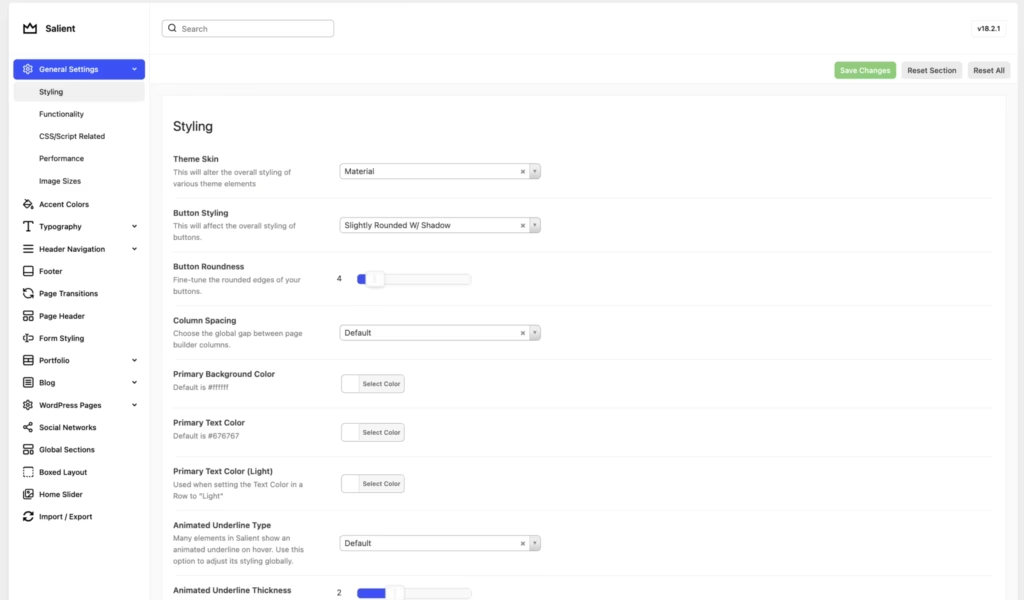
- Configure theme options — header styles, typography, color settings, and WooCommerce-specific display options if a store is in use — through the Salient theme panel in the dashboard.
- Refer to the written user guide included with the purchase for layout-specific configuration, and use the support ticket system for setup issues not covered there.
On a WordPress 6.5 install running PHP 8.4, this process took about 5 minutes from upload to a working prebuilt layout.
Compatibility and Requirements
| Requirement | Details |
|---|---|
| WordPress | 6.4.x through 7.0.x |
| PHP | 7.4 minimum; PHP 8.0 or higher recommended |
| WooCommerce | 8.x.x, 9.x.x, 10.x.x |
| WPML | Compatible |
| Browsers | Firefox, Safari, Opera, Chrome, Edge |
Salient’s stated PHP floor is version 7.4, but running a currently supported PHP branch rather than an older, end-of-life release is generally sound practice for security and performance on any live production site.
WooCommerce support spans three major version branches, which suggests reasonably active maintenance for store-focused installs, and WPML compatibility means multilingual sites are covered without needing a separate translation workaround.
Salient Pricing
Salient is sold exclusively through ThemeForest as a one-time purchase, with no free tier available.
Regular License — $60
This is the standard purchase option for a single project. It includes the Salient theme package, access to the Prebuilt Websites library for one-click site imports, and the WPBakery Page Builder integration that Salient is built around.
Extended License — $2,950
This tier follows the typical Envato extended license structure, intended for cases where the end product built with Salient is itself sold or made available to paying customers, rather than used on a single standard project.
Support is included for 6 months from ThemeNectar and covers access to the support ticket system and the written user guide. Extending support coverage to a full 12 months costs an additional $18.
Both license tiers are billed as one-time purchases rather than subscriptions, which is standard for ThemeForest marketplace themes. For the current price and any active marketplace discounts, check the official ThemeForest listing before buying.
👉 Get Salient at the best available price
Alternatives to Salient
Salient isn’t the only multipurpose theme built for agencies and creative sites, and buyers often weigh it against other established ThemeForest and marketplace options. Here’s how it stacks up against two well-known alternatives.
| Product | Key Difference | Best For | Price Tier |
|---|---|---|---|
| Salient | Built around WPBakery Page Builder, with a Prebuilt Websites library and no bundled third-party sliders | Agencies, photographers, and WooCommerce store owners wanting a lean WPBakery-based toolkit | Paid |
| Avada | Uses its own Fusion Builder and ships with extensive bundled features and options, one of ThemeForest’s best-selling themes | Buyers wanting an all-in-one theme with a deep, proprietary feature set | Paid |
| Divi | Built around the Divi Builder and sold via subscription or lifetime membership rather than a one-time marketplace license | Users who prefer ongoing access to a builder ecosystem over a single-purchase model | Paid |
Competitor data is sourced from publicly available information as of 2026 and may have changed.
The right pick depends on how you want to build and pay: Salient suits those comfortable with WPBakery and a one-time license, while Avada and Divi fit buyers who prioritize a proprietary builder or a subscription-based pricing model instead.
Frequently Asked Questions
Does Salient include Slider Revolution or LayerSlider?
No, Salient does not bundle Slider Revolution or LayerSlider with its purchase. Unlike some other popular ThemeForest themes that include these third-party premium slider plugins, Salient takes a different approach focused on performance and native integration.
What is the minimum PHP version required for Salient?
The minimum required PHP version for Salient is PHP 7.4 or greater. ThemeNectar strongly recommends running PHP 8.0 or higher for better security and stability.
Is Salient compatible with WooCommerce?
Yes, Salient is built with WooCommerce compatibility for online stores. It is compatible with WooCommerce versions 8.x.x, 9.x.x, and 10.x.x, making it suitable for building a WooCommerce-powered site alongside its creative design features.
How much does the Salient theme cost?
The Regular License costs $60, covering standard single-project use. An Extended License is also available for $2,950, intended for cases such as charging end users to access the theme or its output.
How long does Salient theme support last?
Support runs for 6 months from the date of purchase through ThemeNectar’s support ticket system and written user guide. Buyers who want coverage for a full year can extend support to 12 months for an additional $18.
Can I import prebuilt websites with Salient?
Yes, Salient offers a Prebuilt Websites library that includes a large collection of full site templates and professional section designs. These are available for one-click setup, giving buyers a starting point instead of building pages from scratch.
Is Salient better than Avada?
Salient and Avada are both premium multipurpose themes built around WPBakery Page Builder, so the better choice depends on specific needs. Salient has recorded over 170,700 total sales and a 4.8-star average rating from roughly 6,900 customer reviews, and it distinguishes itself by not bundling third-party sliders like Slider Revolution, keeping its footprint leaner than some competitors that do.
Download & Pricing Options
🔍 Try Before You Buy
Salient does not have an official free tier. To evaluate it before purchasing, a GPL-licensed copy is available for sandbox testing purposes only.
👉 Download GPL Evaluation Copy
This is a GPL-licensed redistributed copy for testing only — not an official developer product.
💎 Get Salient (Best Available Price)
👉 Check Current Pricing for Salient
Pricing and availability may change — use the link above for current rates.