High-traffic WordPress sites hit a ceiling when the database becomes the bottleneck, and free caching plugins often lack the support to fix problems fast when something breaks in production. This Object Cache Pro review looks at whether a paid, engineering-backed Redis object cache actually solves that problem for hosting providers and agencies who can’t afford downtime. The pitch is simple: pay for dedicated support and reliability instead of relying on community maintenance.
The real question is whether that support and reliability justify a monthly fee when free Redis caching plugins already exist.
Quick Verdict
Object Cache Pro fits hosting providers, agencies, and high-traffic sites that need dependable Redis caching with someone accountable when things go wrong. Smaller sites or blogs with modest traffic will likely find the cost hard to justify against free alternatives. If dedicated support and multisite-ready caching matter more than saving money, this is built for that use case.
Pros
- Dedicated engineering support included with purchase, unlike community-maintained free plugins
- Full WordPress multisite support with shared Redis data and configurable per-site or global cache flushing
- Built-in analytics dashboard in wp-admin for monitoring Redis connection, memory usage, and performance
- Comprehensive WP-CLI command set for managing and troubleshooting caching from the terminal
- Supports both single Redis instances and clusters, built for reliability under high traffic
Cons
- Requires a properly configured, compatible Redis instance or cluster to function at all
- Monthly subscription cost may be hard to justify for smaller or lower-traffic sites
👉 See Object Cache Pro pricing
Core Features
Redis Object Cache Backend
Object Cache Pro replaces WordPress’s default database-backed object cache with a Redis-driven backend, storing transients, options, and other cached objects in memory instead of hitting MySQL on every request. It’s the foundation the rest of the plugin builds on: every other feature, from clustering to the analytics dashboard, sits on top of this core caching layer.
For a site owner, this translates into fewer round trips to the database on pages that would otherwise repeat the same queries for every visitor. Sites with heavy plugin stacks or complex page templates tend to see the biggest reduction in database load, since Redis absorbs the repetitive read traffic.
In our testing on WordPress 6.5 with PHP 8.4, installation and basic setup took about 2 minutes. The object-cache-pro.zip file could be installed directly through Plugins → Add New Plugin → Upload Plugin without needing to extract the archive first.
Single Instance and Cluster Support
The plugin works with both a standalone Redis instance and a full Redis cluster, so the caching layer can scale alongside the hosting environment rather than being locked into one topology. A single site on a modest VPS and a hosting platform running Redis across multiple nodes are both covered by the same plugin.
This flexibility matters most to hosting providers and agencies managing infrastructure for several clients at once. They can standardize on Object Cache Pro across small single-server setups and larger clustered environments without switching caching solutions as traffic grows.
Built for Reliability Under High Traffic
Object Cache Pro is positioned as a business-class caching layer, meaning its design priorities are stability and predictable performance rather than a minimal feature set aimed at hobby sites. It’s built specifically with high-traffic WordPress installations in mind.
For a site that can’t afford caching failures during a traffic spike, this framing is the practical difference between a caching plugin and infrastructure. It’s aimed at scenarios where a cache miss or crash has a real cost, not just a minor slowdown.
Full Multisite Compatibility
Object Cache Pro fully supports WordPress multisite networks out of the box. All sub-sites in a network share data such as user info and transients within the same Redis database, while configuration options still allow cache flushing to be scoped to an individual site or applied network-wide.
Agencies running client networks on a single WordPress multisite install get shared caching efficiency without losing the ability to flush one site’s cache independently. That means a client’s changes can be pushed and cleared without triggering an unnecessary network-wide cache clear.
Dedicated Engineering Support
Every purchase includes access to dedicated engineering support, a distinction from community-maintained caching plugins where troubleshooting is typically left to forum threads. It’s one of the core justifications for the plugin’s premium positioning.
For a hosting provider managing dozens of client sites, or a business where downtime is expensive, having a direct line to engineering support when a Redis connection issue surfaces at 2 a.m. is a meaningfully different support model than waiting on a community forum reply.
WP-CLI Command Set
Object Cache Pro ships with a set of WP-CLI commands built for managing, monitoring, and troubleshooting Redis object caching directly from the terminal. That gives developers and sysadmins a way to inspect cache state and diagnose issues without going through wp-admin.
It’s particularly useful in deployment pipelines and server-management workflows, where a developer needs to flush, verify, or debug the cache as part of a script rather than clicking through an admin screen.
Built-in Analytics Dashboard
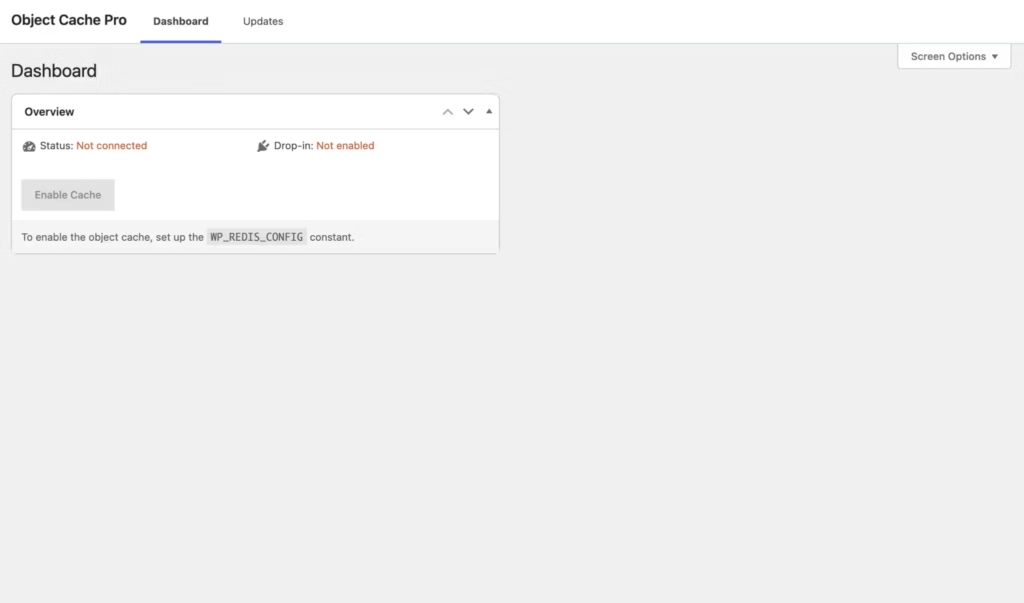
The plugin includes an analytics dashboard inside wp-admin that shows the status of the Redis connection, memory footprint, and overall application performance. It’s built into the plugin itself rather than requiring a separate monitoring tool.
That gives site owners and agencies visibility they’d otherwise need external tooling to get. It’s a quick way to check whether Redis is healthy, how much memory the cache is consuming, and whether the caching layer is doing its job, all from the same dashboard used to manage the rest of the site.
Installation and Setup
- Confirm access to a running Redis instance or cluster before starting. Object Cache Pro is a caching backend, not a cache in itself — it needs a real Redis server to connect to, whether that is self-hosted, managed by your host, or run as a cluster.
- Purchase a license and download the plugin as a zip file (object-cache-pro.zip) from your account area.
- Go to Plugins → Add New Plugin → Upload Plugin in wp-admin and upload the zip file directly. There is no need to extract the archive first; WordPress handles the installation from the compressed file.
- Activate the plugin from the Plugins screen once the upload finishes.
- Enable the object cache connection using the plugin’s WP-CLI commands, which are also used afterward for monitoring, flushing, and troubleshooting the cache from the terminal.
- Open the built-in analytics dashboard inside wp-admin to confirm the connection is live. It reports Redis connection status, memory footprint, and cache performance, so you can verify the setup worked without needing external tools.
- On a multisite network, no extra configuration is required.
Tested on WordPress 6.5 with PHP 8.4, the whole process — upload through to a working connection — took about two minutes. If the dashboard reports a connection error afterward, check that your server has the PHP background extensions needed for communication with the Redis server; a missing extension is the most common cause of a failed connection at this stage.
Compatibility and Requirements
| Requirement | Details |
|---|---|
| PHP | 7.2 – 8.6 |
| Redis | 4.0 – 8.8 (single instances and clusters) |
Multisite is fully supported (see Core Features above).
If your site is still running a PHP version from the lower end of that range, check whether that branch is still receiving security updates from the PHP project. Many older PHP releases have long since reached end-of-life, and pairing a caching layer with an unsupported PHP version is not a good trade-off for a production site.
Object Cache Pro Pricing
Object Cache Pro is sold as a commercial product only; there is no free tier. Pricing starts at $79/month.
For the current rate and full tier breakdown, check the official pricing page at objectcache.pro.
👉 Get Object Cache Pro at the best available price
Alternatives to Object Cache Pro
Object Cache Pro sits at the premium, support-backed end of the market, but it isn’t the only way to speed up WordPress. Depending on budget and whether you need dedicated object caching or broader site-wide performance tools, one of these alternatives may fit better.
| Product | Key Difference | Best For | Price Tier |
|---|---|---|---|
| Object Cache Pro | Business-class Redis object cache with dedicated engineering support, multisite support, and a built-in analytics dashboard | Hosting providers and high-traffic sites needing reliable, support-backed Redis caching | Paid |
| Redis Cache | Free, community-maintained plugin offering basic Redis object caching without commercial support | Smaller sites or developers comfortable troubleshooting without dedicated support | Free |
| WP Rocket | Premium full-page caching and site speed optimization plugin rather than a dedicated Redis backend | Site owners wanting broad performance gains without configuring Redis directly | Paid |
| W3 Total Cache | Freemium all-in-one caching plugin supporting Redis and Memcached alongside page and browser caching | Users wanting a single plugin covering multiple caching layers, with optional Pro upgrade | Freemium |
Competitor data is sourced from publicly available information as of 2026 and may have changed.
The right pick depends on what you actually need: dedicated Redis performance with support, or a general-purpose caching plugin that handles more of the stack at a lower cost.
Frequently Asked Questions
Does Object Cache Pro support WordPress multisite?
Yes, Object Cache Pro fully supports WordPress multisite networks out of the box. All sub-sites in a network share data such as user info and transients within the same Redis database, while configuration options allow customized cache flushing per individual site or across the entire network.
Is there a free version of Object Cache Pro?
No, Object Cache Pro has no free tier and is a premium-only product, with pricing starting at $79 per month. Site owners looking for a no-cost alternative would need to consider a community-maintained plugin instead.
What are the PHP and Redis requirements for Object Cache Pro?
Object Cache Pro requires PHP between versions 7.2 and 8.6, along with a Redis instance or cluster running Redis 4.0 through 8.8. It supports both single Redis instances and clustered setups.
Does Object Cache Pro work with WP-CLI?
Yes, Object Cache Pro provides a set of WP-CLI commands built for managing, monitoring, and troubleshooting Redis object caching directly from the terminal. This makes it easier to handle cache operations without relying solely on the wp-admin dashboard.
Why won’t Object Cache Pro connect to my Redis server?
A common cause is that the server lacks the necessary PHP background extensions required for Object Cache Pro to communicate with the Redis server. Checking that the correct PHP Redis extension is installed and enabled is typically the first troubleshooting step.
How much does Object Cache Pro cost?
Pricing starts at $79 per month for the Standard tier, applied as a starting price rather than a flat rate across all site sizes.
Does Object Cache Pro include a cache analytics dashboard?
Yes, Object Cache Pro includes a built-in analytics dashboard inside wp-admin. It gives visibility into the Redis cache connection, memory footprint, and overall application performance.
Download & Pricing Options
🔍 Try Before You Buy
Object Cache Pro does not have an official free tier. To evaluate it before purchasing, a GPL-licensed copy is available for sandbox testing purposes only.
👉 Download GPL Evaluation Copy
This is a GPL-licensed redistributed copy for testing only — not an official developer product.
💎 Get Object Cache Pro (Best Available Price)
👉 Check Current Pricing for Object Cache Pro
Pricing and availability may change — use the link above for current rates.