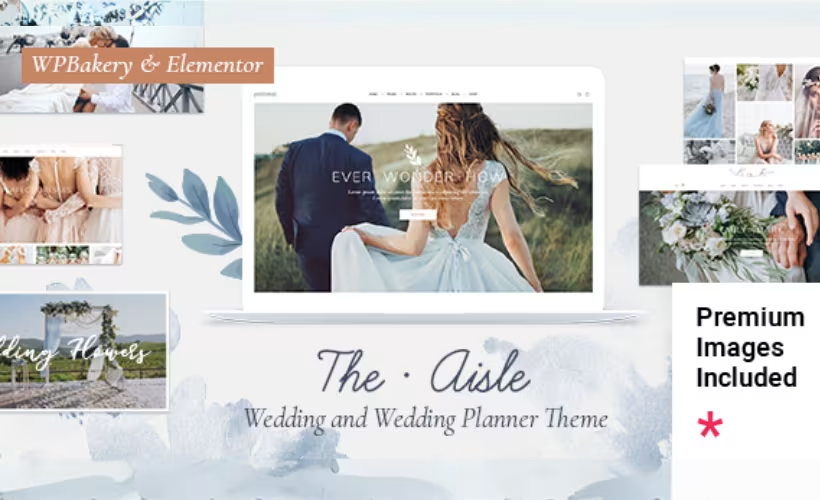
This The Aisle theme review looks at Elated-Themes’ wedding-focused WordPress design, its page builders and the setup needed for a usable guest website. It can suit couples, planners and photographers who want wedding-oriented layouts. The main question is whether those layouts fit your needs better than a general theme with a form plugin.
Quick Verdict
The Aisle is worth evaluating for announcements, galleries and wedding-service websites. Its value lies in the coordinated design and content components. RSVP delivery, venue directions and any online sales still need configuration and testing.
- Wedding-oriented page designs give a focused starting structure.
- WPBakery and Slider Revolution are bundled, with Elementor compatibility also listed.
- Bundled access differs from buying standalone plugin subscriptions.
- TheAisle Core is an important dependency that should not be omitted from setup.
- A preview helps assess design, but it does not test your own guest forms or hosting.
Wedding Pages and Galleries
The official listing presents announcement, invitation, RSVP, gallery, venue-map and registry-oriented layouts. These can help organize information guests need without designing each page from scratch.
Keep the event date, venue address and RSVP deadline easy to find on mobile. Test directions links against the actual destination. A registry layout is a presentation feature; do not assume it synchronizes purchases or inventory across external registries.
For galleries, resize and compress images before uploading. Check portrait and landscape crops on different screens. A large slideshow can look appealing while making the practical event information harder to reach on a slow connection.
Builders and Bundled Plugins
WPBakery Page Builder and Slider Revolution are included in the package. Do not treat the listing’s historical standalone dollar values as current cash savings or as proof of identical standalone entitlements. Premium template libraries, direct support and update channels can differ for bundled plugins.
Use the builder associated with the selected demo. Elementor compatibility does not make an existing WPBakery page automatically editable in Elementor. Switching builders may require rebuilding layouts and checking theme-specific elements.
Slider Revolution is relevant to pages that use its sliders; it should not be described as necessary for every page. Keep the dependencies needed by your chosen content rather than installing every optional component without a purpose.
Installation and Demo Import
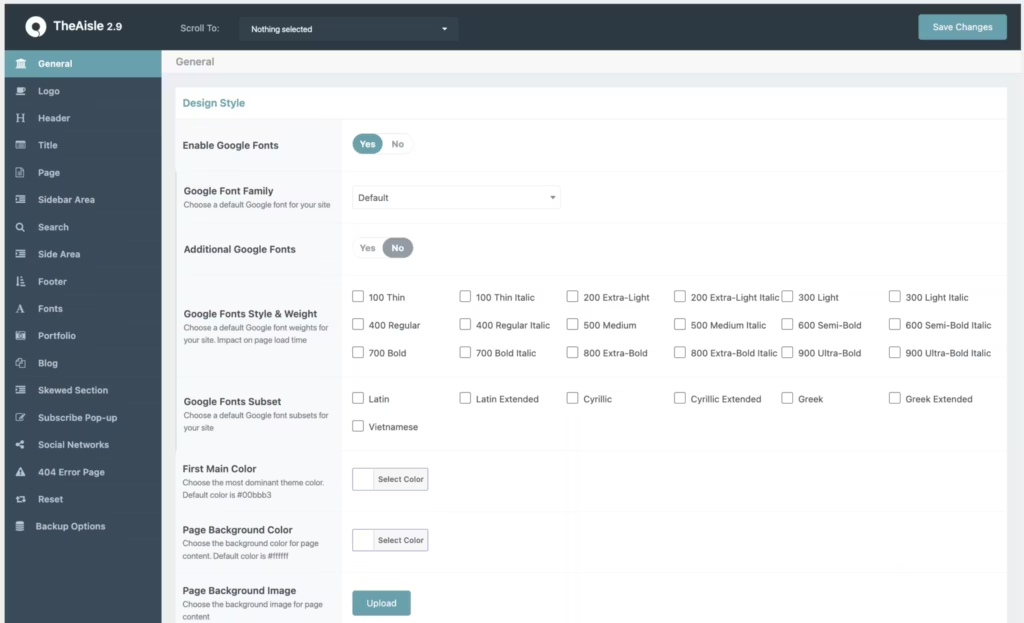
The official user guide identifies theaisle.zip as the installable archive and emphasizes TheAisle Core for theme elements and custom post types. It also describes theme registration before demo import; bundled plugins do not need separate registration in that workflow.
The documented importer is TheAisle Dashboard → Import. It can import all demo data or selected content, widgets and options. Install Contact Form 7 before importing forms, and WooCommerce before importing a shop demo. Review the guide supplied with the current release because the public guide displays an older update date.
- Back up an existing site and use staging for the initial setup.
- Upload and activate the parent theme, then install its required companion components.
- Choose the demo and page-builder workflow you intend to maintain.
- Import only the content and settings you need.
- Replace sample names, dates, photos, locations, registry links and contact details.
- Configure forms and verify messages arrive at the intended destination.
- Test the site on a phone before sharing the URL with guests.
If you use a child theme for custom code, retain the parent theme and test customizations after updates. A child theme helps preserve edits; it does not guarantee future compatibility.
RSVP Forms and Guest Experience
A designed RSVP page is not proof that responses will reach you. Submit test responses with realistic names and answer combinations. Check confirmation messages, required fields and what happens when email delivery fails.
Decide whether guests need one response per household or per person, and how you will handle changes. If you need guest-list matching, seating plans or attendance exports, verify the form or event system supports those features. Do not assume a wedding theme supplies a complete event-management application.
Commerce and Multilingual Use
The Aisle lists WooCommerce and WPML compatibility. WooCommerce can support a store, but bookable appointments or service scheduling may need additional tools. A pricing table alone does not create a booking workflow.
For a multilingual wedding site, configure the translation plugin and check navigation, forms and event details in each language. Compatibility is not an included translation service or necessarily an included WPML license.
Compatibility and Maintenance
Check current release notes against the WordPress, PHP and plugin versions on your hosting. Older browser names in marketplace metadata should not be treated as evidence that every modern interaction has been tested on those browsers.
Test representative gallery, form and shop pages after updates. Prioritize the devices guests actually use. The theme alone cannot guarantee performance, search visibility or delivery of RSVP emails.
The Aisle Pricing and Support
On November 6, 2026, the official listing showed a $69 Regular License, future updates and six months of author support, before tax and handling charges. An optional extension to twelve months costs extra. The listing also identifies the item as 100% GPL.
Distinguish software licensing from purchase-code registration and author services. Do not infer unlimited supported installations or unlimited purchase-code activations from the GPL label. Check the actual purchase and registration terms for your planned deployments.
Hosting, paid integrations and ongoing maintenance are separate costs. A third-party redistributed copy does not automatically provide the author’s support or the same update arrangements.
Alternatives to The Aisle
| Option | Approach | When to compare |
|---|---|---|
| The Aisle | Wedding-focused theme and companion components | You want a coordinated event or wedding-business design |
| Astra with a form plugin | General theme with separately selected templates and form tools | You want to assemble a simpler site around specific guest requirements |
| Divi | General visual builder and theme | You already use its editing workflow or build multiple client websites |
Astra has a free theme, while premium products and template access depend on the chosen plan. Divi offers annual and lifetime options. Neither comparison should be read as a claim that all RSVP or event-management features are included; choose and test the form system separately.
Frequently Asked Questions
Which plugin is easy to miss during installation?
TheAisle Core supplies important theme functionality. It should not be replaced by installing only WPBakery and Slider Revolution.
Can I switch an existing WPBakery page to Elementor automatically?
Compatibility with both builders does not establish automatic conversion. Use the matching demo workflow or plan a rebuild.
Does an RSVP template guarantee response tracking?
No. Configure and test the form and delivery or storage method you choose.
Can I preview The Aisle?
Use the official demo to assess layouts before purchasing. A preview is not a local compatibility test.