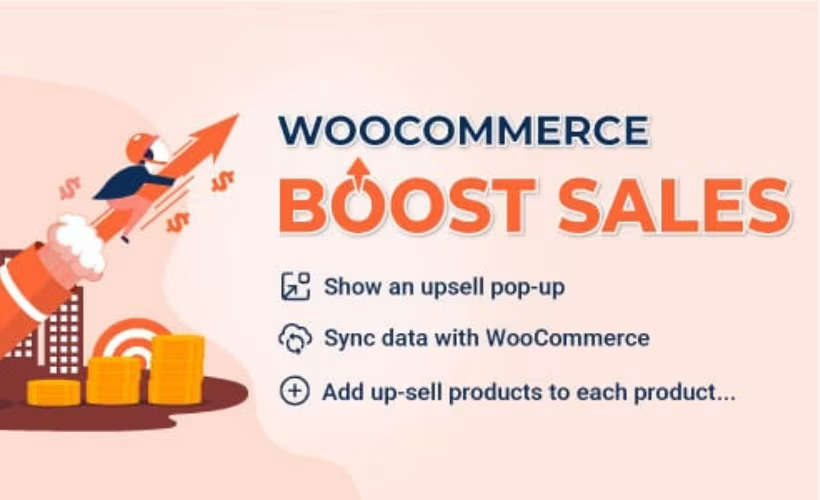
Most WooCommerce stores leave revenue on the table because upsells, bundles, and cart nudges live in separate plugins that rarely work together well. This Boost Sales plugin review looks at whether a single extension covering popups, bundles, a discount progress bar, and frequently-bought-together suggestions can actually raise average order value without turning into another maintenance headache. VillaTheme sells it through CodeCanyon, but a lighter free version also sits on the WordPress.org directory.
The real question is whether the paid license’s added features and support justify the cost over that free edition, and where the licensing terms start to bite.
Quick Verdict
Boost Sales suits WooCommerce store owners and developers who want one plugin handling multiple upsell tactics instead of stitching together several single-purpose tools. Store owners just testing the concept, or running very simple shops, may get enough from the free WordPress.org version and never need to upgrade.
Pros
- Combines four upsell mechanisms — popups, bundles, a discount progress bar, and frequently-bought-together suggestions — in one extension
- Free version on the WordPress.org Plugin Directory lets you test the core concept before buying
- Works with Elementor, Elementor Pro, WPML, and Polylang for design flexibility and multilingual stores
- Purchase includes 6 months of vendor support and future updates
Cons
- Regular License terms restrict charging end users — check licensing before buying
- Functions strictly as a WooCommerce add-on, adding another dependency to an already plugin-heavy stack
- Noticeable price gap between Regular and Extended License tiers for freelancers and agencies
Core Features
Upsell and Cross-Sell Popups
Boost Sales builds its upsell and cross-sell campaigns around a dedicated popup builder, letting store owners display related or higher-value products at key moments in the shopping journey, such as when an item is added to the cart. Rather than relying on static product recommendation widgets, the popup format interrupts the flow just long enough to present an alternative or add-on before checkout.
For a store owner, this turns passive product pages into active sales moments. A shopper adding a budget item to their cart can be shown a premium alternative or a complementary accessory without leaving the page, which is where upsell and cross-sell logic typically earns its keep in average order value.
Product Bundles
The plugin includes a bundle creation tool that groups multiple products into a single purchasable offer, typically at a discount versus buying each item separately. It sits alongside the popup system as a second, distinct route to the same goal: getting customers to add more to their cart in one transaction.
Bundling works well for stores with natural product pairings, such as a device sold with accessories, or a skincare line sold as a set. Presenting the bundle as one discounted unit removes the friction of a customer manually assembling the same combination themselves.
Discount Progress Bar
Boost Sales displays a discount progress bar that shows customers how close they are to unlocking a price break, typically tied to a cart value threshold. It’s a visual nudge built directly into the plugin’s toolkit rather than a separate add-on, working alongside the popups and bundles already running on the store.
The practical effect is straightforward: a shopper who sees they’re a few dollars from a discount has a direct incentive to add one more item rather than checking out immediately. It’s a mechanism aimed squarely at nudging cart totals upward at the point of decision.
Frequently-Bought-Together Suggestions
The frequently-bought-together widget surfaces product combinations that customers commonly purchase alongside the item they’re currently viewing. That gives the store a fourth upsell mechanism distinct from the popup and bundle tools, aimed at product-page browsing rather than cart or checkout moments.
For stores with a wide catalog, this widget helps surface pairings a customer might not think to search for on their own, adding items to the order that would otherwise require a second visit or a separate search.
Installation and Setup
- Purchase and download the plugin from the official CodeCanyon listing, or install the free WordPress.org version, Boost Sales for WooCommerce, if you only need the core upsell and cross-sell tools.
- Log in to your WordPress dashboard and navigate to Plugins → Add New Plugin → Upload Plugin.
- Upload the downloaded file directly. In testing on WordPress 6.5 with PHP 8.4, the file codecanyon-19668456-woocommerce-boost-sales.zip installed without needing to be extracted first — it can be uploaded as-is through the Upload Plugin screen.
- Click Activate once the upload finishes.
- Confirm WooCommerce is installed and active before configuring the plugin. This product requires WooCommerce — it will not function without it, since Boost Sales is built as a WooCommerce extension rather than a standalone plugin.
- If you plan to use the plugin’s popup builder or bundle layouts alongside a page builder, also install and activate Elementor or Elementor Pro, depending on which edition your theme or store design relies on.
- For multilingual stores, install and activate WPML or Polylang to keep upsell popups, bundle labels, and progress bar text consistent across languages.
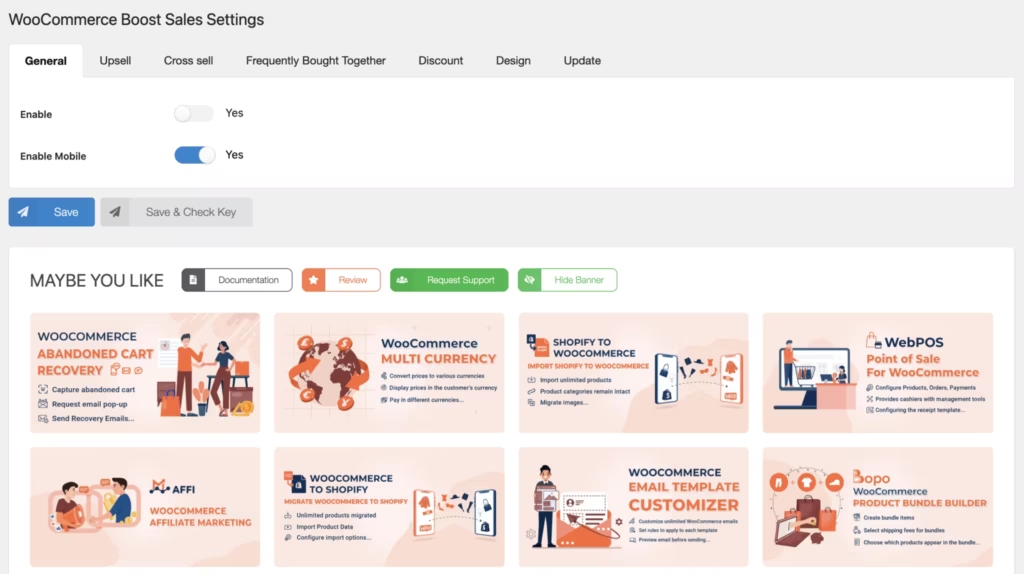
- Open the new Boost Sales settings menu inside the WordPress dashboard to configure upsell and cross-sell popups, product bundles, the discount progress bar, and frequently-bought-together suggestions.
Overall setup was quick in practice — basic installation and initial configuration took about two minutes from upload to an active plugin.
Compatibility and Requirements
| Requirement | Supported versions |
|---|---|
| WordPress | 6.0.x through 7.0.x (multiple point releases in each minor line) |
| WooCommerce | 6.x.x through 10.x.x |
| Page builder | Elementor, Elementor Pro |
| Multilingual plugins | WPML, Polylang |
| Browsers | Firefox, Safari, Chrome, Edge |
Boost Sales is built specifically as a WooCommerce extension, so an active WooCommerce installation is mandatory rather than optional — the plugin has no standalone function without it. Elementor, Elementor Pro, WPML, and Polylang are listed as compatible integrations rather than requirements, so a store can run Boost Sales without any of them installed.
Any WooCommerce store should run on a currently supported PHP version regardless of which extensions are installed, since older PHP branches lose security patches over time and can create performance or compatibility issues on a live site.
Boost Sales Pricing
Boost Sales follows a freemium model. A free version, listed on the WordPress.org Plugin Directory as Boost Sales for WooCommerce, gives store owners the core up-selling and cross-selling tools at no cost, though it ships with fewer features than the paid version sold on CodeCanyon. For the full feature set — including product bundles, the discount progress bar, and frequently-bought-together suggestions — a paid license is required.
The paid version is available in two license tiers:
| Tier | Price | Site usage | Included |
|---|---|---|---|
| Regular License | $59 | Single end product where end users are not charged | Future updates and 6 months of vendor support |
| Extended License | $155 | Single end product where end users can be charged | Future updates and 6 months of vendor support |
The distinction between the two tiers comes down to how the end product is used. If you’re building a store for yourself or a client and nobody using that product is charged for it, the Regular License applies. If the end product itself generates revenue from users being charged, the Extended License is the one required.
Both tiers include six months of support from VillaTheme. Store owners who need coverage beyond that window can purchase an extension from 6 to 12 months as a paid add-on.
For the latest figures, check the official listing directly on CodeCanyon before purchasing, since marketplace pricing can shift over time.
👉 Get Boost Sales at the best available price
Alternatives to Boost Sales
Boost Sales combines several upsell mechanisms into one WooCommerce extension, but it isn’t the only way to raise average order value on a WooCommerce store. Store owners comparing options should weigh feature breadth against license cost and support terms.
| Product | Key Difference | Best For | Price Tier |
|---|---|---|---|
| Boost Sales | Bundles popups, bundles, a discount progress bar, and frequently-bought-together suggestions into a single extension | Store owners who want multiple upsell mechanisms without stacking separate plugins | Freemium |
Competitor data is sourced from publicly available information as of 2026 and may have changed.
Beyond Boost Sales, store owners sometimes turn to more narrowly focused tools. YITH WooCommerce Frequently Bought Together and WooCommerce Product Bundles each concentrate on a single upsell tactic rather than combining several, while funnel-oriented plugins like CartFlows and FunnelKit focus on checkout flows and order bumps rather than on-page popups. The right pick ultimately depends on whether a store needs one tightly scoped feature or a broader, all-in-one toolkit like Boost Sales.
Frequently Asked Questions
Is there a free version of Boost Sales for WooCommerce?
Yes, a free version is available on the WordPress.org Plugin Directory under the name Boost Sales for WooCommerce, developed by VillaTheme. It includes core upselling and cross-selling tools but has fewer features than the paid CodeCanyon edition covered in this review.
What is the difference between the Regular and Extended License for Boost Sales?
The Regular License costs $59 and covers a single end product where end users are not charged. The Extended License costs $155 and is required when end users can be charged for the product, such as on client sites offering paid services. Both licenses include future updates and 6 months of vendor support.
Does Boost Sales work with Elementor?
Yes, Boost Sales is compatible with both Elementor and Elementor Pro. Store owners can design upsell popups, bundles, and related elements alongside page layouts built with those tools.
Does Boost Sales support multilingual WooCommerce stores with WPML or Polylang?
Yes, the plugin is compatible with both WPML and Polylang. That makes it suitable for WooCommerce stores that need to display upsell popups, bundles, and other prompts in multiple languages.
How long does support last after buying Boost Sales?
Support runs for 6 months from the date of purchase and is provided by VillaTheme. An extension from 6 to 12 months is available as a paid add-on for buyers who need coverage beyond the included period.
Does Boost Sales require WooCommerce to work?
Yes, Boost Sales is built as a WooCommerce extension and cannot function without it. It is compatible with WooCommerce versions 6.x.x through 10.x.x, so an active WooCommerce installation is a prerequisite.
How do you install the Boost Sales plugin?
The CodeCanyon download comes as a zip file, which can be uploaded directly through the WordPress dashboard under Plugins, Add New Plugin, then Upload Plugin, without needing to extract it first. Basic installation and setup takes only a few minutes before the upsell and cross-sell features can be configured.
Download & Pricing Options
🆓 Free Version
👉 Download the Free Version of Boost Sales
💎 Get Boost Sales (Best Available Price)
👉 Check Current Pricing for Boost Sales
Pricing and availability may change — use the link above for current rates.