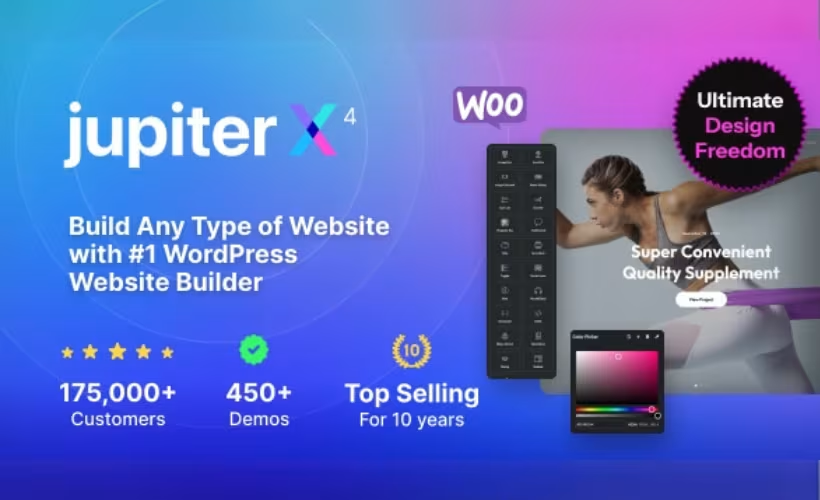
Most multipurpose WordPress themes either demand Elementor Pro to unlock their best features or ship as a closed ecosystem that locks you into a proprietary builder. This JupiterX theme review examines a different approach: a premium theme that delivers deep Elementor integration without requiring an Elementor Pro subscription, keeping recurring costs lower for freelancers and agencies managing multiple client builds.
Whether JupiterX justifies its price against established alternatives like Avada, Divi, and Astra depends on how much that Elementor Pro independence is actually worth to your workflow.
Quick Verdict
JupiterX suits freelancers, agencies, and developers who build frequently in Elementor and want to avoid stacking Pro subscriptions across client sites — especially those who need multi-site licensing with lifetime updates. Buyers who prefer a single self-contained theme with no companion plugin dependencies, or who run PHP 8.4 on their servers, should weigh the trade-offs carefully before purchasing.
Pros
- Elementor integration works without an Elementor Pro subscription, reducing ongoing licensing costs
- Broad compatibility spans WooCommerce, WPML, BuddyPress, bbPress, Events Calendar, and major form plugins
- Multi-site licensing scales from one site to 100, with lifetime free updates on every plan
- Child theme ships in the box, supporting safe long-term customization
- Setup from a clean WordPress install takes roughly two minutes
Cons
- Setup requires installing three companion plugins — Jupiter X Core, Advanced Custom Fields, and Elementor — before any building begins
- JupiterX officially lists PHP 7.4.x through 8.3.x as its supported range. If your server runs a newer PHP version, verify compatibility against the latest product documentation before deployment
Core Features
Elementor Integration Without Elementor Pro
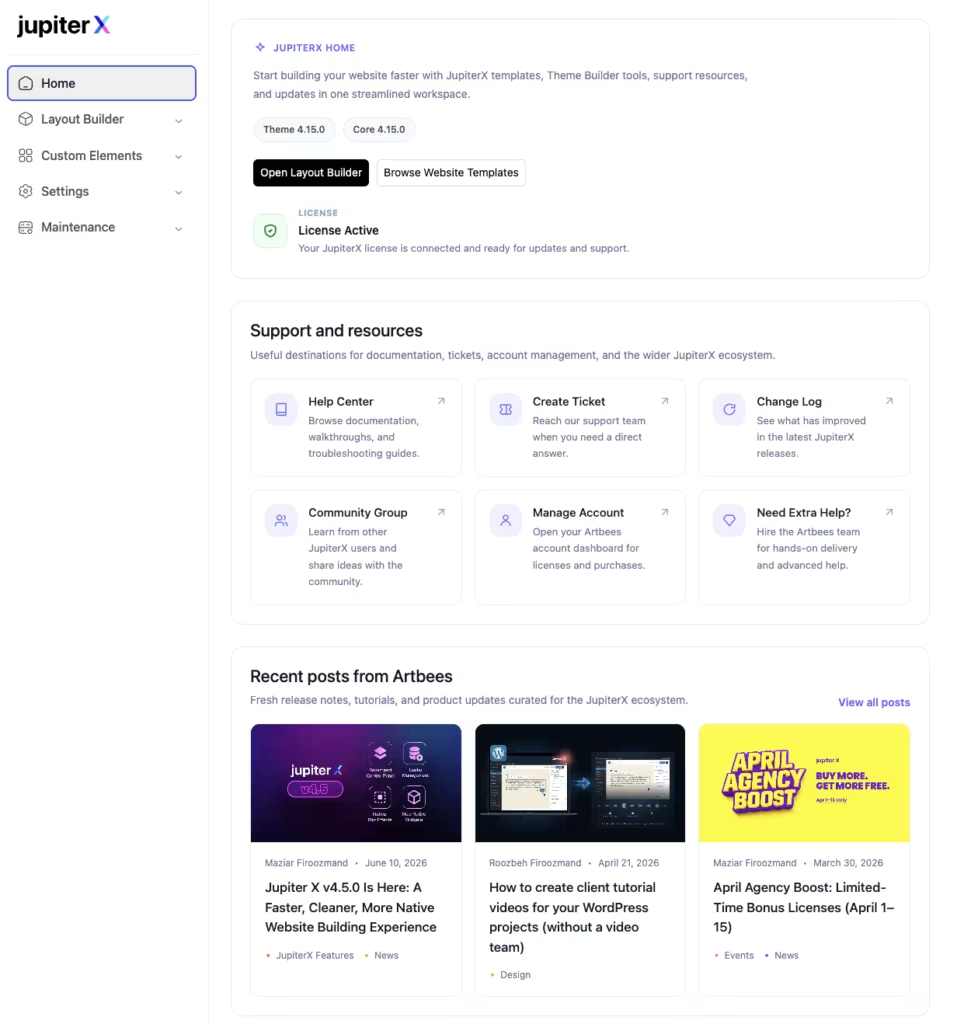
JupiterX is built around Elementor, but it does not require an Elementor Pro subscription to access its design capabilities. That distinction matters for cost planning: agencies and freelancers managing multiple sites avoid a recurring Pro license fee while still working within the Elementor environment they already know.
The theme ships with the free Elementor plugin as a companion, and the Jupiter X Core plugin extends what Elementor can do natively. Designers get a visual editing workflow without the added overhead of a paid page builder subscription on top of the theme itself.
Setup requires installing and activating three companion plugins: Jupiter X Core, Advanced Custom Fields, and Elementor. The process is prompted during onboarding, so there is no guesswork about which plugins are needed before the theme is fully functional.
WooCommerce and E-Commerce Compatibility
WooCommerce support is built into JupiterX, making it a viable foundation for online stores of varying complexity. Beyond WooCommerce, the theme also supports Easy Digital Downloads and WP EasyCart — covering both physical and digital product storefronts from a single theme installation.
For shop owners, this breadth means the theme does not force a particular e-commerce plugin choice. A store selling downloadable software can use Easy Digital Downloads; a retailer shipping physical goods can stay with WooCommerce — both within the same theme framework.
Multilingual and Community Plugin Support
WPML compatibility means JupiterX can serve multilingual audiences without requiring a theme switch or custom workarounds. Sites targeting multiple language markets can integrate WPML directly and manage translations within the standard WordPress workflow.
Community-focused builds are equally covered. bbPress and BuddyPress support allows developers to layer forum and social networking functionality onto a JupiterX site without compatibility concerns. Events Calendar and Events Calendar Pro are also supported, extending the theme’s reach to event-driven sites and membership communities.
Form Plugin Compatibility
JupiterX works with Gravity Forms, WPForms, and Contact Form 7 — three of the most widely deployed form solutions in the WordPress ecosystem. Having all three confirmed means teams are not locked into a single form plugin based on theme constraints.
This matters most for agencies inheriting client sites with existing form setups. Rather than migrating form data or rebuilding submissions logic, the existing plugin can stay in place.
Block Editor and WPBakery Support
Alongside its Elementor integration, JupiterX is compatible with the WordPress Block Editor and with WPBakery Page Builder and Visual Composer. Sites that have existing content built in WPBakery do not need to be rebuilt from scratch when migrating to the theme.
Block Editor compatibility keeps the theme aligned with the direction WordPress core is heading. Developers who prefer working in Gutenberg for content-heavy pages are not forced into a third-party builder for every edit.
Child Theme Included
A child theme ships inside the JupiterX package. Customizations made in the child theme survive parent theme updates without being overwritten — a practical safeguard for any site that expects ongoing development or long-term maintenance.
For agencies handing off sites to clients, the child theme also provides a clean separation between the base theme and client-specific modifications, reducing the risk of update conflicts down the line.
The downloaded ThemeForest package extracts to a clearly organized folder structure: the main theme file, a dedicated child theme zip, the core plugin zip, a Plugins folder, a Licensing folder, and a Documentation file — all contained within a single JupiterX directory.
Broad Technical Compatibility
JupiterX lists compatibility with Jetpack and ReactJS alongside its page builder and plugin integrations. ReactJS is listed among the theme’s compatibility features, extending its reach to JavaScript-heavy front-end workflows.
The theme supports WordPress versions 6.5 through 6.9 and PHP versions 7.4 through 8.3, covering a wide range of hosting environments. Firefox, Safari, Opera, Chrome, and Edge are all listed as compatible browsers, which keeps cross-browser testing scope predictable from the start of a project.
Installation and Setup
Installing JupiterX follows a straightforward process, but completing the setup requires three companion plugins — Jupiter X Core, Advanced Custom Fields, and Elementor — all of which must be installed and activated before the theme is fully functional.
- Purchase and download the theme package from ThemeForest or jupiterx.com. The downloaded zip extracts to a JupiterX folder containing the main theme file, a child theme zip, the Jupiter X Core plugin zip, a Plugins folder, a Licensing folder, and a Documentation file.
- Log in to your WordPress dashboard and navigate to Appearance → Themes → Add New → Upload Theme.
- Upload the main theme zip file and click Install Now, then Activate.
- Install and activate all three required companion plugins — Jupiter X Core, Advanced Custom Fields, and Elementor.
- Jupiter X Core and Elementor can be installed from the notification prompt that appears after theme activation, or uploaded manually from the extracted package.
- Advanced Custom Fields can be installed from the Plugins folder included in the download package.
- Optionally activate the included child theme via Appearance → Themes if you plan to make code-level customizations — this preserves your changes through future theme updates.
- With all plugins active, proceed to the theme’s onboarding flow to import a starter template or begin building from scratch.
Basic installation and initial activation complete quickly once the package is extracted and the companion plugins are ready to upload.
Compatibility and Requirements
JupiterX carries a broad compatibility footprint across WordPress versions, PHP environments, and third-party plugins.
| Requirement | Supported versions |
|---|---|
| WordPress | 6.5.x, 6.6.x, 6.7.x, 6.8.x, 6.9.x |
| PHP | 7.4.x – 8.3.x |
| Browsers | Chrome, Edge, Firefox, Opera, Safari |
JupiterX officially supports PHP 7.4.x through 8.3.x. If your hosting environment uses a newer PHP version, verify compatibility with the latest product documentation before deployment.
Third-party plugin compatibility covers a wide range of tools commonly used in WordPress projects:
- Page builders: Elementor, WPBakery Page Builder, Visual Composer
- eCommerce: WooCommerce, Easy Digital Downloads, WP EasyCart
- Forms: Gravity Forms, WPForms, Contact Form 7
- Community and membership: BuddyPress, bbPress
- Events: Events Calendar, Events Calendar Pro
- Multilingual: WPML
- Other: Jetpack, ReactJS, Block Editor (Gutenberg)
The theme does not require Elementor Pro to access its core design capabilities — the free Elementor plugin is sufficient for the primary build workflow. Elementor Pro remains compatible for teams that already use it.
JupiterX Pricing
JupiterX is a premium theme with no free version. Three license tiers are available, each covering a different number of sites and a different level of support.
Single Site — $58
Covers one website. Support runs for six months from purchase, extendable through ThemeForest. Purchases made via ThemeForest include a 180-day money-back guarantee.
10-Site License — $349
Covers ten websites, working out to $35 per site. Support is included for one year. This tier is available directly through Artbees and accepts Visa, Mastercard, American Express, Discover, Apple Pay, Google Pay, and bank transfer.
100-Site License — $1,999
Covers one hundred websites at $20 per site. Support is unlimited. Payment options match those of the 10-site tier.
Lifetime free updates are included on every plan. All prices are in US dollars and exclude applicable taxes.
The single-site license is available through both ThemeForest and Artbees direct. Refund policies may differ depending on where you purchase the license, so check the current policy on the respective purchase page before buying.
For the current rate and any active promotions, visit jupiterx.com.
👉 Get JupiterX at the best available price
Alternatives to JupiterX
The premium multipurpose theme market is competitive, and the right choice often comes down to how you want to build — specifically, whether you prefer a bundled page builder, a third-party integration, or maximum flexibility across tools.
| Product | Key Difference | Best For | Price Tier |
|---|---|---|---|
| JupiterX | Deep Elementor integration without requiring Elementor Pro, plus broad plugin compatibility across WooCommerce, WPML, and community tools | Elementor users who want a feature-rich theme without paying for Elementor Pro | Paid |
| Avada | Bundles its own Fusion Builder natively, removing any dependency on third-party page builders | Teams who want a fully self-contained theme-and-builder package | Paid |
| Divi | Subscription or lifetime membership model with a proprietary Divi Builder included | Designers who prefer an all-in-one ecosystem with a single vendor | Paid |
| Flatsome | WooCommerce-focused with a built-in UX Builder optimized for ecommerce layouts | Shop owners whose primary goal is a high-converting online store | Paid |
| Astra | Lightweight freemium theme compatible with all major page builders | Budget-conscious users or those who want to start free and scale | Freemium |
| OceanWP | Modular extension system with a strong free tier | Budget-conscious users who want to add features incrementally | Freemium |
| BeTheme | Large pre-built site template library suited to rapid site delivery | Agencies or freelancers who rely heavily on starter templates to speed up delivery | Paid |
| Enfold | Bundled Avia Layout Builder with a focus on developer-friendly customization | Developers who value tidy, maintainable code alongside a native builder | Paid |
Competitor data is sourced from publicly available information as of 2026 and may have changed.
JupiterX is a strong fit if Elementor is already part of your workflow and you want to avoid the added cost of Elementor Pro. If you prefer a fully self-contained builder experience, Avada or Divi are the natural alternatives; if ecommerce is your sole focus, Flatsome deserves a close look; and if budget is the deciding factor, Astra and OceanWP both offer capable free tiers to start from.
Frequently Asked Questions
Does JupiterX require Elementor Pro?
No — JupiterX is built for deep Elementor integration without requiring an Elementor Pro subscription. The free version of Elementor is one of three companion plugins installed during setup, alongside Jupiter X Core and Advanced Custom Fields.
How much does JupiterX cost?
The single-site license costs $58, a 10-site license costs $349 ($35 per site), and a 100-site license costs $1,999 ($20 per site). All plans include lifetime free updates, and prices are in US dollars excluding taxes.
Is JupiterX compatible with WooCommerce?
Yes — WooCommerce compatibility is a core feature of JupiterX, making it suitable for building online stores. The theme also supports Easy Digital Downloads and WP EasyCart for additional ecommerce use cases.
What plugins do you need to install with JupiterX?
Setup requires installing and activating three companion plugins: Jupiter X Core, Advanced Custom Fields, and Elementor. The full installation and setup process takes approximately two minutes from a clean WordPress install.
How long does JupiterX support last?
Support duration depends on the license tier: six months for the single-site plan, one year for the 10-site plan, and unlimited support for the 100-site plan.
Does JupiterX work with WPML for multilingual sites?
Yes — WPML compatibility is listed as a core feature, making JupiterX suitable for building multilingual websites. This applies to the full range of site types the theme supports, including business sites, stores, and blogs.
JupiterX vs Avada: which should I choose?
The clearest differentiator is page builder dependency: JupiterX works with the free version of Elementor, while Avada ships with its own proprietary Fusion Builder. If your workflow is already built around Elementor and you want to avoid an Elementor Pro subscription, JupiterX is the more cost-efficient path; if you prefer a self-contained ecosystem with no third-party builder dependency, Avada is worth considering. Both are premium multipurpose themes with broad plugin compatibility, so the decision largely comes down to builder preference and licensing costs — note that competitor pricing and features may have changed since publication.
Download & Pricing Options
🔍 Try Before You Buy
JupiterX does not have an official free tier. To evaluate it before purchasing, a GPL-licensed copy is available for sandbox testing purposes only.
👉 Download GPL Evaluation Copy
This is a GPL-licensed redistributed copy for testing only — not an official developer product.
💎 Get JupiterX (Best Available Price)
👉 Check Current Pricing for JupiterX
Pricing and availability may change — use the link above for current rates.