Most WordPress builders hand you control over page content and stop there — headers, footers, archive templates, and WooCommerce pages remain locked behind theme files or separate plugins. This review examines whether THEMECO’s premium plugin genuinely closes that gap, covering full-site editing, a dynamic content engine, and custom element creation in a single install.
The real question is whether that breadth of control justifies a fully premium price tag with no free tier to test first.
Quick Verdict
Cornerstone suits developers and agencies who need one tool to handle every layer of a WordPress site — from shop templates to archive layouts — without stitching together multiple plugins. Buyers who manage large client portfolios will find the per-site pricing model a harder sell.
Pros
- Covers headers, footers, archive templates, single post templates, and WooCommerce pages in a single plugin
- Dynamic content engine with a loop builder handles database-driven and API-sourced layouts
- Custom element builder creates reusable components without third-party add-ons
- Third-party API integration is built directly into the builder interface
- Stated WordPress compatibility spans versions 5.6 through 7.0
Cons
- Each license covers one end product only, making multi-client use significantly more expensive
Core Features
Visual Drag-and-Drop Page Building
Cornerstone centers on a visual canvas where elements are placed, moved, and configured without writing code. The builder handles full-page composition — not just content areas — so the same drag-and-drop interface extends to structural site regions that most builders lock behind separate tools or theme files.
For developers and agencies, this scope matters. A single editing environment covers the entire site rather than splitting work between a page builder for content and a theme customizer for everything else.
Header and Footer Builder
Headers and footers are first-class editing targets in Cornerstone, not afterthoughts. The built-in header and footer builders let you design these regions visually, with the same element controls available on standard pages. There is no need to edit template files or install a separate header plugin.
This is particularly useful for agencies building client sites where brand consistency across every page region is a requirement. Changes to navigation, logos, or footer content happen inside the builder rather than in code.
Archive and Single Post Template Editing
Cornerstone includes dedicated template editors for archive pages and individual post or page layouts. Archive templates control how post listings, category pages, and taxonomy views are rendered; single post templates govern the layout of individual entries.
Most page builders stop at static pages and leave archive and single post layouts to the active theme. Having both editors built directly into Cornerstone means the entire content structure of a WordPress site — not just its landing pages — is editable through one interface.
WooCommerce Page Building
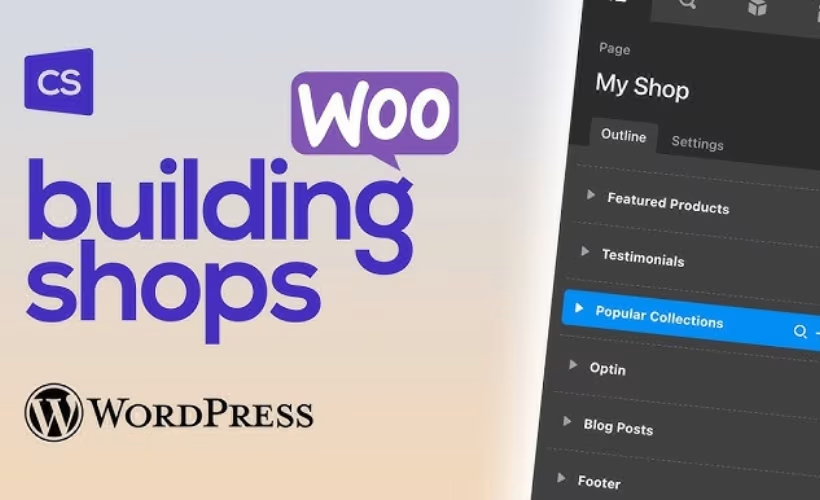
Store pages — product listings, individual product pages, cart, checkout — are editable through Cornerstone’s WooCommerce template editor. This goes beyond styling a theme’s default WooCommerce output; the builder treats WooCommerce pages as designable templates in the same way it treats any other site region.
For store builders who need product pages that match a custom design rather than a theme’s defaults, this built-in capability removes the need for a separate WooCommerce page builder add-on.
Dynamic Content and Content Looping
Cornerstone includes a dynamic content engine that pulls live data into templates rather than requiring manually updated static content. Paired with the loop builder, this allows layouts to repeat automatically around a data source — a post type, a product catalog, or an external feed.
The loop builder lets developers define a content structure once and have it populate across however many items the query returns. Combined with dynamic content support, this makes Cornerstone a practical choice for sites where content volume or frequency makes manual page building impractical.
Third-Party API Integration
An API integration interface is built directly into the builder, allowing external data sources to feed into dynamic content layouts. It is part of the same dynamic content and looping system, meaning API-sourced data can drive the same template structures used for native WordPress content.
For developers building sites that surface data from external services — pricing feeds, event listings, custom databases — this integration point reduces the need for custom plugin development to bridge external data and front-end layout.
Custom Element Builder
Cornerstone includes a custom element builder for creating reusable components within the plugin itself. Rather than relying on third-party add-ons to extend the element library, developers can define new elements and reuse them across templates and pages.
This matters most for agencies with repeating design patterns across client projects. A component built once in the custom element system can be applied wherever needed without rebuilding it manually or maintaining a separate plugin dependency.
Installation and Setup
- Purchase a Cornerstone license from theme.co/cornerstone and download the plugin ZIP file from your account dashboard.
- Log in to your WordPress admin panel, navigate to Plugins → Add New, and click Upload Plugin.
- Select the downloaded ZIP file, click Install Now, then activate the plugin once installation completes.
- Enter your license key when prompted to authenticate your copy and enable updates.
- If your project requires additional functionality, install and activate the relevant companion plugins before building:
- WooCommerce — required for building product pages, shop templates, and checkout layouts
- Gravity Forms — required for form element integration
- WPForms — required for WPForms-based form elements
- WPML — required for multilingual site builds
- Once activated, access the builder from the WordPress admin bar or the page/post edit screen to begin constructing layouts, headers, footers, and archive templates.
Official documentation at theme.co covers the setup process in detail, including step-by-step instructions for configuring dynamic content, loop builders, and custom elements.
Compatibility and Requirements
| Requirement | Details |
|---|---|
| WordPress | 5.6.x through 7.0.x |
| Browsers | Chrome, Firefox, Safari, Edge, Opera, IE11 |
Cornerstone’s stated WordPress compatibility spans a wide range, from 5.6.x up to 7.0.x, across the 5.x, 6.x, and 7.x series. Sites running any version within that range are covered by the vendor’s compatibility claim.
Browser support is broad. All major modern browsers are listed — Chrome, Firefox, Safari, Edge, and Opera — alongside IE11 for environments where legacy browser support remains a consideration.
Cornerstone Pricing
Cornerstone is a premium plugin with no official free tier. Two license types are available, both covering a single end product.
The Regular License costs $79 and is intended for projects where end users are not charged for the end product — a personal site or a client site delivered as a flat-fee project, for example.
The Extended License costs $200 and covers situations where end users pay to access the end product, such as a subscription service or a site-as-a-product offering.
Both licenses include six months of forum support from the date of purchase. Extending that coverage to twelve months costs an additional $27.75.
| License | Price | Sites | End-user charging |
|---|---|---|---|
| Regular License | $79 | 1 | Not permitted |
| Extended License | $200 | 1 | Permitted |
| Support Extension | $27.75 | N/A | Extends support to 12 months |
GPL-licensed copies circulate through third-party redistribution channels, but these carry no developer support.
Visit theme.co/cornerstone for current pricing and any active promotions.
👉 Get Cornerstone at the best available price
Alternatives to Cornerstone
Several capable builders compete in the same full-site WordPress space, ranging from freemium tools with massive ecosystems to developer-focused alternatives that prioritize code quality and control.
| Product | Key Difference | Best For | Price Tier |
|---|---|---|---|
| Cornerstone | Full-site builder with dynamic content, loop builder, WooCommerce templating, and custom element creation in one plugin | Developers and agencies needing complete site control with dynamic and API-driven content | Paid |
| Elementor | Dominant freemium builder with the largest user base and a vast ecosystem of third-party add-ons | WordPress users who want broad community support and an extensive add-on marketplace | Freemium |
| Beaver Builder | Clean, stable code output with a strong reputation among agencies building client sites | Agencies and developers who prioritize reliable, maintainable builds | Freemium |
| Divi Builder | Membership-based pricing model with a large built-in template library and its own theme ecosystem | Designers who want a wide template selection and an all-in-one Elegant Themes membership | Paid |
| Bricks Builder | Performance-focused builder that generates lean HTML for users who prioritize site speed and code quality | Developers who want granular control over output without sacrificing load performance | Paid |
| Oxygen Builder | Code-first, premium-only builder offering granular control over markup and styling without a companion theme | Developers who want maximum control over HTML structure and CSS | Paid |
Competitor data is sourced from publicly available information as of 2026 and may have changed.
Cornerstone suits developers and agencies who need dynamic content, WooCommerce templating, and full-site scope in a single tool. Elementor or Beaver Builder make more sense if a free entry point or a large third-party ecosystem matters more than deep developer control, while Bricks and Oxygen appeal to those who put code quality and performance above all else.
Frequently Asked Questions
How much does Cornerstone cost?
A Regular License costs $79 and covers a single end product where end users are not charged for access. An Extended License costs $200 for a single end product where end users may be charged. Both licenses include six months of support from the date of purchase.
Does Cornerstone have a free version?
There is no official free tier. Cornerstone is a fully premium plugin, and the $79 Regular License is the entry point through official channels.
Can Cornerstone build WooCommerce pages?
Yes. Cornerstone includes a dedicated WooCommerce template editor covering product pages, shop pages, and other WooCommerce-specific layouts. WooCommerce is listed as a supported companion plugin, meaning the two are designed to work together directly within the builder.
How long does Cornerstone support last?
Support is included for six months from the date of purchase. Extending coverage to twelve months total requires an additional purchase — see the Pricing section for the current cost.
What is the difference between Cornerstone and Elementor?
Cornerstone is a fully premium plugin with no free tier, while Elementor offers a free version alongside its paid plans. Cornerstone’s scope extends to headers, footers, archive templates, single post templates, and WooCommerce pages within a single plugin, along with a built-in dynamic content engine and loop builder — features that in Elementor typically require the Pro tier or additional add-ons. Both builders compete in the premium WordPress page builder market, though their pricing structures and licensing models differ significantly.
Does Cornerstone work with Gravity Forms and WPML?
Yes. Gravity Forms, WPForms, and WPML are all listed as supported companion plugins, meaning Cornerstone is designed to integrate with these tools alongside its core building capabilities.
Can Cornerstone edit headers and footers?
Yes. A dedicated header builder and footer builder are built directly into Cornerstone as part of the core plugin. This full-site editing scope also covers archive templates and single post templates.
Download & Pricing Options
🔍 GPL Evaluation Copy
A GPL-licensed evaluation copy is available for sandbox testing before purchasing the official licence.
👉 Download GPL Evaluation Copy
This is a GPL-licensed redistributed copy for evaluation purposes — not the official developer product.
💎 Get Cornerstone (Best Available Price)
👉 Check Current Pricing for Cornerstone
Pricing and availability may change — use the link above for current rates.