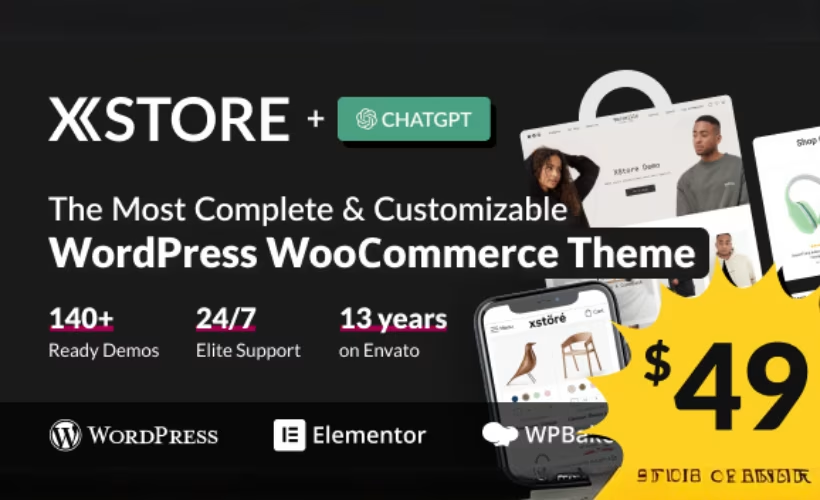
Most WooCommerce store owners face the same early decision: buy a bare-bones free theme and assemble a plugin stack, or pay once for something that ships ready to sell. This XStore review examines whether 8theme’s flagship product — 150+ prebuilt demos, a bundled premium plugin suite, and a one-time price — actually delivers on that promise.
The real question is whether XStore’s depth of features and demo library justify $59 over established rivals like Flatsome or Woodmart.
Quick Verdict
XStore is a strong fit for solo store owners and agencies who want to launch a polished WooCommerce storefront fast, without paying recurring fees. Buyers who need a single license to cover multiple client sites, or who want to test before committing, will find the terms limiting.
Pros
- 150+ prebuilt store demos across multiple niches accelerate launch significantly
- One-time $59 purchase includes free lifetime updates — no subscription required
- Bundles premium plugins like Slider Revolution, Essential Grid, and Smart Product Viewer at no extra cost
- Works with both Elementor and WPBakery, giving builders flexibility
- 24/7 forum support is included with purchase
Cons
- Standard license covers one site only, raising costs for multi-site or agency work
- No free tier or trial version — it’s a blind purchase without a refund safety net
- WooCommerce must be installed separately to unlock eCommerce functionality
- The large bundled plugin suite increases the number of components that need to be installed during setup.
Core Features
150+ Prebuilt Store Demos
XStore ships with more than 150 complete website demos spanning a wide range of retail niches — fashion, electronics, furniture, beauty, sports, and beyond. Each demo is a fully designed storefront, not a stripped-down starter template, so the gap between import and a launch-ready site is considerably smaller than building from scratch.
For agencies and developers deploying client stores on tight timelines, this library is the practical core of the theme. Rather than designing product pages, headers, and category layouts from the ground up, you select a demo that fits the niche and adapt it to the client’s brand.
Dual Page Builder Compatibility
XStore works with both Elementor and WPBakery Page Builder. The theme’s framework accommodates either builder, so teams already invested in one workflow don’t need to switch tools.
This dual compatibility also matters for the demo library. Prebuilt designs can be edited inside whichever builder the store owner prefers, keeping the customization process inside a familiar interface rather than forcing a new one.
Bundled Premium Plugin Suite
Purchasing XStore includes a collection of premium plugins that would otherwise require separate licenses. The bundle covers Slider Revolution, Master Slider, Essential Grid, Smart Product Viewer, Quform, Pricepep, FileBird, WPBakery Page Builder, Ultimate Addons for WPBakery, Massive Addons for WPBakery, GMAPS for WPBakery, and Screets LCX.
For a new store build, this matters in practical terms: slider functionality, grid layouts, product 360-degree viewing, and form handling are all available on day one without additional purchases. These bundled plugins provide additional functionality without requiring separate purchases.
Built-In WooCommerce Integration
XStore is built around WooCommerce rather than bolted onto a general-purpose theme framework. The integration layer handles product pages, shop archives, cart, and checkout with styling and layout controls that are native to the theme rather than applied through a child theme or plugin override.
Store owners who need WooCommerce-specific features — custom product page layouts, shop page controls, and checkout customization — can access them directly through the theme’s settings rather than hunting for third-party add-ons to fill gaps.
Free Lifetime Updates
Every purchase includes free lifetime updates, with no subscription or renewal fee attached. Theme updates arrive without an expiring license blocking access, which is a meaningful distinction from themes that gate updates behind annual renewals after the first year.
For a store running long-term, this means compatibility updates for new WordPress and WooCommerce releases are included in the original $59 purchase. The theme requires WordPress 6.8 or higher and WooCommerce 10.0 or higher, and ongoing updates keep it aligned with those platforms as they evolve.
24/7 Support Forum Access
Support is available around the clock through a dedicated forum, included with purchase — no separate support tier required.
Forum-based support means responses and solutions are searchable. A question answered for one user is visible to others encountering the same issue, which can resolve common setup questions without opening a new thread.
Installation and Setup
- Purchase XStore on ThemeForest and download the theme package from your ThemeForest account. The downloaded file is a ZIP named
themeforest-15780546-xstore-responsive-woocommerce-theme.zip.
- Log in to your WordPress dashboard, navigate to Appearance → Themes → Add New → Upload Theme, and upload the ZIP file directly. Activate the theme once the upload completes.
- After activation, the theme will prompt you to install its bundled companion plugins. Install and activate all of the following:
- WPBakery Page Builder
- Slider Revolution
- Master Slider
- Essential Grid
- Quform
- Smart Product Viewer
- Pricepep
- FileBird
- Screets LCX
- Ultimate Addons for WPBakery
- Massive Addons for WPBakery
- GMAPS for WPBakery
- Install and activate WooCommerce from the WordPress plugin directory. XStore’s eCommerce features depend on WooCommerce being present and active.
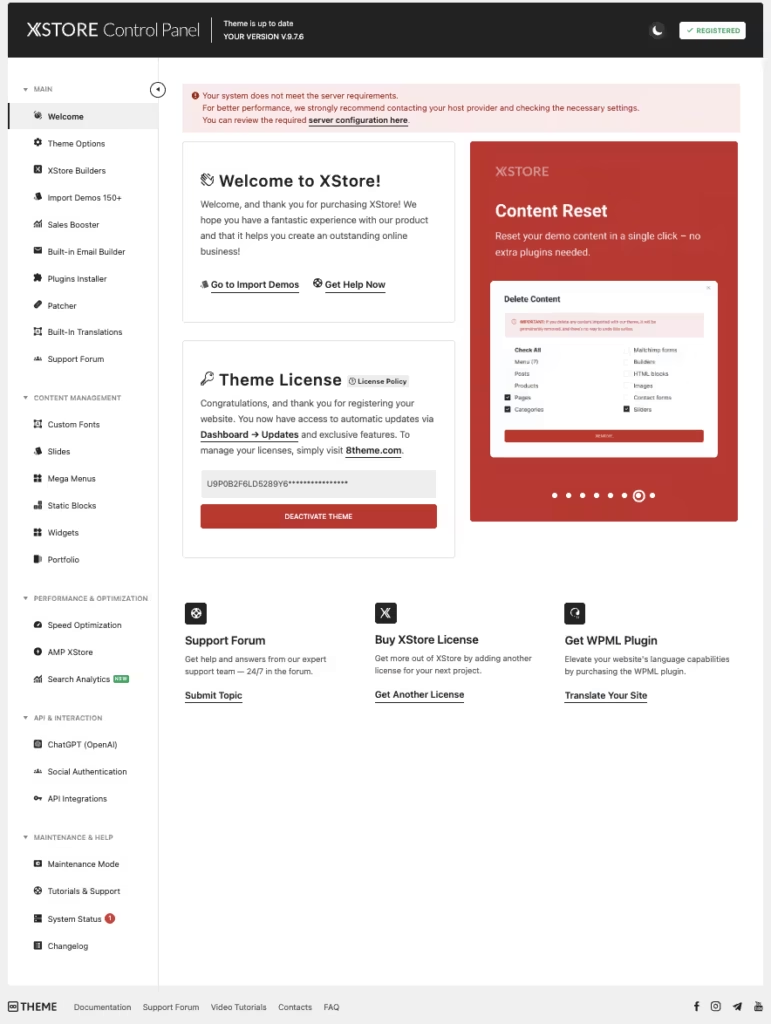
- With plugins active, navigate to the XStore panel in your dashboard to select and import a prebuilt demo from the 150+ available store templates. Choose a demo that matches your niche and follow the on-screen import prompts.
- Customize your store using either the Elementor or WPBakery page builder, depending on which builder your chosen demo uses. Both are supported within the same theme installation.
The full setup process — including demo import options, plugin configuration, and initial store settings — is covered in the official documentation at xstore.8theme.com.
Compatibility and Requirements
| Requirement | Details |
|---|---|
| WordPress | 6.8+ |
| WooCommerce | 10.0+ |
| License | ThemeForest Standard License (single site) |
| Updates | Free lifetime updates included |
According to the developer’s documentation, XStore requires WordPress 6.8+ and WooCommerce 10.0+. Verify the current minimum WordPress version on the official product page before deployment. The Standard License covers a single site installation, and lifetime updates are included with that one-time purchase.
The theme supports both Elementor and WPBakery, and the full suite of bundled premium plugins installs alongside it at no extra cost.
XStore Pricing
XStore is a premium-only theme sold through ThemeForest with no free version or trial available.
The Standard License is a one-time purchase of $59 and covers a single website. That price includes free lifetime updates — every future version of the theme, no subscription or annual renewal required.
The purchase also bundles a suite of premium plugins, including WPBakery Page Builder, Slider Revolution, Essential Grid, and several others that would otherwise require separate purchases. Getting these at no additional cost meaningfully increases the value of the $59 entry price.
The license covers one site only. ThemeForest’s standard licensing model does not extend to multi-site deployments under a single purchase, so agencies managing multiple client stores will need separate licenses.
For current pricing and any available license options, check the live listing at XStore on ThemeForest.
👉 Get XStore at the best available price
Alternatives to XStore
Several strong WooCommerce themes compete in the same premium ThemeForest segment, and the right pick depends on how you plan to build and what you’re willing to pay upfront versus over time.
| Product | Key Difference | Best For | Price Tier |
|---|---|---|---|
| XStore | 150+ prebuilt demos, bundled premium plugin suite, and lifetime updates at a one-time flat fee | Store owners and agencies wanting maximum out-of-the-box value with no recurring costs | Paid |
| Flatsome | WooCommerce-focused theme built around its own UX Builder; one of the best-selling eCommerce themes on ThemeForest | Merchants who want a dedicated WooCommerce builder without relying on third-party page builders | Paid |
| Woodmart | Deep Elementor integration with a large demo library; a direct multipurpose eCommerce competitor on ThemeForest | Elementor-first developers building feature-rich WooCommerce stores | Paid |
| Porto | Large demo library and strong eCommerce feature set in the premium one-time-purchase segment | Buyers comparing multipurpose WooCommerce themes on ThemeForest who want an established alternative | Paid |
| Avada | Built around its own Fusion Builder and Fusion Core plugin suite; historically the best-selling ThemeForest theme | Agencies building multipurpose sites who prefer a self-contained ecosystem | Paid |
| Astra | Lightweight freemium theme known for performance optimization and broad page builder compatibility | Budget-conscious store owners or developers who want a free starting point with optional paid upgrades | Freemium |
| OceanWP | Generous free tier with a modular extension system, competing on low entry cost | Beginners launching a first WooCommerce store who want to minimize upfront spend | Freemium |
Competitor data is sourced from publicly available information as of 2026 and may have changed.
Flatsome and Woodmart are the closest direct rivals for buyers specifically evaluating ThemeForest WooCommerce themes, while Astra and OceanWP make more sense if a free entry point matters more than a bundled plugin suite.
Frequently Asked Questions
How much does XStore cost?
XStore costs $59 as a one-time purchase on ThemeForest. There is no subscription or renewal fee, and the purchase includes free lifetime updates.
Does XStore include free updates?
Yes, free lifetime updates are included with every purchase. There is no recurring fee to stay current with new versions of the theme.
How many demo sites does XStore include?
XStore includes more than 150 prebuilt website demos spanning multiple retail niches. These cover a wide range of store types, giving both beginners and developers a ready-made starting point for most eCommerce projects.
Is XStore compatible with Elementor?
Yes, XStore is compatible with Elementor. It also supports WPBakery Page Builder, so buyers can choose whichever editor fits their workflow.
What plugins are bundled with XStore?
XStore bundles a suite of premium plugins including WPBakery Page Builder, Slider Revolution, Master Slider, Essential Grid, Quform, Smart Product Viewer, Pricepep, FileBird, Screets LCX, Ultimate Addons for WPBakery, Massive Addons for WPBakery, and GMAPS for WPBakery. These are included at no extra cost with the $59 purchase.
XStore vs Flatsome: which is better for WooCommerce?
Both are established WooCommerce themes sold on ThemeForest, but they take different approaches. XStore emphasizes a large prebuilt demo library and a bundled plugin suite, while Flatsome is known for its own UX Builder and a more focused feature set. The better choice depends on whether you prioritize demo variety and bundled tools or a leaner, builder-centric workflow.
Can I use XStore on multiple websites?
The Standard License covers a single site only. Separate purchases are required for each additional website you want to build with the theme.
Download & Pricing Options
🔍 Try Before You Buy
XStore does not have an official free tier. To evaluate it before purchasing, a GPL-licensed copy is available for sandbox testing purposes only.
👉 Download GPL Evaluation Copy
This is a GPL-licensed redistributed copy for testing only — not an official developer product.
💎 Get XStore (Best Available Price)
👉 Check Current Pricing for XStore
Pricing and availability may change — use the link above for current rates.