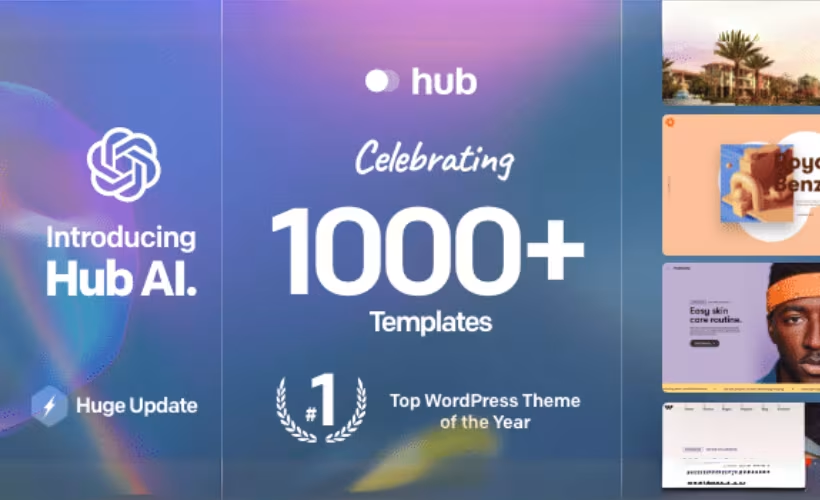
Piecing together a client-ready website from scratch, or paying separately for dozens of page templates, eats into the budget and timeline of most freelancers and small agencies. This Hub theme review looks at a multipurpose WordPress theme that bundles over 100 pre-built websites and 1,000+ section templates into a single license, aiming to cut that setup time down to minutes rather than days. The pitch is straightforward: buy once, then assemble sites visually without touching code.
The real question is whether that library and its licensing terms hold up once you factor in the price gap between personal and client-facing use, and whether the included support window is enough to see a project through.
Quick Verdict
Hub suits freelancers and agencies who need a deep well of ready-made layouts and want the flexibility to build in either WPBakery or Elementor. Small business owners comfortable with a visual builder will also find it workable. Buyers who need a free trial before committing, or who plan to resell across many client sites under one license, should weigh the Extended License cost carefully before purchasing.
Pros
- Over 100 pre-built websites, 1,000+ section templates, and 100+ inner page templates for fast site assembly
- Works with both WPBakery Page Builder and Elementor, letting users pick their preferred builder
- Full WooCommerce compatibility with custom shop layouts for building online stores
- Built-in support for translation and right-to-left (RTL) language layouts
- Broad WordPress version compatibility from 4.9.x through 6.9.x
Cons
- No free tier, so buyers must commit to a paid license before testing the theme
- Extended License costs dramatically more than the Regular License, a steep jump for agencies needing broader usage rights
- Relies on third-party page builder plugins (WPBakery or Elementor), adding a dependency layer beyond the theme itself
Core Features
Pre-Built Websites
Hub ships with more than 100 complete pre-built websites, according to LiquidThemes’ product documentation. Each demo covers a different niche or business type, giving buyers a finished layout to import rather than a blank canvas to design from scratch.
For a freelancer or agency juggling multiple client briefs, this library shortens the distance between “new project” and “first draft.” Instead of building a homepage layout from zero, you pick the closest matching demo and adjust colors, copy, and images from there.
Section Templates
Backing up the full-site demos is a library of over 1,000 section templates — individual blocks like hero areas, pricing tables, team grids, and testimonial layouts. These sit apart from the full-website imports, so you can mix pieces from different demos into one custom page.
The section library matters most once a client wants something that doesn’t match any single pre-built demo exactly. Rather than starting a new build, you assemble the page from sections pulled out of the wider template library, keeping the visual builder as the only tool needed to get there.
Inner Page Templates
Alongside the homepages, Hub includes over 100 inner page templates covering the secondary pages a site typically needs — about pages, contact layouts, service pages, and similar interior content.
That coverage closes a gap that pure homepage demo packs often leave open. A site builder can carry a consistent design language from the homepage through to every interior page without having to invent those layouts manually.
Visual Website Builder
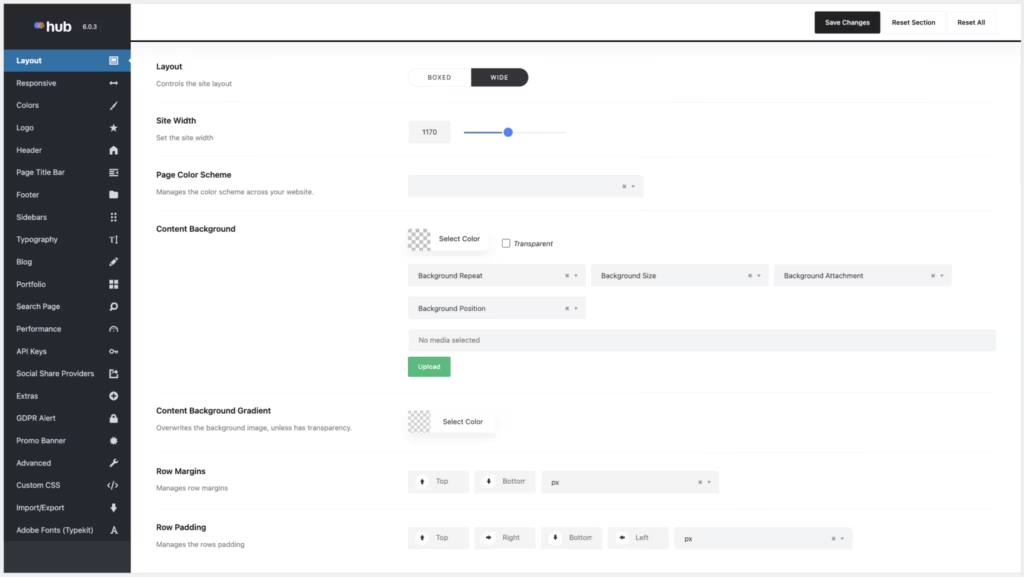
The theme’s visual website builder is the mechanism that ties the pre-built websites, section templates, and inner pages together into one workflow, aimed specifically at users without coding experience. It also handles importing the pre-built website demos directly into a working WordPress install through the built-in importer.
For non-technical small business owners, this is the practical center of the theme: layout decisions happen through the visual interface rather than through template files or custom code.
In our testing on WordPress 6.5 with PHP 8.4, installation and basic setup took about 5 minutes. One detail worth flagging: the downloaded file (themeforest-31569152-hub-responsive-multipurpose-wordpress-theme.zip) is the installable theme package itself, not an archive containing it. It can be uploaded directly without extracting it first — go to Appearance → Themes → Add New → Upload Theme, select the ZIP file, then click Install Now and Activate.
Builder Compatibility: WPBakery and Elementor
Hub works with both WPBakery Page Builder and Elementor, according to LiquidThemes, letting buyers choose the page builder they already know rather than being locked into one plugin.
That flexibility matters for agencies with an established workflow — a team standardized on Elementor for other projects can keep using it, while a WPBakery-based team isn’t forced to switch tools just to adopt Hub’s demo library.
WooCommerce Support
Hub is built to work with WooCommerce, with custom shop layouts included alongside the theme’s general design tools. The pre-built website and section-template approach extends to online stores rather than treating ecommerce as an afterthought.
For a small business owner planning to sell products, this means the same visual builder and template library used for the rest of the site also covers shop and product pages, keeping the store’s design consistent with the rest of the build.
Translation and RTL Support
The theme supports translation and right-to-left language layouts, so a site can be localized using standard WordPress translation files or plugins.
That matters for any agency or business building a site for a market where English isn’t the primary language, or where the target audience reads in an RTL script — the layout system is built to accommodate that from the start rather than requiring a workaround.
Also included: the pre-built website importer and section template library function as supporting infrastructure behind the features above, handling the technical side of pulling demo content and section blocks into a live site.
Installation and Setup
- Purchase the Hub theme through ThemeForest (Regular License) and download the theme package from your Envato account.
- In the WordPress dashboard, go to Appearance → Themes → Add New → Upload Theme.
- Select the downloaded ZIP file and upload it directly. The file distributed for Hub is the installable theme package itself, so it doesn’t need to be extracted first — it can be uploaded as-is.
- Click Install Now, then Activate once installation finishes.
- Choose a page builder to work with. Hub is compatible with both WPBakery Page Builder AND Elementor — install and activate whichever one you plan to use for building pages (both aren’t required simultaneously; pick the tool that fits your workflow).
- Open the built-in pre-built website importer and browse the library of over 100 pre-built websites to select a starting point close to your project.
- Import the chosen demo, then refine the site using the included library of 1,000+ section templates and 100+ inner page templates.
Based on first-hand testing, this process — from upload to an activated, functioning theme — took approximately five minutes on a standard WordPress installation.
Compatibility and Requirements
| Requirement | Details |
|---|---|
| WordPress version | Compatible with WordPress 4.9.x through 6.9.x |
| PHP version | 8.0 or higher |
| Page builder | WPBakery Page Builder or Elementor |
| WooCommerce | Fully compatible, with custom shop layouts and built-in store tools |
| RTL and translation | Fully supported via standard translation files or plugins |
Hub’s documentation specifies PHP 8.0 or higher for proper functionality, which rules out older PHP 7.x branches no longer maintained upstream. It’s worth confirming with your host before launch, since running a live site on an end-of-life PHP version carries security risk regardless of theme compatibility.
The theme’s WordPress compatibility range is broad, covering releases going back to 4.9.x, but pairing it with the current stable WordPress release and a currently supported PHP version gives the most reliable results for a new build.
Hub Pricing
Hub is sold exclusively through ThemeForest as a one-time purchase, with no free tier or trial version available. Two license types are offered, each suited to a different kind of project.
| License | Price | Support included |
|---|---|---|
| Regular License | $59 | 6 months |
| Extended License | $2,600 | 6 months |
The Regular and Extended Licenses differ in their permitted usage. Review the official license terms before purchasing to determine which license is appropriate for your project.
Both licenses include 6 months of developer support from LiquidThemes. Support can be extended to 12 months for an additional fee. Check the official pricing page for the current extension cost.
Both license tiers unlock the same feature set: the full library of pre-built websites, section templates, inner page templates, and the visual builder itself. There’s no separate “starter” package with fewer templates — the price difference is tied to license terms, not functionality.
For current figures and any active marketplace discounts, check the official Hub listing on ThemeForest before buying.
👉 Get Hub at the best available price
Alternatives to Hub
Hub isn’t the only multipurpose WordPress theme offering pre-built sites and drag-and-drop assembly. Avada, Bridge, and Divi are the most established alternatives worth comparing before committing to a license.
| Product | Key Difference | Best For | Price Tier |
|---|---|---|---|
| Hub | Pre-built websites and section templates with a choice of WPBakery or Elementor as the underlying builder | Non-coders and agencies wanting flexibility in which builder to use | Paid |
| Avada | Bundled Fusion Builder and Fusion Elements power its demos, and it’s one of the best-selling multipurpose themes on ThemeForest | Users who want a single, tightly integrated builder and theme ecosystem | Paid |
| Bridge | Multi-concept theme from Qode Interactive/Muffin group with a large library of creative demo layouts | Designers and agencies prioritizing visual variety across niches | Paid |
| Divi | Built around the proprietary Divi Builder, sold via subscription or lifetime membership instead of a single ThemeForest license | Buyers who prefer subscription pricing and a dedicated native builder | Subscription-based |
Competitor data is sourced from publicly available information as of 2026 and may have changed.
The right pick depends on how you prefer to build: Hub’s builder flexibility suits those who don’t want to be locked into one tool, while Avada, Bridge, and Divi each tie you more closely to their own builder and licensing model.
Frequently Asked Questions
What is included in Hub?
Hub includes over 100 pre-built websites, more than 1,000 section templates, and over 100 inner page templates. These are combined with a visual website builder, letting users assemble complete sites without writing code.
Is the Hub theme compatible with Elementor or WPBakery?
Yes, Hub works with both WPBakery Page Builder and Elementor. This gives buyers the flexibility to choose whichever page builder they are already familiar with rather than being locked into one tool.
Does Hub support WooCommerce for online stores?
Yes, Hub is fully compatible with WooCommerce. It includes built-in tools and custom shop layouts designed to help users build and run an online store.
How much does Hub cost?
The Regular License costs $59, while the Extended License costs $2,600. Both come with 6 months of developer support included at purchase.
Does Hub theme support RTL and translated websites?
Yes, Hub fully supports translation and right-to-left language layouts. Sites can be localized using standard translation files or compatible plugins.
What PHP version does Hub require?
Hub’s documentation states that PHP 8.0 or higher is required for proper functionality. Buyers should confirm their hosting environment meets this requirement before installing the theme.
How long is support included when buying Hub, and can it be extended?
Support runs for 6 months from purchase and is provided directly by LiquidThemes. Extending coverage to 12 months costs an additional fee on top of the license price, with the exact amount depending on which license tier was purchased.
Download & Pricing Options
🔍 Try Before You Buy
Hub does not have an official free tier. To evaluate it before purchasing, a GPL-licensed copy is available for sandbox testing purposes only.
👉 Download GPL Evaluation Copy
This is a GPL-licensed redistributed copy for testing only — not an official developer product.
💎 Get Hub (Best Available Price)
👉 Check Current Pricing for Hub
Pricing and availability may change — use the link above for current rates.