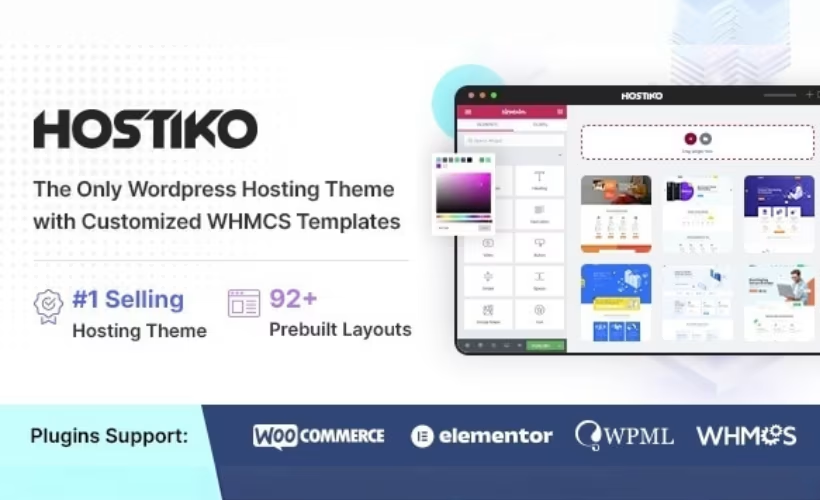
Web hosting companies and domain registrars face a specific problem: most WordPress themes look fine but have no idea what a WHMCS client area is, leaving marketing pages and billing portals visually disconnected. This Hostiko theme review looks at a theme built specifically to bridge that gap, pairing a WordPress front end with WHMCS integration for hosting, domain, and tech service businesses. The question is whether that niche focus, plus its page-builder flexibility, justifies the cost and setup work compared to a generic multipurpose theme.
Quick Verdict
Hostiko is a solid pick for hosting providers, domain registrars, and IT service businesses that need a WordPress site working alongside a WHMCS client portal without custom development. It’s less suited to buyers wanting a free trial first, or anyone put off by running multiple page builders on one install. Businesses outside the hosting/tech niche will likely find better value in a general-purpose theme.
Pros
- Purpose-built for web hosting, domain registration, and technology business websites
- Supports both Elementor and WPBakery page builders, plus Revolution Slider, for flexible page design
- WooCommerce compatible (8.x, 7.x, 6.x, 5.x) for selling hosting plans or domains directly
- Dedicated developer support included through the item’s official support page
- Installation is straightforward, with a clear setup process to get the theme running
Cons
- Extended License pricing represents a very large jump over the Regular License
- Running Elementor and WPBakery alongside Revolution Slider adds setup complexity and plugin overhead
Core Features
Elementor Page Building
Hostiko ships with support for Elementor, giving site owners a drag-and-drop way to lay out pages without writing custom code. For a hosting company or domain registrar building out a marketing site, this means plan comparison tables, pricing grids, and landing pages can be assembled visually rather than hand-coded into a template.
Because Elementor is one of the two builders bundled with the theme, teams already familiar with it can move straight into building pages instead of learning a new interface. This shortens the path from a fresh install to a published site, particularly useful for smaller IT service businesses without an in-house developer.
WPBakery Page Builder
Alongside Elementor, Hostiko also includes WPBakery Page Builder as a second layout option. Some agencies and freelance developers standardize on WPBakery for client work, and having it built into the theme means that workflow doesn’t require a separate purchase or a mismatched builder bolted on afterward.
Having both builders available gives a hosting or tech services business flexibility to match whichever tool their web designer prefers, or to migrate content built in one system without starting from scratch. This dual-builder setup is a distinguishing choice for a theme in this category, where many competitors commit to a single builder.
Revolution Slider
The theme includes Revolution Slider, a tool commonly used for building animated hero sections and promotional banners. In the context of a hosting or domain registration site, this is typically where uptime guarantees, plan pricing, or seasonal domain promotions get front-page visibility.
For a business whose homepage needs to communicate a value proposition quickly — server locations, pricing tiers, or a signup incentive — Revolution Slider gives that first-fold section motion and visual weight without needing a separate slider plugin.
Built for Hosting, Domains, and Tech Businesses
Hostiko is designed specifically for web hosting companies, domain registrars, and technology or IT service businesses, rather than as a general-purpose theme repurposed for the niche. That focus shows up in how the theme’s layouts and structure are oriented toward the kind of content these businesses actually publish — plan pages, domain search sections, and service listings.
The practical benefit is less setup friction: a hosting provider or registrar starting from Hostiko is working with a theme already aligned to their content model, rather than adapting a generic business template. The theme also carries Block Editor compatibility, so pages and posts built with WordPress’s native editor render correctly alongside content built in Elementor or WPBakery.
One setup detail worth flagging: the installable theme file isn’t the outer downloaded archive itself but a file nested inside it. The full extraction and upload steps are covered in the Installation and Setup section below.
Installation and Setup
- Purchase Hostiko through ThemeForest (Regular or Extended License) and download the installable package from your ThemeForest downloads area.
- Extract the downloaded ZIP file on your computer. Inside the extracted folder, look for the Hostiko version 2.0 folder — the actual installable theme file, hostiko.zip, is located inside it. Do not attempt to upload the outer downloaded ZIP directly to WordPress; WordPress will reject it since it contains documentation and other files alongside the theme.
- Log in to your WordPress dashboard and go to Appearance → Themes → Add New → Upload Theme.
- Select the inner hostiko.zip file (not the outer downloaded archive) and click Install Now, then Activate once installation completes. On a standard setup this whole process — from upload to activation — takes around five minutes.
- Install and activate the page builder plugin you plan to use. Hostiko supports either Elementor or WPBakery Page Builder, so choose whichever tool your team prefers for building pages. Depending on which features you plan to use, also install:
- Elementor Pro — for the premium widgets and templates used across Elementor-built layouts
- Contact Form 7 — for the theme’s contact and lead-capture forms
- WooCommerce — if you intend to sell hosting plans, domains, or products through an online store
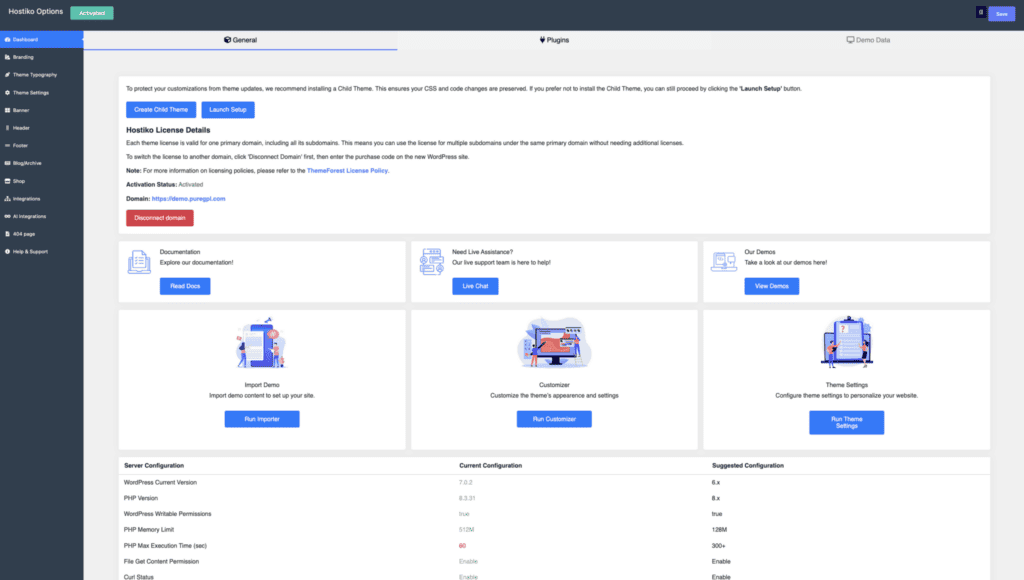
- Import the theme’s demo content or starter templates, then configure the Customizer settings (logo, colors, header/footer options) to match your branding.
- If you are pairing the theme with a WHMCS client area, connect your WHMCS installation to the WordPress front end and confirm the styling matches between the two systems.
- Check the item’s Support page if you run into setup issues.
Compatibility and Requirements
| Requirement | Details |
|---|---|
| WordPress version | 7.0.x, 6.9.x, 6.8.x, 6.7.x, 6.6.x, 6.5.x, 6.4.x, 6.3.x, 6.2.x, 6.1.x, 6.0.x (vendor-stated compatibility list) |
| Browsers | IE11, Firefox, Safari, Opera, Chrome, Edge |
| WooCommerce | 8.x.x, 7.x.x, 6.x.x, 5.x.x |
| Other compatible components | Block Editor, Contact Form 7, Elementor, Elementor Pro, WPBakery Page Builder, Bootstrap 4.x |
Hostiko was confirmed to install and activate cleanly on WordPress 6.5 running PHP 8.4, though the vendor does not publish a formal minimum PHP version in its listing. As a general practice, keep your server on a currently supported PHP version rather than an end-of-life release, both for security and for compatibility with the bundled page builders.
The theme’s browser support list still includes IE11 alongside modern evergreen browsers — useful context if your build relies on newer CSS features that don’t render consistently in legacy browsers.
Hostiko Pricing
Hostiko is sold exclusively as a premium theme, with no free tier available. It comes in two license types through ThemeForest, structured around how the end product will be used.
Regular License — $49. This covers a single end product where end users are not charged for access. It’s the license most agencies and individual site owners building a hosting or domain registration business site will need.
Extended License — $3,550. This tier is intended for projects where end users can be charged for use, such as a WHMCS-driven hosting platform where clients pay for services through the site. The price jump from the Regular License reflects that commercial-use scope.
Both licenses include the core theme package built with Elementor and WPBakery, along with Revolution Slider. Support is handled through the item’s dedicated Support page and runs for 6 months by default, with an option to extend coverage to 12 months for an added fee at checkout.
For current prices and license terms, check the official Hostiko website or the ThemeForest listing before purchasing.
👉 Get Hostiko at the best available price
Alternatives to Hostiko
Hostiko sits in a narrow niche, built specifically for hosting companies, domain registrars, and technology businesses that need a WordPress front end tied to a WHMCS client area. Hostiko is designed specifically for hosting companies, domain registrars, and technology businesses that need a WordPress front end paired with a WHMCS client area.
| Product | Key Difference | Best For | Price Tier |
|---|---|---|---|
| Hostiko | Combines a WordPress front end with WHMCS client area integration, plus Elementor and WPBakery page builder support | Hosting companies, domain registrars, and tech service businesses needing a matched marketing site and client portal | Paid |
Competitor data is sourced from publicly available information as of 2026 and may have changed.
Choosing between Hostiko and any other hosting-focused theme ultimately comes down to how tightly you need the WordPress design layer to integrate with your WHMCS billing and support system, and whether the included page builder combination fits your team’s existing workflow.
Frequently Asked Questions
What page builders does Hostiko support?
Hostiko is built with both Elementor and WPBakery Page Builder, giving buyers a choice of design tool. It also includes Revolution Slider for creating custom sliders and banners, and it maintains Block Editor compatibility for users who prefer WordPress’s native editor.
Does Hostiko include WHMCS integration for a client area?
Yes, Hostiko is designed to pair a WordPress front end with a WHMCS client area, which is the core purpose of the theme. This makes it aimed specifically at hosting companies, domain registrars, and technology businesses that need a matching website and client portal.
How long does Hostiko’s included support last?
Standard support runs for six months from the date of purchase. Extending coverage to twelve months requires an additional fee, available as an add-on through the order page.
Is Hostiko compatible with WooCommerce?
Yes, Hostiko lists compatibility with WooCommerce versions 8.x, 7.x, 6.x, and 5.x. This makes it suitable for hosting or domain businesses that want to sell plans or products directly through a WooCommerce store built into the site.
How do you install the Hostiko theme file after downloading it?
After extracting the downloaded ZIP file, the installable theme file, named hostiko.zip, is found inside the Hostiko version 2.0 folder. This inner file needs to be uploaded through Appearance, then Themes, then Add New, then Upload Theme — the outer ZIP downloaded from the marketplace should not be uploaded directly, since that will cause an installation error.
Is there a free version of Hostiko available?
No, Hostiko is a premium-only product with no free tier or trial version. It’s sold under a proprietary ThemeForest license, available as either a Regular License for a single end product or a considerably more expensive Extended License for projects where end users are charged.
Download & Pricing Options
🔍 Try Before You Buy
Hostiko does not have an official free tier. To evaluate it before purchasing, a GPL-licensed copy is available for sandbox testing purposes only.
👉 Download GPL Evaluation Copy
This is a GPL-licensed redistributed copy for testing only — not an official developer product.
💎 Get Hostiko (Best Available Price)
👉 Check Current Pricing for Hostiko
Pricing and availability may change — use the link above for current rates.