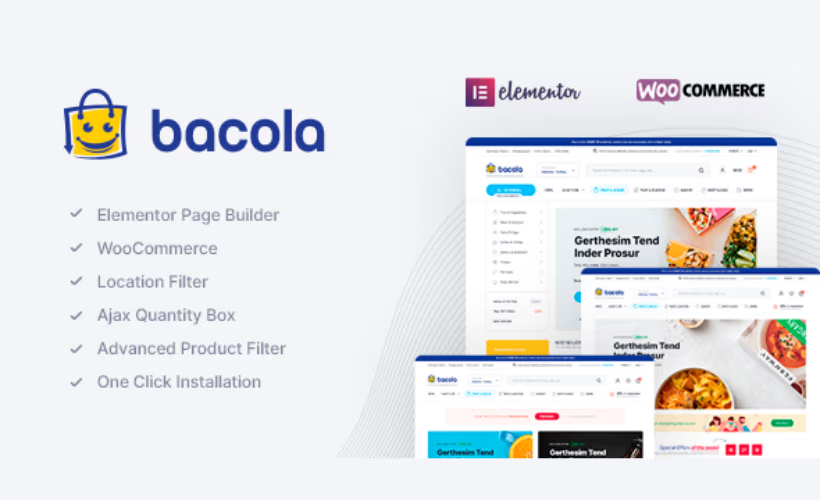
This Bacola theme review examines KlbTheme’s grocery-oriented WooCommerce theme, its shopping features and the integrations needed for a working food store. Bacola offers a more specialized starting layout than a generic retail design. Whether it is the right choice depends on your catalog, delivery model and maintenance requirements.
Quick Verdict
Bacola is worth evaluating for grocery shops and supermarkets that want an Elementor-based storefront. Its presentation tools can save design work, but they do not replace order fulfillment, inventory management or a marketplace plugin.
- Grocery-oriented product grids and shopping controls provide a focused starting point.
- WooCommerce handles the store’s commerce foundation.
- Elementor supports visual page customization.
- Vendor management and delivery scheduling require their own workflow.
- Budget for hosting, payment fees, optional plugins and maintenance beyond the theme price.
Shopping Features
The official product listing advertises Ajax filters and search, cart interactions, quantity controls, quick view and a location filter. These features can help customers browse a large grocery catalog without repeatedly opening individual product pages.
For a meaningful evaluation, load representative products with real variations, stock states and images. Test searching by the names your customers actually use. Check whether filters remain understandable on a small screen and whether the cart accurately reflects quantity changes.
Location Filtering Is Not Delivery Scheduling
A location selector can help show relevant products, but it does not establish that the store can reserve delivery slots, dispatch drivers or manage delivery capacity. Define these requirements before buying extensions. Test what happens when an address lies outside a shipping zone and when the basket contains products with different availability.
Multi-Vendor Compatibility
Bacola’s listing names Dokan and WC Marketplace compatibility. The theme supplies presentation; the marketplace plugin supplies seller accounts, commissions and related operations. Check the exact plugin edition and features you need rather than assuming every paid addon is bundled.
A marketplace needs checks beyond a single-seller store: vendor onboarding, order splitting, commission calculations and seller permissions. Use a test seller and customer to verify the intended journey before launch.
Plugins and Page Editing
For a typical store, plan around Bacola Core, WooCommerce and Elementor for the theme’s Elementor layouts. Follow the current setup wizard’s dependency list for the selected demo. Elementor Pro compatibility does not mean that a Pro subscription is included.
Envato Market is an installation/update tool, not the engine that processes grocery orders. Envato’s theme requirements describe compatibility with that plugin when a customer chooses to install it. Do not present it as a universal permanent storefront dependency.
The vendor also lists WPML and Polylang compatibility. Translation still requires configuration and translated content; review product attributes, checkout labels and customer emails in each language. Install additional form or marketing plugins only when your site uses their functionality.
Installation and Setup
- Back up the site and prepare a staging copy before changing an existing store.
- Extract the full download if necessary. The official installation guide identifies
bacola.zipas the installable theme file. - Upload that file under Appearance → Themes → Add New → Upload Theme, then activate the theme.
- Install the dependencies requested by the setup process for your intended layout.
- For demo content, follow Appearance → Theme Setup. Use care when importing into a populated site.
- Configure WooCommerce currency, payment methods, tax and shipping settings for your store.
- Replace demonstration products and images. Set up your actual categories, attributes and stock.
- Test browsing, filtering, cart changes, checkout and order emails before launch.
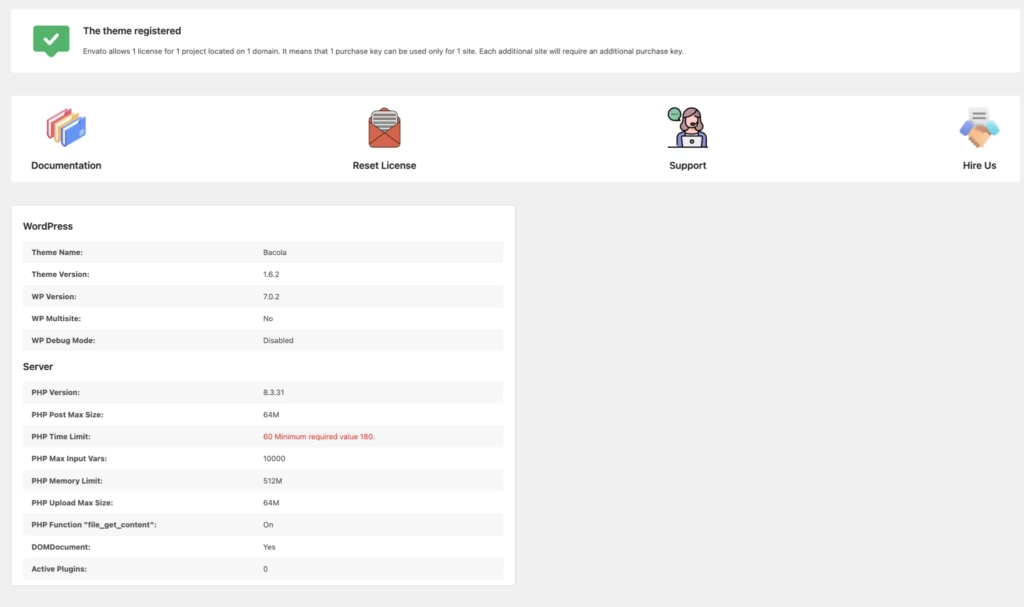
Our earlier recorded environment used WordPress 6.5 and PHP 8.4. That is historical testing information, not a current minimum requirement or a compatibility guarantee. Allow time for store configuration and checks rather than treating theme installation as a complete two-minute launch.
Updates and Compatibility
Check the current documentation and release notes before upgrading WordPress, WooCommerce or Elementor. A compatibility list is not a reason to skip testing your payment and delivery integrations. Keep Bacola Core aligned with the theme release.
After updating, inspect product archives, variable products, the mini-cart and checkout. Test with caching enabled as well as with it temporarily excluded in staging, since a visually correct page can still have stale cart behavior.
Bacola Pricing and Support
On November 6, 2026, the official listing showed a $47 Regular License and a $2,950 Extended License, before tax and handling charges. Future updates and six months of author support are included. Extending support costs extra; check the live checkout for its price.
Under Envato’s guidance, a normal publicly accessible grocery shop can use Regular even though customers pay for products. Paid access to the end product is a different case. Both standard licenses cover one end product; Extended does not provide unlimited storefront deployments.
Included future releases do not guarantee indefinite development, compatibility with every new plugin or lifetime personalized support. Distinguish the theme’s price from the continuing cost of running the store. A third-party redistributed package may have different update and support arrangements.
Alternatives to Bacola
| Option | Workflow | When to compare it |
|---|---|---|
| Bacola | Grocery-oriented WooCommerce layouts and Elementor | Your store needs a food-retail starting design |
| Flatsome Classic | General WooCommerce theme with UX Builder | You prefer its established visual editing workflow |
| Flatsome Site Builder | Separate newer product using WordPress blocks | You are evaluating a block-based store and its current release status |
| XStore | Broad retail demo library with Elementor-focused tooling | You want to compare grocery designs with other retail layouts |
The Flatsome comparison distinguishes Classic from Site Builder, with different content formats and purchase arrangements. The cited comparison identifies Site Builder details as a beta release, so check its current status before production use. XStore’s own demo library includes grocery layouts; Bacola is not the only option with food-oriented examples.
Compare the same small catalog across candidate demos. Focus on mobile filters, variation selection and checkout compatibility rather than the number of templates alone.
Frequently Asked Questions
Does Bacola include a complete delivery system?
Do not assume so. Its location and storefront tools must be matched with the shipping, scheduling and fulfillment workflow your business requires.
Which ZIP should I upload?
The vendor installation instructions name bacola.zip. An outer download archive may contain other files and should be extracted first.
Is Envato Market required for checkout?
No. It serves marketplace installation and updates. WooCommerce supplies the commerce foundation.
Does a grocery store need Extended because it sells products?
Ordinary product sales on a freely accessible site do not by themselves require Extended. Paid access is a separate licensing question.
Are premium multilingual and marketplace plugins included?
Compatibility does not establish a bundled license. Confirm each integration’s edition, purchase requirements and support arrangements.