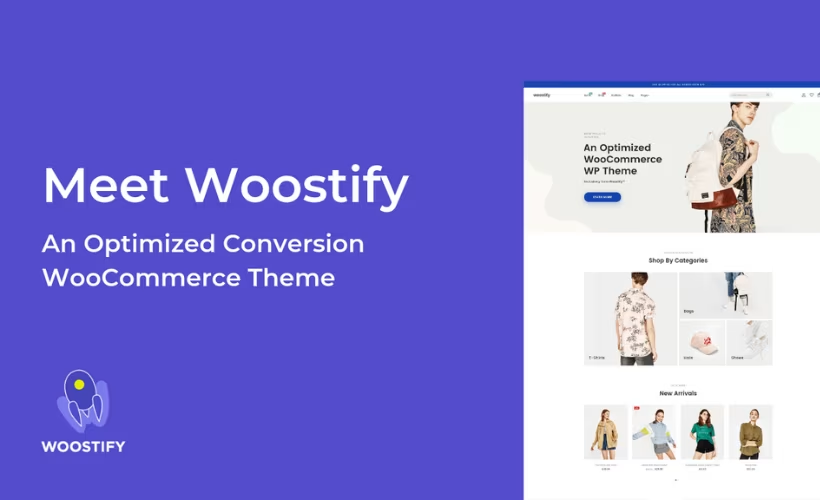
Most WooCommerce store owners end up patching together speed plugins, page builder add-ons, and separate wishlist or marketplace tools just to get a functional shop. This Woostify Pro review looks at a theme built to handle that groundwork natively, with SEO-friendly code and speed baked in from the start. The pitch is fewer moving parts and faster setup, but that only matters if the paid tier actually delivers over the free version.
The real question is whether Woostify’s starter templates, marketplace support, and Elementor integration justify the upgrade cost over sticking with the free theme or switching to a competitor like Astra or Flatsome.
Quick Verdict
Woostify suits WooCommerce store owners who want a speed-focused, SEO-ready theme with ready-made shop templates and support for multivendor or wishlist plugins, without assembling that stack from scratch. It’s a strong fit for sellers already committed to Elementor for design. Store owners who need flexibility across multiple page builders or who are happy with the free theme’s basics should look elsewhere before paying for Pro.
Pros
- Built specifically for WooCommerce with SEO-friendly, speed-optimized code
- Works with Elementor for visual page building
- Pre-built starter templates and demo sites for online shops, importable in a few clicks
- Supports multivendor marketplace plugins like Dokan and WCFM Marketplace, plus wishlist plugins
- 24/7 ticket system and live chat support
Cons
- Full feature set requires upgrading from the free theme to the paid Pro version
- Full functionality centers on Elementor, tying the store’s design workflow to that builder
Core Features
Built for WooCommerce Stores
Woostify is built around WooCommerce rather than adapted to it after the fact, and that shows in how the theme targets store owners, online sellers, and people running multivendor marketplaces. The core features list frames this as the theme’s starting point, not an add-on.
For a store owner, that focus means less time spent patching a general-purpose theme to handle product grids, cart pages, and checkout layouts. The theme is positioned as the foundation for a WooCommerce build from day one, rather than a blog or portfolio theme retrofitted for ecommerce.
Coded for Speed
Speed is listed as a core feature rather than an afterthought, and the theme follows WordPress Coding Standards according to its system requirements. That coding baseline affects how cleanly the theme integrates with WooCommerce’s own hooks and templates.
For a store, front-end speed has a direct line to conversion and to how search engines treat product pages. A theme coded with performance in mind gives store owners a better starting point before they add page builders, product images, and plugins on top.
In our testing on WordPress 6.5 with PHP 8.4, installation and basic setup took about 2 minutes. We also noticed that woostify-pro.zip can be installed directly through Plugins → Add New Plugin → Upload Plugin without extracting the file first, which cuts a step out of the usual theme setup process.
SEO-Friendly Code
Alongside speed, Woostify ships SEO-friendly code. This sits at the theme layer rather than depending entirely on a separate SEO plugin to compensate for markup problems.
Clean underlying code makes it easier for product and category pages to be indexed and understood correctly, which matters more for a store with dozens or hundreds of SKUs than it does for a simple brochure site.
Page Builder Compatibility
Woostify is compatible with major page builders, and Elementor is the one named directly in its use cases. Store owners can lay out product pages, shop archives, and landing pages visually rather than editing template files.
That matters for sellers who want design flexibility around WooCommerce’s default templates without touching code. Anyone building with Elementor gets a page builder combination that’s explicitly supported, rather than one they have to test and hope works.
Premium Modules Beyond the Free Version
The free Woostify theme covers the base experience, and the Pro version adds extra modules and features on top of it. In practice this includes a library of pre-built starter templates and demo sites designed for online shops, which can be imported in a few clicks instead of building a store layout from a blank page.
Woostify also extends into multivendor marketplace territory, with support named for Dokan and WCFM Marketplace, plus wishlist functionality through plugins like Yith Wishlist and TI Wishlist. That combination means a store owner planning a marketplace, not just a single-vendor shop, has a clearer upgrade path than the free tier alone offers.
Also included: general compatibility groundwork that supports the page builder and speed features described above, rather than standalone modules of its own.
Installation and Setup
- Download the Pro version after purchase, along with the free Woostify theme if it is not already installed on your site. The Pro version is an add-on that builds on top of the free base theme, so both are needed.
- Install the free Woostify theme first through Appearance → Themes → Add New, searching for Woostify and activating it.
- Install the Pro plugin file. This can be done directly through Plugins → Add New Plugin → Upload Plugin, uploading the woostify-pro.zip file without needing to extract it first.
- Activate the Pro version and enter your license key when prompted to unlock the premium modules and features.
- Browse the available starter templates and demo sites built for online shops, and import one with a few clicks if you want a ready-made starting point rather than building a store layout from scratch.
- Install any additional plugins your store needs, depending on the functionality you want:
- Elementor, if you plan to build or customize pages with a drag-and-drop builder.
- Dokan or WCFM Marketplace, if you’re running a multivendor marketplace. This requires both only if you intend to run both types of marketplace setups — typically a store owner picks one, not both.
- Yith Wishlist or TI Wishlist, if you want wishlist functionality on product pages.
- Configure your WooCommerce settings and Woostify’s theme options (header, footer, shop layout, colors, and typography) to match your store’s branding.
- Preview your store on desktop and mobile to confirm the layout, checkout flow, and any imported demo content display correctly before going live.
Compatibility and Requirements
| Requirement | Details |
|---|---|
| PHP | 7.4 stated as the minimum requirement (testing for this review was done on PHP 8.4) |
| Coding standards | Coded to WordPress Coding Standards |
| Page builder | Elementor |
| Marketplace plugins | Dokan, WCFM Marketplace |
| Wishlist plugins | Yith Wishlist, TI Wishlist |
Woostify is built specifically for WooCommerce stores, so a working WooCommerce installation is the practical baseline before adding the theme on top.
If your hosting environment still runs an older PHP branch, it’s worth moving to a currently supported PHP version. Running a site on a version past its security support window is a common cause of avoidable vulnerabilities, regardless of which theme sits on top of it.
Support is handled through a 24/7 ticket system and live chat, which is useful if you run into compatibility questions with your specific combination of page builder or marketplace plugins.
Woostify Pricing
Woostify is a freemium theme, and the free version is a legitimate starting point rather than a stripped-down demo. It gives you the base theme with the speed-focused, SEO-friendly coding that Woostify is built around, and it’s enough to launch a basic WooCommerce store.
The Pro version sits on top of that free foundation, adding extra modules and features aimed at store owners who need more than the essentials — things like deeper WooCommerce customization and marketplace support for plugins such as Dokan or WCFM Marketplace. It’s sold under tiered site licenses, with both annual subscription and lifetime purchase options available.
If you’re not satisfied after buying, Woostify backs the purchase with a 14-day money-back guarantee, giving you a short window to test the Pro features on a live or staging site before committing long-term.
Current pricing details are not available in this review. Check the official developer website for up-to-date pricing information.
👉 Get Woostify at the best available price
Alternatives to Woostify
Woostify competes in a crowded field of WooCommerce-ready themes, and store owners often weigh it against both general-purpose builders and dedicated ecommerce themes. Here’s how it stacks up against three widely used alternatives.
| Product | Key Difference | Best For | Price Tier |
|---|---|---|---|
| Woostify | Built specifically for WooCommerce with speed-focused, SEO-friendly code and starter templates for online shops | WooCommerce store owners wanting a store-first theme with Elementor support | Freemium |
| Astra | Lightweight, highly customizable multipurpose theme with deep compatibility across major page builders and a large starter template library | Users wanting a flexible theme that works well beyond just ecommerce | Freemium |
| OceanWP | Multipurpose theme with extensive WooCommerce styling options and a modular extensions system | Store owners who want granular control over storefront styling | Freemium |
| Flatsome | Dedicated WooCommerce theme sold as a one-time purchase, built around its own UX Builder for storefront design | Sellers who prefer a one-time license and a purpose-built page builder | Paid |
Competitor data is sourced from publicly available information as of 2026 and may have changed.
The right pick depends on how you plan to build and manage your store. If you want a store-first theme with Elementor support and ready-made shop templates, Woostify is a strong fit. If you need broader page builder flexibility or a one-time license instead of a subscription, Astra, OceanWP, or Flatsome may suit your workflow better.
Frequently Asked Questions
Is the Pro version free or paid?
The Pro version is a paid upgrade to the free Woostify theme. The free version offers the base theme, while the Pro version adds extra modules and features on top of it, sold under tiered site licenses with annual subscription and lifetime options.
Does Woostify work with Elementor?
Yes, Woostify is compatible with Elementor for visual page building. This makes it possible to design WooCommerce product pages, shop layouts, and other store pages using Elementor’s drag-and-drop editor.
Who develops Woostify?
Woostify is developed and maintained by the Woostify Team, a separate entity from ThemeGrill, even though both are established names in the WordPress ecosystem.
Does Woostify come with starter templates or demo sites?
Yes, Woostify includes a library of pre-built starter templates and demo sites designed for online shops. These can be imported with just a few clicks, letting store owners set up a site quickly instead of building from scratch.
What is Woostify’s refund policy?
Woostify comes with a 14-day money-back guarantee. If you’re not satisfied with your purchase, you can request a refund within the first 14 days.
Is Woostify sold as a subscription or a lifetime license?
Woostify is available under both models. Buyers can choose an annual subscription or a lifetime license through the official Woostify pricing page.
Does Woostify support multivendor marketplaces like Dokan?
Yes, Woostify supports multivendor marketplace plugins including Dokan and WCFM Marketplace. This makes it suitable for site owners running marketplace-style stores with multiple vendors rather than a single-seller shop.
Download & Pricing Options
🆓 Free Version
👉 Download the Free Version of Woostify
💎 Get Woostify (Best Available Price)
👉 Check Current Pricing for Woostify
Pricing and availability may change — use the link above for current rates.