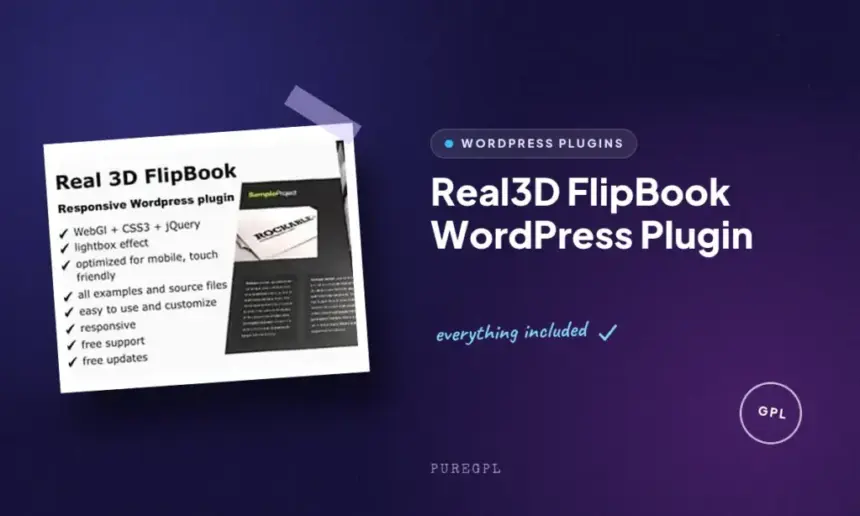
This Real3D FlipBook review compares its free and paid WordPress editions, document viewing modes and purchase options. The plugin turns PDFs or image collections into interactive publications. Choose it for a presentation that helps readers use the content, rather than assuming page animation alone improves engagement.
Quick Verdict
Real3D FlipBook is worth testing for catalogs, magazines, portfolios and brochures hosted on your WordPress site. Start with the official Lite edition and representative files. Upgrade when you can identify specific paid features or addons your publication needs.
- An official free Lite plugin is available.
- WebGL page turns and simpler viewing modes offer different reading experiences.
- PDF and image sources support several publishing workflows.
- Advanced editing, display and commerce functions can require addons.
- Large or poorly prepared documents still need optimization and usability checks.
Free Lite Edition
The official WordPress.org listing provides Real3D FlipBook Lite. It includes WebGL page flipping and multiple viewing modes, with no watermark or stated limit on flipbook count, pages or file size. Hosting upload limits and browser resources still apply.
This gives you a legitimate way to test the rendering engine on your own website before buying. Compare the current Lite and Pro feature lists for the exact controls and integrations you need. A free edition is not the same as an unofficial redistributed premium archive.
Viewing Modes and Document Sources
The developer’s demonstrations include realistic WebGL page turns, CSS-based flips, swipe, scroll and simple viewing. These modes are not interchangeable for every document. A magazine spread may suit a two-page layout, while a dense manual may be easier to read by scrolling.
Test small text, links, zoom and navigation on mobile. Choose a simpler mode where it improves usability, and check behavior on browsers or devices with limited graphics support rather than promising a universal automatic fallback.
PDFs and image collections can be used as sources. Image-only pages do not inherently contain searchable text; source quality affects what a viewer can expose. Keep a readable alternative available when the publication contains information people need to access quickly.
Embedding in WordPress
The official setup guide describes installing real3d-flipbook.zip, creating a flipbook under Real3D Flipbook → Add New, selecting a PDF or images and publishing it. Copy the generated shortcode into a compatible page or post; the ID identifies the saved flipbook.
For the marketplace edition, the guide documents purchase-code activation and a specific list of staging domain exceptions. Do not assume every test subdomain qualifies. Direct purchases use their own purchase-channel instructions.
Publishing time depends on file preparation, uploads and configuration. A four-minute setup estimate is not a reliable promise for an optimized, accessible publication.
Addons: Buy for a Defined Need
The official addon catalog lists seven extensions: Page Editor, Bookshelf, PDF Tools, WooCommerce, Elementor, WPBakery and Preview Mode. These cover interactive overlays, collections, PDF processing, sales, builder widgets and restricted previews.
Not every publication needs all seven. For example, a shortcode may be sufficient for a basic embed, while a dedicated builder widget changes the editing experience. Selling access requires more testing than simply displaying a free brochure.
Hiding a download button is not comprehensive copy protection. Readers may still access delivered files or capture displayed pages. Assess access control and source-file handling separately from the toolbar design.
Performance and Compatibility
The earlier recorded test environment was WordPress 6.9 with PHP 8.3. That is historical testing information, not a current compatibility guarantee. Test your actual release and hosting setup before replacing a live publication.
Optimize the PDF’s images and file size, and test the first page and deep links on a phone. Check whether your caching or optimization plugins interfere with the viewer. When using files on another domain, review the hosting configuration with reference to the vendor’s documentation rather than assuming every external PDF URL can be embedded.
Real3D FlipBook Pricing
Prices checked November 6, 2026 differ by purchase channel. The direct WordPress page showed the following one-website options:
| Direct plan | Yearly | Lifetime |
|---|---|---|
| WordPress plugin | $49/year | $99 once |
| WordPress plugin plus all seven addons | $69/year | $139 once |
The direct page also offers larger site-count selections. Its FAQ says existing flipbooks keep working when a yearly license expires, while updates, new features and support require an active license. Compare the current terms, taxes and site allowance before purchase.
The CodeCanyon listing showed $139 at the time of checking. Do not assume its bundle, support or update entitlement is identical to a similarly priced direct plan. The vendor documentation provides a manual replacement-update workflow for marketplace purchases. Check the current channel-specific instructions rather than relying on a blanket claim about automatic updates.
Real3D FlipBook vs DearFlip
| Option | Free starting point | What to compare |
|---|---|---|
| Real3D FlipBook | Official Lite plugin | Viewer controls, rendering modes and addon requirements |
| DearFlip | Official free WordPress plugin | Its own 3D/2D modes, document handling and paid feature limits |
| A standard PDF link or viewer | Depends on your existing setup | Whether simpler document access better serves the reader |
DearFlip’s official listing explicitly describes WebGL 3D rendering as well as a 2D mode. It is incorrect to characterize DearFlip as only a CSS-based alternative. Use the same PDF in both plugins and compare mobile readability, navigation, loading behavior and the features you would have to pay for.
Frequently Asked Questions
Is Real3D FlipBook free?
An official Lite edition is free. Pro and addons have separate purchase options.
Does DearFlip lack WebGL 3D?
No. Both products offer WebGL-based rendering. Compare their actual workflows rather than using 3D support as an exclusive differentiator.
Do I need every addon?
No. Select them for the editing, display or commerce features you actually need.
Will an expired annual license break existing flipbooks?
The direct vendor FAQ says they keep working, but an active license is needed for updates, new features and support.
Can I test before paying?
Yes. Use the official Lite download or the developer’s public demonstrations.