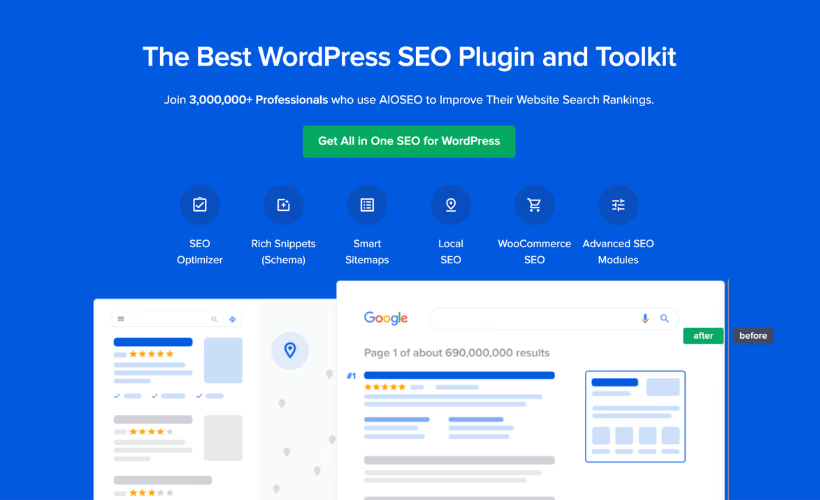
All in One SEO (AIOSEO) is a WordPress SEO plugin for managing search metadata, sitemaps and on-page optimisation. This review explains its free and paid options, setup requirements and alternatives so you can choose a plan around the work your site actually needs.
Quick verdict
AIOSEO is worth considering if you want guided SEO settings and a paid upgrade path for local search, internal linking and reporting. Start with Lite for basic optimisation. A higher plan is useful only when its particular tools justify the renewal cost. A plugin score is a checklist, not evidence that a page will rank.
- Strengths: editorial SEO controls, a setup wizard and a range of optional advanced tools.
- Tradeoffs: features are split across plans, introductory discounts expire, and some integrations require another subscription.
- Review scope: this is a documentation-based assessment; it does not report a fresh performance benchmark or ranking experiment.
Free versus paid features
The official WordPress.org listing provides AIOSEO Lite. It supports core title and description editing, XML sitemaps and on-page SEO guidance. The listing also describes premium features, so its overall feature list should not be read as a promise that every feature is free.
Search appearance and content checks
Use titles and descriptions to explain each page clearly. Check the rendered canonical URL, indexability and social preview after changing settings. Content recommendations can identify omissions, but following every recommendation mechanically can make an article repetitive.
Sitemaps and structured data
Sitemaps help expose the URLs you want crawled. Structured data should describe content visitors can actually see. Neither a sitemap submission nor schema markup guarantees indexing, rich results or better positions. Review the output when a theme or another plugin also produces schema.
Advanced tools and plan selection
According to the current plan comparison, Basic includes WooCommerce SEO and basic redirect features; Plus adds Local SEO; Pro adds Link Assistant and deeper redirect tools; Elite adds Search Statistics and keyword rank tracking. Link Assistant helps review internal linking opportunities, while Search Statistics brings connected Google Search Console data into WordPress.
For a shop, evaluate the specific product schema and taxonomy controls you need rather than assuming that all product-page SEO requires a paid plugin. For an agency, compare both feature access and the number of supported sites.
Installation and setup
- Back up your site and record existing SEO settings before switching plugins.
- For Lite, open Plugins → Add New, search for All in One SEO and verify the WordPress.org listing by Syed Balkhi before installing.
- For a direct paid purchase, download the ZIP from your AIOSEO account, upload it through WordPress and activate it. Follow the official Pro installation guide and connect the licence associated with your plan.
- Run the setup wizard and import existing metadata if you are migrating. Inspect sample posts, pages and products after the import.
- Open All in One SEO → Feature Manager to activate the addons you need and your licence permits. The Feature Manager documentation confirms that addons extend the main plugin; it is inaccurate to describe every advanced feature as requiring no additional installation.
- Check titles, descriptions, canonicals, robots directives and sitemaps on the live site. Avoid leaving two plugins responsible for the same SEO output.
Compatibility and requirements
At this review, the Lite directory listing specifies WordPress 5.7 or higher and PHP 7.4 or higher. These are minimum compatibility values, not a recommendation to keep an obsolete runtime in production. Recheck the requirements for the actual release you install.
The developer lists integrations with the block and Classic editors, WooCommerce and builders including Elementor, Divi and Avada. That corrects the earlier claim that builder compatibility was undocumented. Test your own combination of theme, custom fields and extensions before migration. Multisite administration features and licence capacity also need to match the chosen plan.
AIOSEO pricing and renewal costs
The official page checked on 6 November 2026 displayed the following USD annual prices. Promotions may change; verify the total at checkout.
| Plan | Sites | First year shown | Standard annual price |
|---|---|---|---|
| Basic | 1 | $49.50 | $99 |
| Plus | 3 | $99.50 | $199 |
| Pro | 10 | $199.50 | $399 |
| Elite | 100 | $299.50 | $599 |
Budget for the higher renewal rate. The SEOBoost-powered Writing Assistant requires a separate paid SEOBoost subscription; it should not be confused with included AI credit allowances. Check the vendor pricing page for current entitlements, taxes and renewal terms.
AIOSEO alternatives compared
| Alternative | Reason to compare | Decision point |
|---|---|---|
| Yoast SEO | Content and readability guidance with free and premium editions. | Compare the editor workflow and the package covering your store or local-business needs. |
| Rank Math | A modular SEO suite with free and paid options. | Check each required module and any separate AI service cost instead of comparing feature totals. |
| SEOPress | PRO offers 1-site, 5-site and unlimited-site licences. | Published annual prices are $49, $59 and $149 respectively, excluding VAT. It is no longer accurate to describe every paid licence as unlimited-site. |
Choose around a concrete requirement: editing metadata for a small blog, maintaining local business information, reviewing internal links, or managing many client sites. Trial the free editor experience before migrating a production site. Compare renewal totals and integrations as well as the first-year price.
Frequently asked questions
Is All in One SEO free?
Yes. Lite is available from WordPress.org. Paid plans add capabilities; downloading a file labelled Pro is not the same as installing the official free edition.
Which plan includes local SEO or internal linking?
Check the plan table above and the live vendor comparison before purchase. Local-business tools and internal-link assistance sit at different paid levels, so buying the lowest paid plan does not unlock every advertised feature.
Will AIOSEO guarantee better rankings?
No. Accurate configuration supports SEO work, but search performance also depends on the usefulness of your content, crawlability, competition and other signals. Treat scores as editing aids.
Does AIOSEO slow down WordPress?
This review has no controlled before-and-after benchmark. Measure the same pages and administration tasks with comparable caching and hosting conditions before drawing a performance conclusion.
Can I switch from another SEO plugin?
AIOSEO provides import tools. Back up first, inspect migrated metadata and prevent duplicate SEO output after switching. Keep the old settings available until the new output has been checked.
Download and purchase options
Download official AIOSEO Lite or compare direct AIOSEO plans.
View the PureGPL product listing. Check that listing’s own delivery and support terms. A third-party package should not be assumed to include an AIOSEO account, vendor licence activation, hosted services or direct developer support.