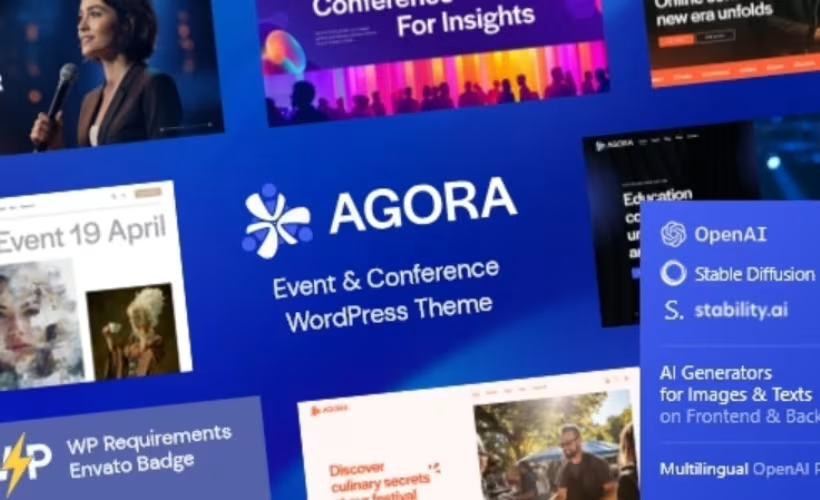
This Agora theme review examines AncoraThemes’ event and conference design, its Elementor workflow and the plugins needed for calendars and ticket sales. Agora provides presentation and integration support. The event calendar, ticketing and payment systems remain separate components that need configuration.
Quick Verdict
Agora is worth evaluating for conferences, festivals and other events that need coordinated speaker, schedule and promotional pages. It can reduce design work, but it does not eliminate the need to choose a ticketing workflow and test the attendee journey.
- Event-oriented layouts provide a focused starting point.
- Elementor supports visual page editing.
- ThemeREX Addons supplies essential theme functionality.
- Ticketing integrations can require premium plugins beyond the theme purchase.
- Theme compatibility is not a guarantee of successful checkout or ticket delivery.
Layouts and Editing
The official demos cover business forums, creative conferences, festivals and other event formats. Use the layout that fits your program instead of treating every available widget as necessary.
Keep the date, location, time zone, ticket link and accessibility information easy to find. Test long speaker names and schedule changes on mobile. A responsive template still needs checking with the actual content and images you intend to publish.
Required and Bundled Plugins
The vendor documentation identifies ThemeREX Addons as essential and marks Elementor as required in its plugin list for the intended visual workflow. It lists Slider Revolution among included plugins, so a separate purchase should not be presented as mandatory for using the bundled version.
Bundled premium plugins have different support and update arrangements from standalone purchases. A direct license may be needed for the plugin vendor’s own services. WPML compatibility likewise does not establish an included WPML subscription.
Choose calendar, form, social and shop plugins according to the pages you use. A newsletter connection needs an account and configuration; an Instagram integration needs a valid connection. Installing an addon alone does not populate it with your organization’s content.
Event Calendars and Ticket Sales
The theme lists compatibility with The Events Calendar and Event Tickets. Those plugins perform event and attendee functions; the theme supplies the surrounding design. Decide whether you need a simple RSVP, paid admission, reserved seating or additional attendee details before choosing a ticketing package.
WooCommerce ticket sales require Event Tickets Plus for the documented integration. The official integration guide specifies Event Tickets, Event Tickets Plus and WooCommerce together. Adding free Event Tickets and WooCommerce alone does not supply that integration.
The ticketing plugin has other commerce workflows, so choose the one that matches your gateways and requirements. Compare current plugin plans and fees separately from the theme price. Avoid assuming every advanced ticketing feature is included because a demo displays a purchase button.
Test the Attendee Journey
Use a test event and payment mode to verify checkout, order status, ticket emails and attendee records. Test sold-out behavior, cancellation and duplicate submissions. Confirm what staff will use at check-in and whether the required attendee information is present.
For online events, decide how joining instructions are delivered and who can access them. A calendar page does not itself provide a streaming platform or protect an external meeting link.
Installation and Demo Setup
- Back up the existing site and start on staging.
- Extract the package if necessary and upload the installable
agora.ziptheme under Appearance → Themes. - Activate the theme and complete the documented purchase-code or Elements-token registration for your purchase channel.
- Install ThemeREX Addons, Elementor and the components required by the selected demo.
- Use Theme Panel → Theme Dashboard → Demo Data for the documented import workflow.
- Replace sample event details, images, forms and external links.
- Configure your ticketing and payment tools separately, including any required premium integration.
- Test the full visitor and attendee experience before launch.
A child theme can help preserve custom code, but keep its parent installed and test overrides after updates. Importing a demo into a populated website can affect existing settings, so review the import options first.
Compatibility and Multilingual Events
Check current release notes against your WordPress, PHP and plugin versions. Broad marketplace compatibility ranges should not be treated as minimum requirements or as evidence that every older release is suitable for a new project.
For multilingual events, configure the chosen translation tools and check event dates, ticket labels, forms and emails in each language. Translation compatibility does not guarantee that all third-party strings or dynamic checkout states appear correctly without testing.
Agora Pricing and License Choice
The official listing showed $69 Regular and $1,999 Extended on November 6, 2026, before tax and handling charges. Future updates and six months of author support are included. A support extension costs extra.
Envato’s guide distinguishes free access to a website from paid access to the end product incorporating the theme. Selling admission to an offline event on a publicly accessible website is not automatically the same as selling access to the website itself. Assess paid online content separately and confirm ambiguous cases with the seller. Both standard licenses cover one end product.
Include hosting, ticketing addons, processing charges and maintenance in the budget. Included future updates do not promise indefinite development or lifetime personalized support.
Alternatives to Agora
| Option | Design approach | Event tooling |
|---|---|---|
| Agora | Event-focused Elementor designs | Configure the supported calendar and ticketing plugins |
| Astra | General theme with separately selected layouts | Choose and test your event plugins independently |
| Divi | General visual builder and theme | Add the event and ticketing integrations your project needs |
Astra offers a free theme, with premium features and templates depending on the chosen product. Divi offers annual and lifetime purchase options. Compare the same schedule and ticketing requirements across each candidate; a larger template library does not establish better event management.
Frequently Asked Questions
Can I try Agora before buying?
The official splash page advertises a free test run and public demos. Check the current availability and conditions there. This is different from receiving a permanent free theme license.
Is Slider Revolution sold separately only?
No. The documentation lists it among included plugins. Separate licensing can provide different direct services and entitlements.
Does free Event Tickets plus WooCommerce provide the advertised integration?
No. The documented WooCommerce ticketing connection requires Event Tickets Plus as well.
Does selling an event ticket automatically require Extended?
No. Distinguish selling admission from charging for access to the theme-powered end product, and confirm the terms for your actual model.