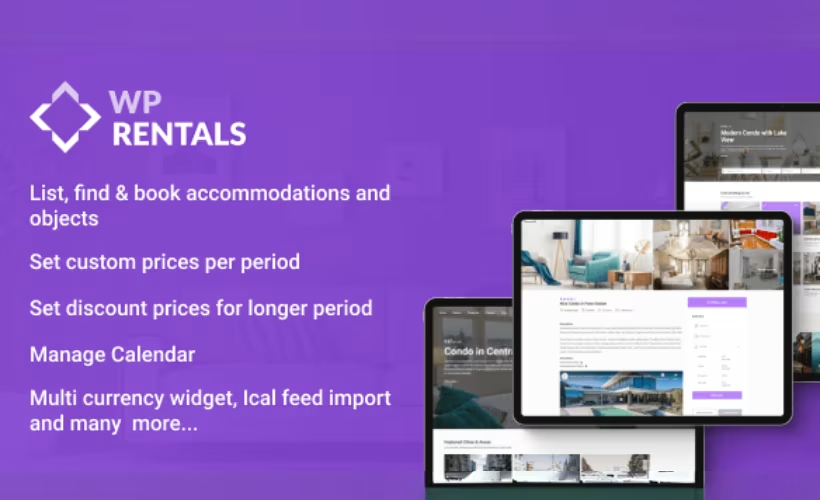
Building a vacation rental site from a generic WordPress theme means bolting on booking logic, property listings, and marketplace features one plugin at a time — an expensive, fragile stack. This WP Rentals theme review examines a purpose-built alternative: a single theme designed from the ground up for accommodation booking, with multi-owner marketplace support included at the base price.
Whether WP Rentals justifies its place in your shortlist — or whether a competing option fits your project better — is exactly what this review weighs.
Quick Verdict
WP Rentals suits freelancers and agencies building dedicated vacation rental or property booking sites, particularly where multi-owner marketplace functionality is needed without a custom build. Developers who require direct, fast support on production sites, or who prefer a self-contained theme with minimal plugin dependencies, should weigh the trade-offs carefully before committing.
Pros
- Handles both single-owner rental sites and multi-owner property marketplaces without additional plugins
- $79 entry price is competitive for a dedicated booking theme
- Confirmed compatible with WordPress 6.5 and PHP 8.4
- One-click demo import gets a basic site running in around five minutes
- Supports both Elementor and WPBakery Page Builder for layout flexibility
Cons
- Full functionality requires installing and maintaining several companion plugins, adding setup complexity
- WPRentals Studio features depend on Elementor Free, so the theme is not fully self-contained
- Forum-only support is a real limitation for developers managing live production sites
Core Features
Property Listing and Booking Management
WP Rentals centers its functionality on two interconnected systems: property listing management and a booking layer built specifically for accommodation. These aren’t generic post types repurposed for rentals — they’re dedicated structures designed to handle the specific data a vacation rental or short-term accommodation listing requires.
The booking management system handles reservation flow from the guest side, giving site operators a structured way to track and manage incoming requests. For single-portfolio site owners, this provides a self-contained pipeline from listing to confirmed booking without a separate bridging plugin.
Multi-Owner Marketplace Support
One of the more significant architectural choices in WP Rentals is its native support for multi-owner marketplaces alongside single-owner sites. Most rental themes are built for one model or the other; this theme accommodates both within the same codebase.
That flexibility matters most for developers and agencies building platforms where independent property owners list and manage their own accommodations. A freelancer building an Airbnb-style directory can use the same theme as a single host managing a handful of properties — the scope of the site determines how the marketplace functionality gets deployed.
Payment Processing Integration
Payment processing is built into the theme’s core feature set, meaning the transactional layer for accepting bookings is part of the base product rather than delegated entirely to a third-party plugin. This keeps the booking and payment workflow within a unified system.
The practical result for site operators is that guests can move from property selection to payment without a disconnected checkout experience. If you have a specific processor in mind, confirming gateway compatibility before purchase is worth doing.
Page Building: Elementor and WPBakery
WP Rentals supports two page builders: Elementor Free and WPBakery Page Builder. The Elementor path is extended by the WpRentals Elementor Widgets plugin, which adds rental-specific components to Elementor’s interface under what the theme calls WPRentals Studio. The WpRentals Gutenberg Blocks plugin provides a parallel set of components for editors who prefer the native WordPress block editor.
WPBakery Page Builder and Ultimate Addons for WPBakery Page Builder appear in the recommended plugins list after theme activation. Verify your license includes these plugins before relying on them for a new project. Elementor Free is a required plugin for WPRentals Studio features, so the theme does depend on that external dependency for its Elementor-based design tools.
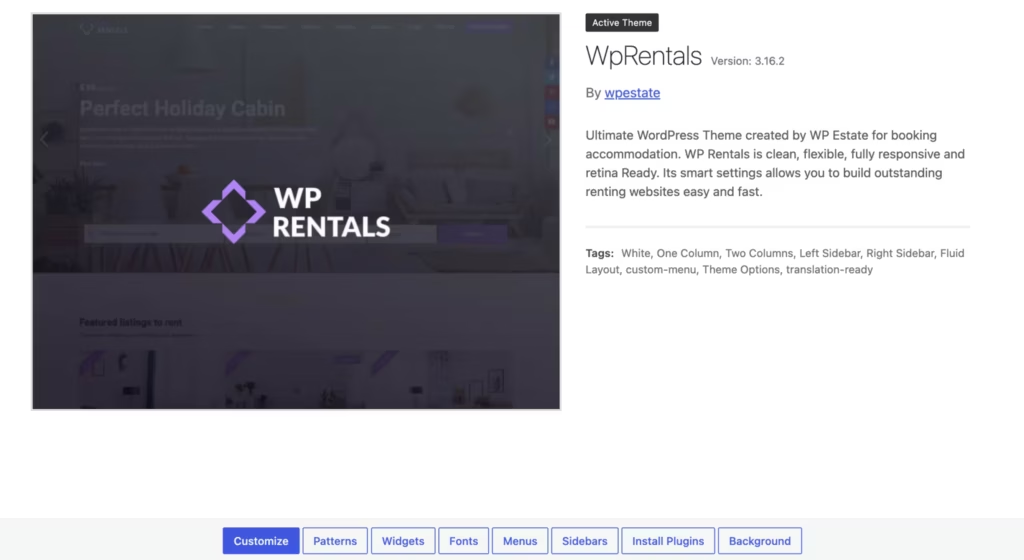
On WordPress 6.5 and PHP 8.4, activating the theme immediately prompted installation of WpRentals Core Functionality and WpRentals Elementor Widgets as required plugins. WPBakery Page Builder, Ultimate Addons for WPBakery Page Builder, and WpRentals Gutenberg Blocks appeared in the recommended list rather than the required one — worth noting if your build relies on WPBakery as the primary editor.
One-Click Demo Import
WP Rentals ships with one-click demo import support via the One Click Demo Import plugin, with SVG Support for Demo Import included to handle vector assets during the import process. A working demo environment can be pulled in without manually configuring every element from scratch.
For agencies or freelancers presenting a client prototype, this shortens the gap between a fresh install and a presentable site. The demo content provides a structural starting point that can be adapted rather than built from nothing.
On WordPress 6.5 and PHP 8.4, both One Click Demo Import and SVG Support for Demo Import appeared in the recommended plugin list immediately after activation, making it straightforward to identify and install them before beginning any demo import. Basic setup from upload to an activated, plugin-prompted state took around five minutes.
Revolution Slider Integration
Revolution Slider is listed among the companion plugins, giving WP Rentals access to animated, full-width slider presentations for property showcases and landing page headers. This is a premium slider plugin that typically carries its own cost when purchased independently.
For rental sites where visual presentation drives conversion, having a capable slider available is a practical advantage.
On WordPress 6.5 and PHP 8.4, Revolution Slider appeared in the recommended plugin prompt shown after theme activation, confirming it surfaces directly in the dashboard rather than requiring a manual search or separate download.
Installation and Setup
- Purchase WP Rentals from ThemeForest and download the installable package from your Envato account. The downloaded file is named
themeforest-12921802-wp-rentals-booking-accommodation-wordpress-theme.zip.
- In your WordPress dashboard, navigate to Appearance → Themes → Add New → Upload Theme, select the zip file, and click Install Now. Once installation completes, click Activate.
- After activation, the theme will prompt you to install its required and recommended plugins. WP Rentals requires WpRentals Core Functionality and WpRentals Elementor Widgets — both must be installed and activated before the theme functions correctly.
- The theme also recommends the following additional plugins, each of which enables specific features:
- Elementor Free — required for WPRentals Studio features
- WPBakery Page Builder
- Ultimate Addons for WPBakery Page Builder
- Revolution Slider
- WpRentals Gutenberg Blocks — enables Gutenberg block support
- One Click Demo Import — used for importing demo content
- SVG Support for Demo Import — required for SVG assets during demo import
- Envato Market — facilitates theme updates directly from the dashboard
- Install and activate all plugins relevant to your intended build before proceeding to demo import or site configuration.
- To import a demo, use the One Click Demo Import plugin once it is active. Ensure SVG Support for Demo Import is also active at this point, as SVG assets are part of the demo content.
- Basic setup — from upload to an activated theme with plugins installed — can be completed in approximately five minutes on a standard WordPress installation.
Compatibility and Requirements
| Requirement | Detail |
|---|---|
| Tested on WordPress | 6.5 |
| Tested on PHP | 8.4 |
| Required plugins | WpRentals Core Functionality, WpRentals Elementor Widgets, Elementor Free (for WPRentals Studio features) |
| License platform | ThemeForest (Envato) |
WP Rentals has been tested on WordPress 6.5 and PHP 8.4.
The theme depends on WpRentals Core Functionality and WpRentals Elementor Widgets as hard requirements — the theme will not operate fully without them. Elementor Free is additionally required to access WPRentals Studio features, so it should be treated as a practical dependency for most builds. WPBakery Page Builder, Ultimate Addons for WPBakery Page Builder, and Revolution Slider appear in the recommended plugin list after activation.
WP Rentals Pricing
WP Rentals is a premium theme with no free version available. It is sold exclusively through ThemeForest under a Standard License priced at $79 for a single site.
That price covers the theme itself; companion plugins are installed separately from within the WordPress dashboard after activation. One-click demo import and SVG support are also included in the package.
Because WP Rentals is distributed through ThemeForest, licensing and support terms are governed by Envato’s marketplace policies.
Check the WP Rentals listing on ThemeForest for the current rate and full license breakdown.
👉 Get WP Rentals at the best available price
Alternatives to WP Rentals
Several dedicated rental and listing themes compete in this space, each taking a different approach to property management, marketplace support, and page building.
| Product | Key Difference | Best For | Price Tier |
|---|---|---|---|
| WP Rentals | Dedicated vacation rental theme supporting both single-owner sites and multi-owner marketplaces with built-in booking management | Rental site owners and marketplace operators who want a purpose-built accommodation booking theme | Paid |
| Homey | Airbnb-style peer-to-peer marketplace focus with built-in front-end submission and user dashboard features | Operators building community-driven rental marketplaces with guest and host accounts | Paid |
| Houzez | Broad real estate theme built around property listings and agent or agency management | Real estate professionals who need agent profiles and property sales listings alongside rentals | Paid |
| Listify | Directory theme supporting multiple listing verticals beyond accommodation, with WooCommerce integration | Developers building multi-category listing directories who want rental support as one of several use cases | Paid |
| Dokan | General-purpose WooCommerce multivendor marketplace plugin rather than a rental-specific theme | Site owners who already run a WooCommerce store and want to add a multi-vendor marketplace layer | Freemium |
Competitor data is sourced from publicly available information as of 2026 and may have changed.
The right choice depends heavily on scope. WP Rentals suits projects where vacation rental and accommodation booking is the entire focus. Homey is the closest direct rival for peer-to-peer marketplace builds, while Houzez and Listify make more sense when the site needs to serve a broader real estate or directory audience. Dokan is worth considering only if WooCommerce is already central to the project.
Frequently Asked Questions
What is WP Rentals and what is it used for?
WP Rentals is a premium WordPress theme built specifically for vacation rental and accommodation booking websites. It supports both single-owner rental sites — where one operator manages all listings — and multi-owner marketplaces where multiple property owners list independently. Freelancers, agencies, and platform operators use it to build short-term rental and accommodation booking sites without starting from scratch.
How much does WP Rentals cost?
The Standard License costs $79 and covers a single site. It is sold exclusively through ThemeForest, so the purchase and licensing terms are governed by Envato’s marketplace policies.
Does WP Rentals support multi-owner property marketplaces?
Yes. Multi-owner marketplace functionality is built into the theme, allowing multiple property owners to list accommodations on a single platform. Single-owner rental sites are equally supported, so the theme works for both solo operators and marketplace builders.
How long does it take to set up WP Rentals?
Basic setup completes in approximately 5 minutes. After installing the theme via Appearance → Themes → Add New → Upload Theme, the one-click demo import gets a working site up quickly, with Revolution Slider and SVG Support for Demo Import available as recommended plugins to streamline that process.
WP Rentals vs Homey — which rental theme is better?
Both WP Rentals and Homey are purpose-built vacation rental themes for WordPress, targeting the same audience of rental site owners and marketplace builders. WP Rentals is priced at $79 for a Standard License and supports both Elementor and WPBakery Page Builder for layout editing. Homey is a direct competitor in the same ThemeForest category, so the better choice depends on which feature set and builder workflow aligns with your project requirements — prices and features for Homey may have changed since this was written.
What plugins does WP Rentals require?
Upon activation, the theme requires two plugins: WpRentals Core Functionality and WpRentals Elementor Widgets. It also recommends several additional plugins — Envato Market, One Click Demo Import, Revolution Slider, SVG Support for Demo Import, Ultimate Addons for WPBakery Page Builder, WPBakery Page Builder, and WpRentals Gutenberg Blocks — to enable the full range of features and demo content.
Is WP Rentals compatible with Elementor?
Yes. Elementor Free is required for WPRentals Studio features, and a dedicated WpRentals Elementor Widgets plugin is among the required plugins activated with the theme. WPBakery Page Builder also appears in the recommended plugins list, but you should verify its availability and licensing before using it in a new project.
Download & Pricing Options
🔍 Try Before You Buy
WP Rentals does not have an official free tier. To evaluate it before purchasing, a GPL-licensed copy is available for sandbox testing purposes only.
👉 Download GPL Evaluation Copy
This is a GPL-licensed redistributed copy for testing only — not an official developer product.
💎 Get WP Rentals (Best Available Price)
👉 Check Current Pricing for WP Rentals
Pricing and availability may change — use the link above for current rates.