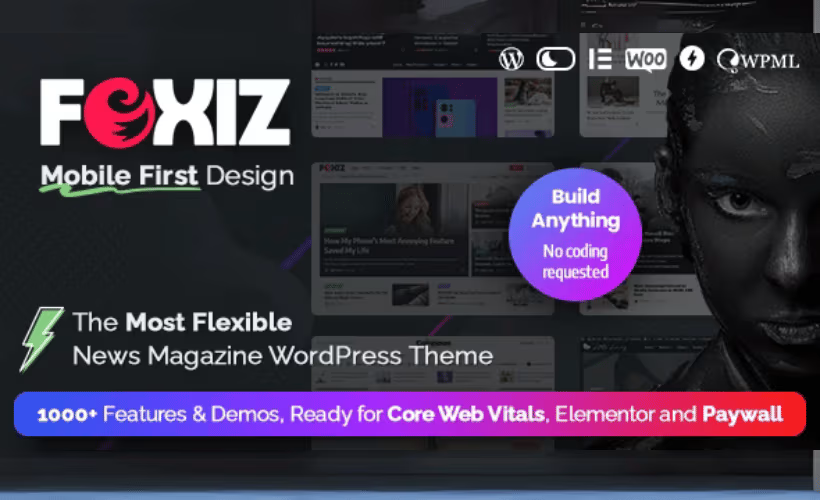
Publishing a news site or magazine on WordPress often means bolting together a page builder, an ad management plugin, and a separate monetization stack just to get a working homepage. This Foxiz theme review looks at a different approach: a front-end builder and monetization tools built directly into a theme designed for publishers, newspapers, and magazine sites. The pitch is fewer moving parts and faster editorial workflows, but that only matters if the execution holds up.
The real question is whether Foxiz’s built-in tools justify the cost over piecing together separate plugins, and which of its two purchase routes — Foxiz Next or Foxiz Classic on ThemeForest — actually fits your site and budget.
Quick Verdict
Foxiz suits bloggers, news publishers, and magazine site owners who want front-end editing and ad monetization built into the theme rather than assembled from separate plugins. It’s less suited to buyers who want a single, simple purchase path or lifetime licensing across every tier, since Foxiz splits into two distinct products with different terms. Multilingual publishers running right-to-left languages get solid native support here.
Pros
- Front-end builder lets editors design layouts without leaving the live page view
- Built-in monetization tools aimed specifically at news and magazine ad revenue
- Full RTL language support with dedicated demos and automatic direction switching
- Strong ThemeForest track record with over 8,600 sales
- Regularly updated by developer ThemeRuby for features, bug fixes, and security
Cons
Core Features
Front-End Builder
Foxiz includes a front-end builder that lets editors assemble pages while viewing the live layout, rather than switching between a backend editor and a preview tab. This is a built-in tool, not a bundled third-party add-on, so it’s tied directly into how Foxiz handles homepage sections, category layouts, and article templates.
For a newsroom or magazine team publishing multiple stories a day, this cuts the back-and-forth of guessing how a module will render. An editor can drag a trending-stories block or a featured-category grid into place and see the actual output immediately, which matters when deadlines are tight and a second set of eyes isn’t always available.
Monetization Tools
Monetization is built into Foxiz rather than left entirely to third-party ad plugins. The theme ships with tools aimed specifically at how news and magazine sites generate ad revenue, positioning it toward publishers who depend on display advertising rather than product sales.
For sites where advertising is the primary revenue line, having this handled at the theme level reduces reliance on stacking multiple plugins to manage ad placement across templates. It’s a meaningful differentiator for publishers who need monetization to sit alongside editorial layout, not bolted onto it afterward.
Dark Mode
Foxiz includes a dark mode toggle as a native, built-in feature rather than something requiring a separate plugin. Readers switch between light and dark viewing modes directly on the front end.
Dark mode matters more for news and blog audiences than for typical brochure sites, since long-form articles and late-hours browsing are common on publishing sites. Offering the toggle out of the box removes one more dependency from the plugin stack.
Mobile-First Design
The theme is built with a mobile-first approach, which for a news or magazine site means the layout logic starts from small-screen reading patterns rather than being adapted afterward from a desktop-first design. Given how much news consumption happens on phones, this shapes how article grids, navigation, and ad slots behave across breakpoints.
For publishers, this translates into layouts that hold together on the devices where most traffic actually arrives, rather than a desktop-optimized theme stretched to fit mobile as an afterthought.
Elementor Compatibility
Foxiz works alongside Elementor, giving site owners the option to extend or customize layouts using a page builder many WordPress users already know. This sits separately from the native front-end builder, offering an additional route for building custom pages outside the theme’s own layout system.
Teams that already have Elementor workflows, or that want a familiar interface for building landing pages, static pages, or custom sections beyond the article and category templates, can lean on this compatibility rather than learning an entirely new tool.
Multiple Demo Layouts
Foxiz ships with multiple demo layouts built for news, newspaper, and magazine-style sites. Rather than a single generic starting template, publishers can choose a demo import that already leans toward their content format before customizing further with the front-end builder.
This shortens the setup path for a publisher who wants a layout that resembles a newspaper front page, a magazine grid, or a blog-forward homepage without building each section from a blank canvas.
The theme also extends its RTL support beyond the core demo set, with dedicated RTL demos and automatic direction switching built in.
Installation and Setup
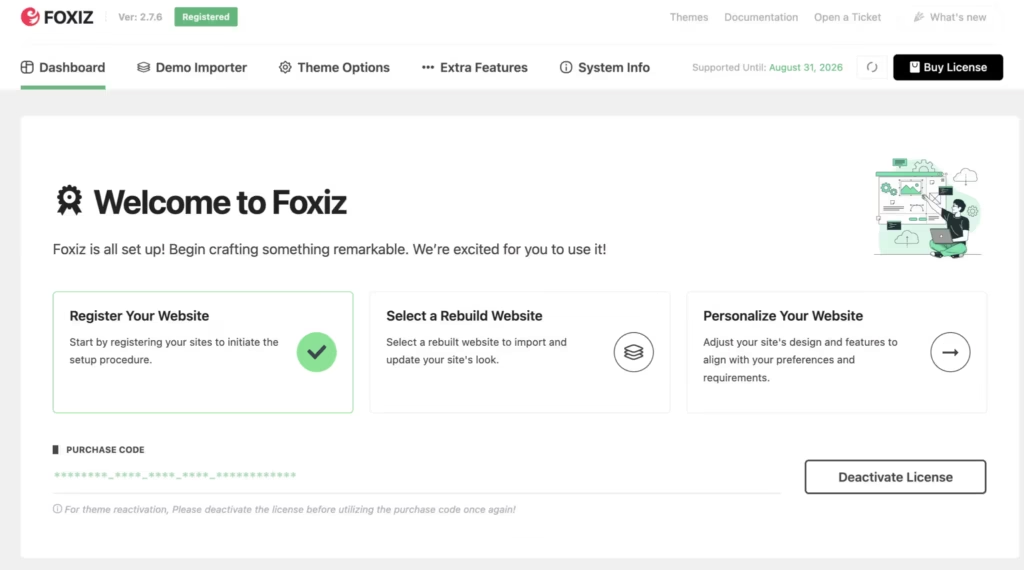
- Choose your purchase channel and download the theme package. Foxiz is available as Foxiz Next through foxiz.io (Starter, Professional, or Business plans) or as Foxiz Classic through ThemeForest as a one-time single-site purchase.
- Log into your WordPress dashboard and navigate to Appearance → Themes → Add New → Upload Theme.
- Upload the downloaded ZIP file directly, without extracting it first. In first-hand testing on WordPress 6.5 and PHP 8.4, the ThemeForest package (themeforest-34617430-foxiz-wordpress-newspaper-and-magazine.zip) installed correctly using this method, with the entire setup taking around five minutes.
- Click Activate once the upload finishes.
- Install any companion plugins your site needs. None are mandatory to activate Foxiz, but the theme is built to work with:
- Elementor
- WooCommerce
- bbPress
- MC4WP
- Contact Form 7
- WPForms
- Caching and optimization plugins such as W3 Total Cache, WP-Optimize, Autoptimize, and LiteSpeed Cache
- Open the front-end builder to select a demo layout suited to news, newspaper, or magazine publishing, then customize the header, article layouts, and monetization placements to match your site.
- Configure dark mode and any monetization tools built into the theme before publishing content.
Compatibility and Requirements
| Requirement | Details |
|---|---|
| WordPress version | 5.8 or higher |
| PHP version | 7.4 or higher |
| RTL language support | Built in, with automatic direction switching and dedicated RTL demos |
| License scope | Single-site (Foxiz Classic, ThemeForest) or per-plan site limits (Foxiz Next: 1, 3, or 10/100 sites) |
Foxiz is stated to work with newer WordPress and PHP releases beyond its stated minimums. While PHP 7.4 is the floor, running a currently supported PHP version is a safer choice for any live publishing site, since older PHP branches stop receiving security patches over time.
The theme is compatible with Elementor for front-end page building, WooCommerce for stores tied to a publication, bbPress for community forums, and form and newsletter tools including Contact Form 7, WPForms, and MC4WP. It also works alongside common caching and optimization plugins — W3 Total Cache, WP-Optimize, Autoptimize, and LiteSpeed Cache — which is useful for news sites that need fast page loads under traffic spikes.
Foxiz Pricing
Foxiz is sold as two separate products with different pricing structures, so it’s worth knowing which one you’re buying before checking out.
Foxiz Next, sold directly through foxiz.io, uses an annual subscription model across three tiers:
| Plan | Price | Sites | Support |
|---|---|---|---|
| Starter | $4.08/mo billed $49/year | 1 site | Standard support |
| Professional | $7.42/mo billed $89/year | 3 sites | Priority support |
| Business | $12.42/mo billed $149/year | 10 or 100 sites | Priority support |
Starter and Professional also offer a one-time lifetime license option, though the Business tier is annual-only with no lifetime alternative. All Foxiz Next purchases come with a 14-day money-back guarantee.
Foxiz Classic, the version listed on ThemeForest, is priced differently and sold under a separate license model:
| Plan | Price | Sites | Support |
|---|---|---|---|
| Foxiz Classic | $59 one-time | Single site | 6 months, via ThemeForest |
Foxiz Classic’s one-time fee includes six months of support through ThemeForest’s standard terms, shorter than the ongoing support attached to Foxiz Next subscriptions. Anyone weighing the two options should factor in that Foxiz Next subscriptions include ongoing support, while Foxiz Classic’s one-time purchase includes six months of support through ThemeForest.
For current lifetime pricing on the Starter and Professional plans, or to confirm the latest rates across all tiers, check the official foxiz.io pricing page before purchasing.
👉 Get Foxiz at the best available price
Alternatives to Foxiz
Several premium WordPress themes target the same news and magazine publishing niche, each with a different take on page building and monetization. Here’s how Foxiz compares to three well-established options.
| Product | Key Difference | Best For | Price Tier |
|---|---|---|---|
| Foxiz | Front-end builder paired with monetization tools built specifically for news and magazine ad revenue | Publishers who want live front-end editing plus integrated ad monetization | Paid |
| Newspaper | Built by tagDiv around its own tagDiv Composer page builder, with a strong focus on SEO, AMP, and ad-heavy news layouts | Publishers prioritizing SEO and AMP performance for high-traffic news sites | Paid |
| Jannah | A magazine and news theme with a front-end builder and built-in ad management tools aimed at publisher monetization | Publishers who want a similar front-end building and ad-management combination to Foxiz | Paid |
| Soledad | A multi-niche blog and magazine theme from Penci known for offering a very large number of demo layouts across content verticals | Bloggers and multi-topic publishers who want maximum design variety across niches | Paid |
Competitor data is sourced from publicly available information as of 2026 and may have changed.
The right pick depends on what matters most for your site: Foxiz and Jannah lean toward front-end building flexibility with monetization built in, Newspaper leans toward SEO and AMP-driven performance, and Soledad leans toward sheer design variety across content niches.
Frequently Asked Questions
What is the difference between Foxiz Next and Foxiz Classic?
Foxiz Next is sold directly through foxiz.io on annual billing, with Starter, Professional, and Business tiers, and includes ongoing support. Priority support is explicitly listed for the Professional and Business plans. Foxiz Classic is the version sold on ThemeForest as a one-time $59 single-site purchase, but it comes with only 6 months of support rather than the continuous support tied to Foxiz Next plans.
Does Foxiz support RTL languages?
Yes, Foxiz includes full built-in right-to-left support. This covers automatic direction switching, dedicated RTL demos, and consistent formatting across its multiple layouts.
How much does Foxiz cost?
Foxiz Next pricing starts at $4.08/month billed as $49/year for the Starter plan on a single site. The Professional plan runs $7.42/month ($89/year) for 3 sites, and Business costs $12.42/month ($149/year) for 10 or 100 sites; alternatively, Foxiz Classic is available on ThemeForest as a one-time $59 purchase for a single site.
Is Foxiz compatible with Elementor?
Yes, Foxiz is built with Elementor compatibility. It also ships with its own front-end builder, giving publishers a choice of design workflow alongside Elementor support.
What are the WordPress and PHP requirements for Foxiz?
Foxiz requires WordPress 5.8 or higher and PHP 7.4 or higher to run correctly. Upgrading to PHP 8.0 or newer is recommended for better security and performance, and the theme is stated to be fully compatible with newer WordPress and PHP releases.
Is there a free version of Foxiz?
No, Foxiz is a premium-only theme with no free tier. It is available either through the Foxiz Next subscription plans on foxiz.io or as the one-time Foxiz Classic purchase on ThemeForest.
How long does Foxiz theme support last?
Support duration depends on which version is purchased. Foxiz Next plans include ongoing priority support for as long as the subscription remains active, while Foxiz Classic through ThemeForest includes only 6 months of support.
Download & Pricing Options
🔍 Try Before You Buy
Foxiz does not have an official free tier. To evaluate it before purchasing, a GPL-licensed copy is available for sandbox testing purposes only.
👉 Download GPL Evaluation Copy
This is a GPL-licensed redistributed copy for testing only — not an official developer product.
💎 Get Foxiz (Best Available Price)
👉 Check Current Pricing for Foxiz
Pricing and availability may change — use the link above for current rates.