
Most WooCommerce store builds start the same way: pick a bare-bones theme, then buy Elementor Pro, a wishlist plugin, and a swatch add-on just to reach feature parity with a modern store. This WoodMart theme review looks at the opposite approach — a single theme that bundles native builders, wishlist, compare, and swatches, sold as a one-time purchase instead of stacked subscriptions.
The question is whether that all-in-one bundle actually replaces the paid plugins it claims to, or just shifts the cost and complexity elsewhere.
Quick Verdict
WoodMart suits store owners, designers, and agencies who want a prebuilt-demo starting point and native shop-building tools without assembling a plugin stack. It’s a weaker fit for anyone wanting a lightweight, plugin-free theme or a workflow built entirely around a single page builder like Elementor Pro.
Pros
- Ships with 100+ prebuilt demo websites for fast store launches
- Native drag-and-drop builders for headers, shop pages, and mega menus without needing Elementor Pro
- Built-in wishlist, product compare, and product swatches without extra plugins
- Works with Elementor, Gutenberg, or WPBakery depending on the builder a team already uses
- One-time payment license rather than a recurring subscription
Cons
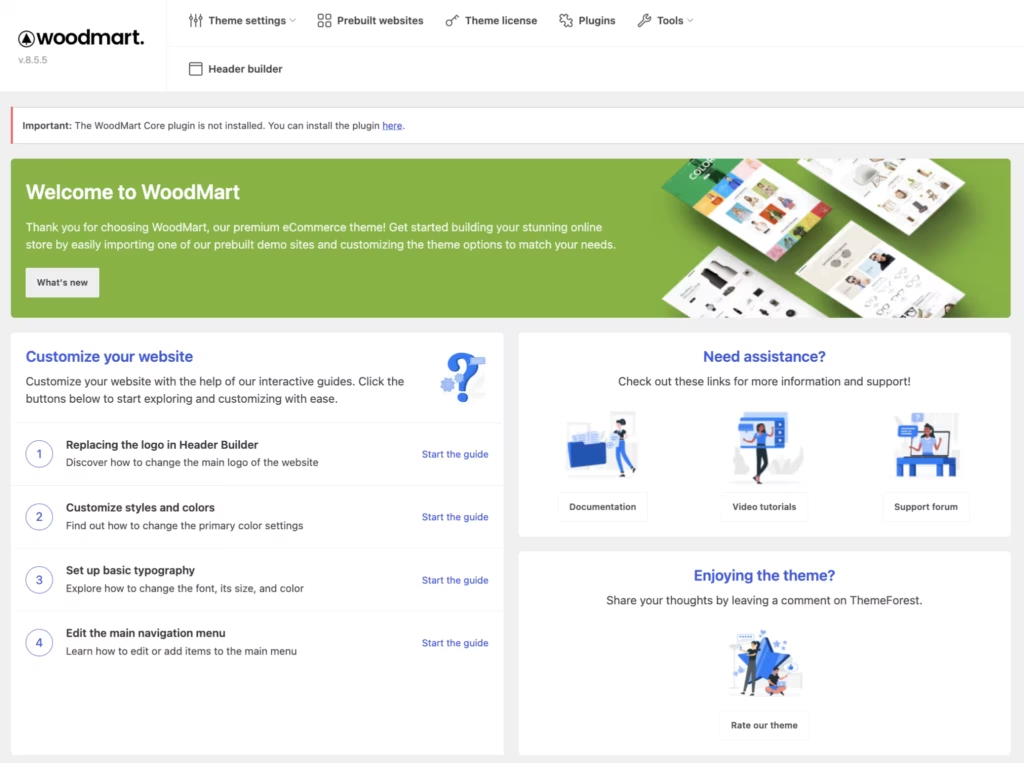
- Requires the mandatory WoodMart Core plugin to unlock the shop builder, header builder, and mega menu
- WPBakery is the only bundled builder; Elementor and Gutenberg require separate setup
Core Features
100+ Prebuilt Demo Websites
WoodMart ships with more than 100 prebuilt demo websites covering different store niches, from fashion to electronics to furniture. Instead of building a store layout from a blank canvas, you pick a demo close to your niche and import it as a starting point.
For a store owner on a deadline, this cuts the early design phase down to choosing and adjusting rather than constructing from scratch. Agencies working across multiple client verticals can lean on a different demo for each project without starting the layout work over each time.
Wishlist Functionality
Wishlist is built into the theme itself, so shoppers can save products to revisit later without a separate plugin handling that logic. It sits alongside the theme’s other shopping tools as part of the same package.
For store owners, that removes one more plugin dependency from the stack, meaning one less thing to update, license, or troubleshoot when something breaks. Shoppers get a familiar save-for-later option without you having to source and configure it separately.
Product Compare
The compare feature lets customers select multiple products and view their attributes side by side, useful for stores selling variable or spec-heavy items like electronics or appliances. It’s part of the same built-in feature set as wishlist and swatches rather than a bolt-on extra.
The compare feature lets shoppers evaluate multiple products side by side, while store owners avoid relying on a separate third-party compare plugin.
Product Swatches
WoodMart includes product swatches for displaying variation options — color, size, or material — as visual selectors rather than plain dropdown menus, built into the theme’s WooCommerce handling of variable products.
For stores with a wide range of product variants, swatches make the variation selection step faster to scan and less error-prone for customers picking the wrong option from a text list.
Page Builder Compatibility
WoodMart works with Elementor, Gutenberg, and WPBakery Page Builder, giving buyers a choice depending on which builder their team already knows. WPBakery is the builder bundled with the theme package.
That flexibility matters for agencies with an established workflow: a team already fluent in Elementor isn’t forced to relearn WPBakery just to use WoodMart, and a shop comfortable with core Gutenberg blocks isn’t locked out either. Teams should note that Elementor and Gutenberg support means compatibility, not that those builders’ premium versions ship in the box.
Also included: prebuilt demo import tooling for the 100+ demo library listed above.
Installation and Setup
- Purchase WoodMart on ThemeForest and download the theme package from your Envato account.
- Extract the downloaded zip file on your computer before uploading anything to WordPress. The ThemeForest download is not directly installable — it contains a Theme folder, and inside that folder is a separate file named woodmart.zip. That inner file is the one WordPress actually needs.
- In your WordPress dashboard, go to Appearance → Themes → Add New → Upload Theme, select the woodmart.zip file you extracted, then click Install Now and Activate.
- Install and activate the required plugins. WoodMart requires both WoodMart Core and WPBakery Page Builder — both must be installed and activated.
- If you prefer to build pages with Elementor or Gutenberg instead of WPBakery, install and activate the corresponding plugin. WoodMart also includes its own native drag-and-drop builders for headers and WooCommerce templates, so a paid page builder add-on isn’t required to customize those areas.
- Import one of the 100+ prebuilt demo websites through the theme’s demo import tool, or set up your store manually if you’d rather start from a blank layout.
- Configure wishlist, product compare, and product swatch settings from the theme options panel to match your store’s catalog.
Basic installation and setup — from uploading the theme to seeing a working site — took about five minutes when tested on WordPress 6.5 with PHP 8.4. Actual setup time will vary depending on whether you import a demo and how much content migration is involved.
Compatibility and Requirements
| Requirement | Details |
|---|---|
| WordPress | Compatible with the latest version of WordPress 7.0+ |
| WooCommerce | Compatible with WooCommerce 10+ |
| Page builders | WPBakery Page Builder (bundled), Elementor (supported), Gutenberg (supported) |
| Required plugin | WoodMart Core (mandatory) |
These figures are the compatibility ranges XTemos lists for the theme; always check that your hosting environment and existing plugins fall within them before purchasing.
WoodMart supports three page builder workflows — WPBakery is included with the license, while Elementor and Gutenberg are supported if you prefer to build with either instead.
Support for the theme covers documentation, video tutorials, a support forum, and a dedicated support team, but it does not extend to customization work, installation services, or fixing bugs introduced by third-party plugins. If your project needs custom development beyond configuration, budget for that separately from the theme purchase.
As a general practice on any live WooCommerce store, avoid running the site on a PHP version that has reached its end of life, regardless of what a theme technically permits — security patches stop arriving once a version is retired.
WoodMart Pricing
WoodMart is sold exclusively through ThemeForest as a premium theme, with no free version available.
| Tier | Price | License | What’s Included |
|---|---|---|---|
| Regular License | $59 | One-time payment | The WoodMart theme files, access to the 100+ prebuilt demos, and the built-in eCommerce features (wishlist, compare, product swatches) |
The $59 figure is a one-time payment as listed on the ThemeForest item page, not a recurring subscription. Check the current ThemeForest listing for the available license options and pricing before purchasing.
Keep in mind that the theme requires the WoodMart Core plugin to unlock features like the shop builder, header builder, and mega menu. Install and activate it during setup before using those features.
For the current price, license options, and any active marketplace discounts, check the official WoodMart page.
👉 Get WoodMart at the best available price
Alternatives to WoodMart
WoodMart is not the only route to a fully-featured WooCommerce store. Depending on budget and whether a team wants built-in tools or a lighter, plugin-extended setup, these alternatives are worth weighing.
| Product | Key Difference | Best For | Price Tier |
|---|---|---|---|
| WoodMart | All-in-one premium theme with native builders and built-in wishlist, compare, and swatches | Store owners and agencies wanting eCommerce features without extra plugins | Paid |
| Flatsome | Dedicated WooCommerce theme built around its own UX Builder for drag-and-drop store page design | Designers who want a purpose-built visual builder for product and shop pages | Paid |
| Astra | Lightweight, multipurpose theme free on WordPress.org with a paid Astra Pro add-on for extended features | Buyers who want a free starting point and only pay for features they need | Freemium |
| OceanWP | Lightweight, multipurpose theme with a free core version and paid premium extensions for eCommerce and other features | Users prioritizing a fast, minimal free base with optional paid upgrades | Freemium |
| Electro | WooCommerce theme geared toward electronics and multi-vendor stores, available free with a paid Pro version | Stores in electronics retail or multi-vendor marketplace niches | Freemium |
Competitor data is sourced from publicly available information as of 2026 and may have changed.
The right pick depends on how much a team wants built into the theme itself versus assembled from separate plugins, and whether a one-time premium price or a freemium model fits the budget better.
Frequently Asked Questions
Does WoodMart require additional plugins to work?
Yes, WoodMart requires the mandatory WoodMart Core plugin (formerly XTemos Core) to function properly. This companion plugin unlocks essential features like the shop builder, header builder, and mega menu, so the theme is not fully usable without it.
Do I need Elementor Pro to use WoodMart’s header and shop builder?
No. WoodMart includes its own native, built-in suite of drag-and-drop visual builders for headers, mega menus, and WooCommerce templates, acting as an all-in-one solution. That means you don’t need to purchase Elementor Pro or a similar premium builder just to customize these areas.
Is WoodMart compatible with Elementor and Gutenberg?
Yes, WoodMart is compatible with Elementor, Gutenberg, and WPBakery Page Builder. WPBakery is the builder bundled with the theme, while Elementor and Gutenberg are supported alongside it for teams that prefer those tools.
What does WoodMart’s item support include?
Item support is dedicated but has clear boundaries. It does not cover customization services, installation services, or fixing bugs in third-party plugins, so buyers should expect help with theme issues rather than full setup or custom development work.
How do I install the WoodMart theme after downloading it from ThemeForest?
The zip file downloaded from ThemeForest is not directly installable and needs to be extracted first. Inside the extracted Theme folder is a woodmart.zip file, and that is the file you upload through Appearance → Themes → Add New → Upload Theme. Basic installation and setup following this process takes about 5 minutes.
How much does the WoodMart theme cost?
The Regular License costs $59 as a one-time payment, based on the ThemeForest item page listing. This covers a single license under ThemeForest’s terms.
Download & Pricing Options
🔍 Try Before You Buy
WoodMart does not have an official free tier. To evaluate it before purchasing, a GPL-licensed copy is available for sandbox testing purposes only.
👉 Download GPL Evaluation Copy
This is a GPL-licensed redistributed copy for testing only — not an official developer product.
💎 Get WoodMart (Best Available Price)
👉 Check Current Pricing for WoodMart
Pricing and availability may change — use the link above for current rates.