
blog-logo
  • Home
  • WP Plugins
    WP PluginsShow More
    SEOPress Pro Review 2026: Features, Pricing and Verdict
    21 Min Read
    Most WordPress form plugins stop at the point of submission: the entry lands in the database, an email goes out, and everything after that is your problem. This Formidable Forms Pro review looks at a builder that treats submitted data as something you can act on — collecting payments, triggering automated workflows, and publishing entries back to the front end through Views. For anyone who has outgrown a basic contact form and started sketching directories, calculators, or client-facing dashboards, that distinction matters more than field types do. The question is whether an annual license justifies itself for site owners whose forms need to do real work after the submit button. Quick Verdict Formidable Forms suits freelancers, agencies, and business owners building data-driven forms — payment flows, application systems, front-end listings — on WordPress. Anyone who only needs a styled contact form will find the license hard to justify, and the plugin has no use outside WordPress. Pros Views display submitted entry data on the front end, turning forms into simple web applications rather than one-way capture points Payment collection through Stripe, PayPal, Square, and Authorize.net covers most common checkout setups CRM and automation integrations include Salesforce, Zapier, Google Sheets, HubSpot, and Mailchimp Business and Elite licenses cover unlimited sites, including client sites — practical for agencies juggling multiple builds Over 100 form templates give you a starting point instead of a blank canvas Layered spam protection built in via reCAPTCHA, honeypot, and Akismet Pro zip uploads directly through the WordPress plugin uploader with no extraction step Cons User registration is limited to certain plans and requires a separate add-on rather than working out of the box Single-site and three-site limits on Basic and Plus push multi-site owners toward the pricier Business or Elite tiers 👉 See Formidable Forms pricing Core Features The formidable-pro-6.34.zip file installs directly in WordPress via Plugins → Add New Plugin → Upload Plugin, without extracting it first — a small detail, but one that saves a step for anyone used to unzipping archives before upload. Views: Displaying Submitted Entries on the Front End Views are the feature that separates Formidable Forms from the average contact form plugin. Instead of entry data sitting in the WordPress admin waiting for someone to export it, Views pull submitted entries back out and render them on the front end — as directories, listings, tables, profile pages, or whatever layout the data suits. That changes what a form is for. A submission stops being a message you reply to and becomes content that populates a page. Job boards, member directories, event calendars, review listings, and internal dashboards all become achievable without a separate directory plugin or custom post type work. For anyone considering the Pro license specifically, this is usually the reason. Views are what make the "front-end web applications" claim more than marketing language. Form Builder for Simple Forms and Full Applications The builder handles the ordinary case — a contact form, a quote request, a newsletter signup — and then keeps going. The same interface builds multi-step forms and calculation-driven applications, so you are not learning a second tool when a project grows past a name-and-email field. The practical benefit is consistency across a portfolio. A freelancer building a five-field contact form on one site and a mortgage calculator on another works inside the same builder both times, which shortens the second build considerably. Payment Collection Payments run through Stripe, PayPal, Square, and Authorize.net. Having four processors available matters more than it sounds: merchant account availability varies by country and by business type, and being locked to a single gateway is a common reason form plugins get replaced mid-project. This covers the transactions that do not belong in a full store — donations, deposits, booking fees, application charges, invoice payments. Rather than installing WooCommerce to take a single fee, you attach payment collection to a form you were building anyway. A WooCommerce integration is available separately for sites that do run a store. Workflow Automation Automation ties what happens after submission to conditions you set, so form data triggers actions instead of just landing in a database table. Combined with Views, it is the second half of the application-building story — data comes in, actions fire, results display. For a business owner, this is the difference between checking an inbox and having submissions route themselves. Approval steps, conditional notifications, and follow-up actions run without anyone opening the WordPress dashboard. Integrations With CRMs, Marketing Tools, and Automation Platforms The integration list covers Salesforce, HubSpot, Mailchimp, Zapier, Google Sheets, ChatGPT, and Webhooks alongside the payment gateways, plus WooCommerce and ACF on the WordPress side. Two of those deserve attention. Zapier and Webhooks together mean that anything not on the native list is still reachable, and Webhooks in particular gives developers a direct route into custom endpoints. Google Sheets suits teams who want submissions in a spreadsheet their non-technical colleagues already use, without granting WordPress admin access. 100+ Form Templates The template library ships with over 100 prebuilt forms. For agencies handling repetitive client requests — contact, quote, registration, application, feedback — starting from a template and editing fields is faster than building from an empty canvas each time. Templates also serve as a reference for how the builder handles more complex structures, which helps when you are moving from simple forms toward calculation or multi-page setups. Layered Spam Protection Three spam defenses are built into the plugin's settings: reCAPTCHA, a honeypot field, and Akismet. They work at different points — the honeypot catches naive bots silently, reCAPTCHA challenges suspicious sessions, and Akismet checks submission content against a shared spam database. Because all three are configured inside Formidable Forms rather than bolted on through separate plugins, you can layer them according to how aggressive a given form needs to be. A newsletter signup and a public job application do not need the same level of friction. User Registration Forms can create WordPress user accounts, which turns a signup form into the front door of a membership area, client portal, or community site. Registration is not part of the base install — it depends on the user registration add-on and is limited to certain plans, so confirm plan eligibility before committing to a build that relies on it. Paired with Views, registration supports a common pattern: users sign up, submit entries, and see their own submissions displayed back to them on the front end. Installation and Setup Setup is quick. Tested on WordPress 6.5 with PHP 8.4, installation and basic configuration took about two minutes from upload to a working form. Install the free Formidable Forms plugin first. The free core plugin is distributed through the WordPress.org plugin directory. Search for it under Plugins → Add New Plugin, install it, and activate it. The Pro plugin is an extension, not a replacement — the free core plugin must remain installed and active for Pro to function. Deactivating it will break the Pro features. Purchase a Pro license. Four tiers are sold: Basic, Plus, Business, and Elite. Download the Pro plugin ZIP from your account after purchase. Upload the Pro ZIP through WordPress. Go to Plugins → Add New Plugin → Upload Plugin, choose the ZIP file, and install it. The archive installs directly — there is no need to extract it or dig for a nested plugin folder inside it first. Activate the Pro plugin. Both plugins now appear in your plugin list, and the Pro features become available inside the Formidable Forms admin screens. Build your first form, starting from a template rather than a blank canvas. Turn on spam protection. reCAPTCHA, honeypot, and Akismet are all supported and configured through the plugin's settings. Connect the services you need. Payment processors and third-party tools are set up per form or through the global settings, depending on the integration. Add the user registration add-on if your plan includes it. The vendor maintains a Docs & Support area and a community resource for anything beyond the basics. Compatibility and Requirements Requirement Detail WordPress version 6.3 or higher PHP version 7.4 or higher License GPL The vendor is blunt about the platform requirement: "Formidable Forms is a WordPress Plugin. In order to use Formidable Forms, you must have a WordPress site. That's all." There is no standalone, hosted, or non-WordPress version — if your site runs on Squarespace, Webflow, or a static generator, this is not the tool for you. For a live, public-facing site, pair a currently supported PHP version with the current stable WordPress release rather than sitting at the stated minimums. Unsupported PHP branches stop receiving security patches, and a form plugin handling payments and personal data is the last place to accept that risk. On the integration side, the plugin connects with Stripe, PayPal, Square, and Authorize.net for payments, plus Salesforce, HubSpot, Mailchimp, Zapier, ChatGPT, Google Sheets, Webhooks, WooCommerce, and ACF. Formidable Forms Pricing Formidable Forms runs on a freemium model. The free core plugin, distributed through the WordPress.org plugin directory and often referred to as Formidable Forms Lite, is a drag-and-drop form builder used on hundreds of thousands of active sites. It handles standard form building on its own, and it also acts as the foundation for the paid product. The Pro version is sold as an annual license across four tiers. Plan Price Sites Basic $79/year 1 site Plus $199/year Up to 3 sites Business $399/year Unlimited sites, including client sites Elite $599/year Unlimited sites, including client sites All four tiers are currently listed at 50% off those regular rates — Basic at $39.50/year, Plus at $99.50/year, Business at $199.50/year, and Elite at $299.50/year. Discounting at this depth is a familiar pattern in the WordPress form builder market, so treat the promotional figure as the price you are likely to see rather than the price the plugin is nominally worth. Paid plans are GPL licensed and include one year of updates and support. A 14-day money-back guarantee applies to purchases. For agencies and freelancers, the Business and Elite tiers are the ones worth weighing. Both cover unlimited sites, client sites included, which removes the per-project license math that eats into small builds. Alternatively, a license can be purchased per client site if you would rather bill each project separately. Formidable Forms also runs an affiliate program paying 20% commission. Feature availability differs by tier. Check the current plan comparison at formidableforms.com before buying so the tier you choose covers the integrations and add-ons your build actually needs. 👉 Get Formidable Forms at the best available price Alternatives to Formidable Forms Formidable Forms sits at the heavier end of the WordPress form builder market, where the job extends past capturing a message into payments, automation, and displaying submitted entries on the front end through Views. The alternatives below are the names most site owners weigh against it, and they differ mainly in how far past basic form capture they go. Product Key Difference Best For Price Tier Formidable Forms Views display submitted entry data on the front end, alongside payments, workflow automation, and unlimited-site licensing on the Business and Elite tiers Freelancers and agencies building data-driven forms and front-end applications across multiple sites Freemium, with paid annual Pro licenses WPForms Beginner-oriented drag-and-drop builder with a template-first onboarding flow Site owners who want conventional contact, survey, and order forms with minimal setup Freemium, with paid annual licenses Gravity Forms Long-established developer-focused builder with a large third-party add-on ecosystem Developers who want extensive hooks and a wide catalog of extensions Paid, subscription-based Fluent Forms Positioned around a lightweight footprint and fast form rendering Sites where keeping plugin overhead low is a priority Freemium, with paid licenses Ninja Forms Modular architecture where features are added as individual extensions Users who prefer to pay only for the specific functions they need Freemium, with paid extensions Contact Form 7 Minimal, markup-driven form handling with no built-in visual builder Simple contact forms on sites that need nothing more Free Competitor data is sourced from publicly available information as of 2026 and may have changed. The right pick comes down to what you are actually building. A single contact form does not justify an annual license, but if you need front-end entry display, payment gateways, and CRM handoff on several client sites, the comparison narrows quickly. Frequently Asked Questions Is Formidable Forms free or do you need the Pro version? A free version exists and is distributed through the WordPress.org plugin directory as a drag-and-drop form builder. The Pro version is sold as a paid annual license and adds the features covered above, including Views, payment collection, and the wider integration set. Does Formidable Forms require the free plugin to be installed? Yes. The free Formidable Forms core plugin must remain installed and active for the Pro plugin to function — Pro runs as an extension of the core plugin rather than a standalone replacement. How much does Formidable Forms cost per year? There are four annual tiers: Basic at $79/year, Plus at $199/year, Business at $399/year, and Elite at $599/year. All four are currently listed at 50% off those regular prices, so the promotional figures are $39.50, $99.50, $199.50, and $299.50 respectively. How many sites can I use one Formidable Forms license on? Basic covers a single website and Plus covers up to three sites. Business and Elite licenses can be used on unlimited sites, including client sites, or a license can instead be purchased per client site. What are Formidable Forms Views used for? Views display submitted entry data on the front end of your site, so form submissions become readable content rather than data locked in the admin area. That is what allows the plugin to power directories, listings, and simple front-end web applications instead of just capturing and storing entries. Can Formidable Forms collect payments with Stripe or PayPal? Yes. Payment collection is a core capability, with integrations for Stripe, PayPal, Square, and Authorize.net, alongside WooCommerce for store-based workflows. What are the WordPress and PHP requirements for Formidable Forms? Recent versions require WordPress 6.3 or higher and PHP 7.4 or higher. Beyond that, a WordPress site is the only requirement — the plugin does not work on non-WordPress platforms. We installed it on WordPress 6.5 with PHP 8.4 without issues. Does Formidable Forms offer a refund or money-back guarantee? Yes, a 14-day money-back guarantee applies to purchases. That gives you a short window to test the Pro feature set on a real site before the sale becomes final. Is Formidable Forms GPL licensed? Yes, the Pro plugin is distributed under the GNU General Public License. Paid plans include one year of updates and support, which means continued access to updates depends on renewing the license. Download & Pricing Options 🆓 Free Version 👉 Download the Free Version of Formidable Forms 💎 Get Formidable Forms (Best Available Price) 👉 Check Current Pricing for Formidable Forms Pricing and availability may change — use the link above for current rates. Buying Formidable Forms Pro outright is not the only route. See our best GPL site for WordPress comparison for how ten GPL vendors differ on file integrity, update speed and licence keys.
    Formidable Forms Pro Review 2026: Features, Pricing, Verdict
    19 Min Read
    UpdraftPlus Premium Review 2026: Is the Upgrade Worth It?
    23 Min Read
    FluentCRM Pro Review 2026: Features, Pricing and Verdict
    22 Min Read
    PixelYourSite PRO Review 2026: Is This Tracking Plugin Worth It?
    17 Min Read
  • WP Themes
    WP ThemesShow More
    Loco Translate Pro + Pro Addons Review 2026: Features and Setup
    12 Min Read
    Order Delivery Date Pro Review (2026)
    14 Min Read
    MainWP Sucuri Extension Review 2026: Free Malware Scanning?
    13 Min Read
    TaxoPress Review 2026: Is This WordPress Taxonomy Plugin Worth It?
    15 Min Read
    Social Snap Review 2026: Is This WordPress Social Plugin Worth It?
    15 Min Read
  • Security
  • SEO
  • Woo
  • Contact
GPL Store
PureGPL BlogPureGPL Blog
Font ResizerAa
Search
  • Home
  • WP Plugins
  • WP Themes
  • Security
  • SEO
  • Woo
  • Contact
Follow US
Copyright © 2014-2023 Ruby Theme Ltd. All Rights Reserved.
WordPress ThemesWeb Guides

Download Salient – Get Started with the Best Creative Multipurpose Theme

Siddharth
By Siddharth
Last updated: August 3, 2026
16 Min Read
Download Salient
SHARE

It was a versatile option that got the job done but was nothing essential to the user experience you wanted. There is, however, quite a challenge in finding a WordPress theme which offers both a beautiful design as well as high-performance and usability, for creative professionals and agencies, businesses alike wanting to stand out online. So if you’re wondering whether Download Salient gives you that perfect mix of creativity and tech savvy, then you are looking at a theme famous for delivering just that dosage.

Contents
What is the Salient WordPress Theme?Key Features That Define the Salient ExperienceCustomized Page Builder ExperienceExtensive Theme Options PanelHigh-Quality Prebuilt Demos (Salient Studio)Header & Navigation LayoutsAdvanced Portfolio & Blog CapabilitiesDeep WooCommerce IntegrationPerformance Optimization FeaturesUnique Animations & InteractionsWhy Choose Salient for Your Creative or Business Website?Download Salient: Generic Themes vs. Salient’s Creative PowerHow to Download Salient (Premium Theme)Choose Your Salient Theme Version:Quick Installation GuideGetting Started: Bringing Your Vision to Life with SalientFrequently Asked Questions (FAQ)Conclusion: Is Salient the Right Creative Theme to Download?

From someone with a keen eye for design and a passion for user experience, there is something remarkably impressive about themes that can deliver both a beautiful aesthetic and smooth functioning application. Salient is another best-selling multipurpose theme from ThemeNectar on ThemeForest that has received a lot of compliments thanks to its unique aesthetic, perfectly smooth animations, endless customization opportunities, and decent performance. This is accomplished largely through its own heavily customized iteration of the WPBakery Page Builder, which is optimized specifically for creative workflows. So, we will take a closer look at Salient and help you figure out if the time is right to Download Salient For Your Visually Driven Project.

What is the Salient WordPress Theme?

Salient is a premium, responsive, multipurpose WordPress theme by the team at ThemeNectar. Highly flexible and suitable for all sorts of websites (business sites and WooCommerce stores included), it has nevertheless carved out a strong niche in the creative professional and agency space — setting itself apart with premium designs, visual storytelling, custom portfolio layouts, and great animations. Not only is it a theme, but it is also a complete toolkit for creating visually stunning websites.

One of its central elements is a highly customized version of the WPBakery Page Builder (referred to within the theme as the Salient Builder). ThemeNectar has improved essentially on the default WPBakery setup with an exclusive library of beautifully designed elements as well as a number of performance and UI optimizations. Download Salient Users are usually intrigued by this strong integrated builder and the theme’s ability to generate great visual outputs when they decide to download Salient.

Key Features That Define the Salient Experience

Salient is packed with features that empower creativity and ensure a polished final product. These elements are why many decide to Download Salient:
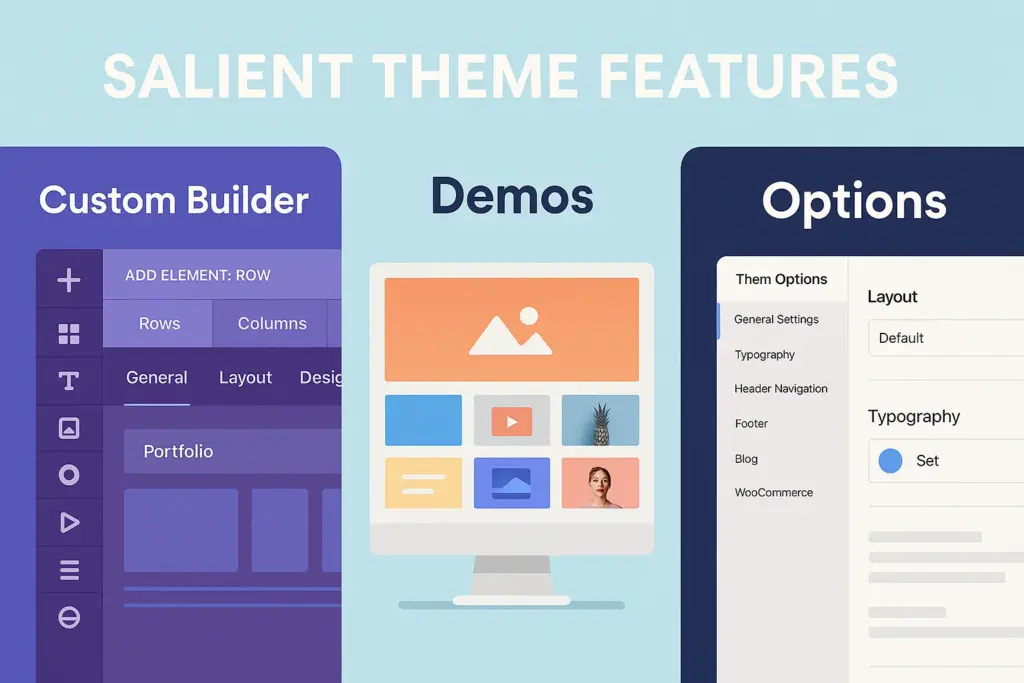
Salient WordPress theme features including custom builder elements and demos

Customized Page Builder Experience

Salient takes the popular WPBakery Page Builder and greatly improves upon it with a sleek frontend and more vastly, large set of unique, custom built elements called (‘Salient Studio’ elements). Including powerful sliders (Nectar Slider), portfolio grids, image galleries, interactive elements, typographic animations, and much more → styles that can not be achieved easily through standard builders.

Extensive Theme Options Panel

Aside from the builder, Salient offers a feature-packed powerful Theme Options panel (found via the WordPress dashboard as usual). This panel gives you more fine-tuning control over each aspect of your site — from hundreds of typography options, color and header and footer layouts, blog and portfolio styling, WooCommerce options, performance toggles, and of course much more.

High-Quality Prebuilt Demos (Salient Studio)

Salient also comes with a library of premade, importable demos. These demos highlight what you can achieve with the theme in several niches (agency, portfolio, corporate, blog, shop, etc.) and are great jump-off points with quite distinct layouts and creative uses of Salient’s elements.

Header & Navigation Layouts

Build special navigation experiences with several header layouts, unlimited menu styling options, transparency effects (which work often really well with sliders or background videos), off-canvas navigation and AJAX search integration.

Advanced Portfolio & Blog Capabilities

Salient has created a brilliant canvas for creative employees. Fully Responsive, Elegant Design, SEO Friendly, Multi Portfolio and Project Layouts, Infinite Scroll, PSD is Included, etc. Blog VBoxLayout is equally as versatile as it is visually appealing.

Deep WooCommerce Integration

Seamless WooCommerce compatibility to build beautiful online stores. Custom styling for shop pages & product pages (incl. AJAX add-to-cart, product quick view, gallery) for consistent brand experience throughout the shopping journey.

Performance Optimization Features

Salient incorporates performance best practices, despite its rich visuals. Adaptive Image Sizing (serves appropriately sized images based on device), lazy loading on images and videos, etc & code optimization have been put in place to ensure Salient sites load as fast as possible.

Unique Animations & Interactions

Salient employs tasteful, smooth animations and interactive elements (such as page transitions, parallax effects, revealing animations on scroll) that add a layer of polish and engagement, but always avoids being overwhelming.

Why Choose Salient for Your Creative or Business Website?

In a sea of themes, what makes Salient a compelling choice for those ready to Download Salient?

  • Visually Stunning & Unique Designs: Salient puts the ability to create high-end, custom-designed websites in your hands; these high-quality layouts will help your site to stand out from the rest.
  • High Performance Potential: Due to its optimization focus, you do not need to choose between speed and beauty.
  • Intuitive Building Experience: The customized WPBakery interface and Salient Studio elements often make building complex layouts more manageable.
  • Flexibility for Diverse Projects: Just as perfect for artsy portfolios, elegant business pages, professional blogs, and chic online stores.
  • Excellent Documentation & Long Support History: ThemeNectar documents their product well & Offering a long history of reliable updates and support through their ticket system.

This blend of aesthetics, performance, and usability drives the decision for many to download Salient.

Download Salient: Generic Themes vs. Salient’s Creative Power

This premium theme provides a different kind of experience. How is it different from a free theme or some generic multipurpose premium theme? Discover why Download Salient is different : The secret is in the unique style capabilities and integrated tools you get.
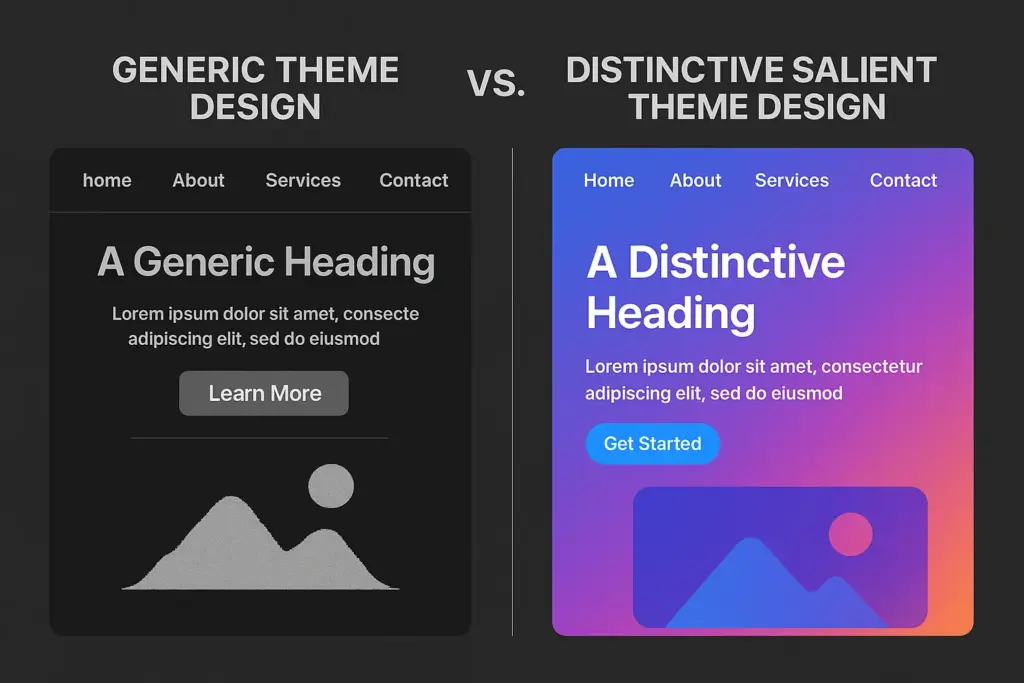
Design comparison when you download Salient theme vs generic themes

Let’s contrast the approaches:

Feature / Aspect Free Themes / Generic Premium Salient Theme (Premium Creative)
Design Aesthetic & Uniqueness Often generic, requires heavy customization for distinct look 🤔 Unique built-in elements & demos facilitate high-end, creative designs ✅
Page Builder Integration Basic compatibility, relies on standard builder elements ❌ Heavily customized WPBakery with numerous exclusive ‘Salient Studio’ elements ✅
Animations & Interactions Basic or requires extra plugins ❌ Smooth, integrated animations & unique interactive features ✅
Portfolio & Blog Layouts Standard layouts, limited creativity 🤔 Extensive, stylish, and highly customizable options ✅
Performance Optimization Varies greatly, often minimal built-in tools 🤔 Specific features like adaptive images, focus on clean code ✅
Demo Quality & Relevance Often generic business/blog demos 🤔 High-quality demos focused on creative, agency, and modern styles ✅

Why Salient Offers a Creative Edge:

The combination of its custom builder elements, attention to detail in animations, interactions, and aesthetics makes websites built with Bricks feel exclusive and premium, which generic tools simply never come close to. Opting to Download Salient via a GPL provider gives you access to this creative powerhouse affordably.

How to Download Salient (Premium Theme)

Salient is a premium theme sold exclusively on one marketplace:

  1. Official Source (ThemeForest/Envato Market): Although you get Salient directly from the developer, ThemeNectar, through a site called ThemeForest. Such purchase gives you a license key, which is required to get automatic theme updates and to unlock ThemeNectar’s official support system.
  2. Premium GPL Version Download: The download will be very much inexpensive especially if you own more than one website, or if you are familiar with community support and preferred manual updates download link below. This gives you the entire, unmodified Salient theme files (including all necessary plugins) that were released under the GPL. This is a common way users Download Salient.

Choose Your Salient Theme Version:

Select the version that best suits your needs.

⬇️ Download Free Version Link

🚀 Download Salient Premium

The Premium Download provides access to the latest version of Salient Theme under the license.

Quick Installation Guide

Once you have the `salient.zip` installable theme file (ensure it is the installable file, not the full package zip from ThemeForest which includes documentation etc.) after you Download Salient, follow these standard steps:

  1. Log in to your WordPress Dashboard.
  2. Navigate to Appearance > Themes.
  3. Click “Add New” at the top.
  4. Click “Upload Theme”.
  5. Click “Choose File” and select the `salient.zip` file.
  6. Click “Install Now”. Wait for the installation.
  7. Click “Activate”.
  8. Install Required Plugins: Salient relies on companion plugins. After activation, you will be prompted to install plugins like Salient Core, Salient WPBakery Page Builder (or Salient Page Builder), Salient Portfolio, Salient Widgets, etc. Follow the prompts to install and activate all required plugins.
  9. Consider Child Theme: As with most premium themes, using the Salient Child Theme (usually included in the full package) is recommended for any custom CSS or code modifications.

Your Salient theme is now installed and ready to be configured.

Getting Started: Bringing Your Vision to Life with Salient

You have completed the Download Salient and installation. Here is how to start creating:

  • Register Theme (Official License): Easily register your theme through the Salient dashboard panel if you have an official license, and enter your ThemeForest purchase code to gain access to automatic updates, demo imports, etc.
  • Import a Demo Site: Go to the Salient > Demo Importer Check out the amazing demos, select one that fits you, and importe it. This creates the structure, pages and initial content.
  • Explore the Salient Builder (WPBakery): Edit with the-page-builder (which is under the label “Edit with Salient Builder” or any other similar name) Get comfortable with the interface and be sure to dive into the unique components that Salient provides (often listed under a “Salient Studio” tab or something similar within the element library).
  • Navigate the Theme Options Panel: Go to the Salient menu item in the dashboard to access the comprehensive Theme Options. Systematically review sections like General Settings, Typography, Colors, Header, Footer, Portfolio, Blog, etc., to set your global styles and preferences.

Frequently Asked Questions (FAQ)

Is Salient difficult for beginners to learn?

Salient certainly has a wide range of customizer elements and deep theme options, but is probably going to have a steeper learning curve than some of the simpler themes, particularly for those who are new to website creation. Importing a demo gives a massive head start, and the builder itself (a supercharged WPBakery) is also visual. The exhaustive documentation also goes a long way.

How does Salient’s builder compare to Elementor?

WPBakery (with a lot of customizations used by Salient). Although WPBakery is a capable tool, where some users may initially prefer Elementor’s much more intuitive (well at first) purely front-end interface. Where Salient shines is through many native custom elements created specifically to match the aesthetics of the theme, providing options not commonly available in standard Elementor widgets without additional addons.

Is Salient a fast, lightweight theme despite its features?

Salient is well known for performance in context to its feature set. ThemeNectar is optimised for performance, even with features like adaptive image sizing. Not as minimal as some barebones themes, it is widely regarded as well-coded and, if optimised, can load very quickly.

Can Salient handle large WooCommerce stores effectively?

Yes, Salient has complete Woocommerce integration and styling. Its performance-oriented nature also makes it suitable for medium-sized stores. For very large inventories, normal WooCommerce scaling practices (proper hosting, caching, optimised database) are always relevant, irrespective of the theme.

Do I need to know coding to use Salient?

No, Salient gives you the tools to create very custom and visual websites with no need to code at all with its builder and wide range of theme options.

What about support and updates if I download Salient via GPL?

Our premium GPL download includes the entire Salient theme parts along with required plugins. You generally have to install updates yourself after downloading them from the GPL source. General support is available for installation and core theme functionality only and is separate from the official ThemeNectar support system available to registered ThemeForest licenses.

GPL Explained: https://blog.puregpl.com/category/gpl-explained/

Conclusion: Is Salient the Right Creative Theme to Download?

For those wanting to create a beautiful, original, and very high-quality WordPress website, Salient is one of the best options available in 2025. Agencies, freelancers, portfolio sites, businesses and everyone wanting a high-end look will find its merging of creative freedom, courtesy of the retooled WPBakery builder and custom components, with an undeniable focus on performance and usability incredibly seductive.

While there might be a slight learning curve due to its depth, the results achievable with Salient often justify the effort. If you appreciate meticulous design, smooth animations, and extensive customization options, making the decision to Download Salient could be the key to unlocking your creative vision online.


TAGGED:Creative ThemeDownload SalientGPL ThemeMultipurpose ThemeSalientSalient ThemeThemeForestThemeNectarWooCommerce ThemeWordPress ThemeWPBakery Theme
Previous Article RoyalSlider Download RoyalSlider – Get Started with the Best Responsive Image Slider
Next Article Download Service Finder Download Service Finder – Get Started with the Best Business Listing Theme
FacebookLike
PinterestPin
InstagramFollow
YoutubeSubscribe

Subscribe Now

Subscribe to our newsletter to get our newest articles instantly!

    Most Popular
    SEOPress Pro Review 2026: Features, Pricing and Verdict
    September 21, 2026
    Most WordPress form plugins stop at the point of submission: the entry lands in the database, an email goes out, and everything after that is your problem. This Formidable Forms Pro review looks at a builder that treats submitted data as something you can act on — collecting payments, triggering automated workflows, and publishing entries back to the front end through Views. For anyone who has outgrown a basic contact form and started sketching directories, calculators, or client-facing dashboards, that distinction matters more than field types do. The question is whether an annual license justifies itself for site owners whose forms need to do real work after the submit button. Quick Verdict Formidable Forms suits freelancers, agencies, and business owners building data-driven forms — payment flows, application systems, front-end listings — on WordPress. Anyone who only needs a styled contact form will find the license hard to justify, and the plugin has no use outside WordPress. Pros Views display submitted entry data on the front end, turning forms into simple web applications rather than one-way capture points Payment collection through Stripe, PayPal, Square, and Authorize.net covers most common checkout setups CRM and automation integrations include Salesforce, Zapier, Google Sheets, HubSpot, and Mailchimp Business and Elite licenses cover unlimited sites, including client sites — practical for agencies juggling multiple builds Over 100 form templates give you a starting point instead of a blank canvas Layered spam protection built in via reCAPTCHA, honeypot, and Akismet Pro zip uploads directly through the WordPress plugin uploader with no extraction step Cons User registration is limited to certain plans and requires a separate add-on rather than working out of the box Single-site and three-site limits on Basic and Plus push multi-site owners toward the pricier Business or Elite tiers 👉 See Formidable Forms pricing Core Features The formidable-pro-6.34.zip file installs directly in WordPress via Plugins → Add New Plugin → Upload Plugin, without extracting it first — a small detail, but one that saves a step for anyone used to unzipping archives before upload. Views: Displaying Submitted Entries on the Front End Views are the feature that separates Formidable Forms from the average contact form plugin. Instead of entry data sitting in the WordPress admin waiting for someone to export it, Views pull submitted entries back out and render them on the front end — as directories, listings, tables, profile pages, or whatever layout the data suits. That changes what a form is for. A submission stops being a message you reply to and becomes content that populates a page. Job boards, member directories, event calendars, review listings, and internal dashboards all become achievable without a separate directory plugin or custom post type work. For anyone considering the Pro license specifically, this is usually the reason. Views are what make the "front-end web applications" claim more than marketing language. Form Builder for Simple Forms and Full Applications The builder handles the ordinary case — a contact form, a quote request, a newsletter signup — and then keeps going. The same interface builds multi-step forms and calculation-driven applications, so you are not learning a second tool when a project grows past a name-and-email field. The practical benefit is consistency across a portfolio. A freelancer building a five-field contact form on one site and a mortgage calculator on another works inside the same builder both times, which shortens the second build considerably. Payment Collection Payments run through Stripe, PayPal, Square, and Authorize.net. Having four processors available matters more than it sounds: merchant account availability varies by country and by business type, and being locked to a single gateway is a common reason form plugins get replaced mid-project. This covers the transactions that do not belong in a full store — donations, deposits, booking fees, application charges, invoice payments. Rather than installing WooCommerce to take a single fee, you attach payment collection to a form you were building anyway. A WooCommerce integration is available separately for sites that do run a store. Workflow Automation Automation ties what happens after submission to conditions you set, so form data triggers actions instead of just landing in a database table. Combined with Views, it is the second half of the application-building story — data comes in, actions fire, results display. For a business owner, this is the difference between checking an inbox and having submissions route themselves. Approval steps, conditional notifications, and follow-up actions run without anyone opening the WordPress dashboard. Integrations With CRMs, Marketing Tools, and Automation Platforms The integration list covers Salesforce, HubSpot, Mailchimp, Zapier, Google Sheets, ChatGPT, and Webhooks alongside the payment gateways, plus WooCommerce and ACF on the WordPress side. Two of those deserve attention. Zapier and Webhooks together mean that anything not on the native list is still reachable, and Webhooks in particular gives developers a direct route into custom endpoints. Google Sheets suits teams who want submissions in a spreadsheet their non-technical colleagues already use, without granting WordPress admin access. 100+ Form Templates The template library ships with over 100 prebuilt forms. For agencies handling repetitive client requests — contact, quote, registration, application, feedback — starting from a template and editing fields is faster than building from an empty canvas each time. Templates also serve as a reference for how the builder handles more complex structures, which helps when you are moving from simple forms toward calculation or multi-page setups. Layered Spam Protection Three spam defenses are built into the plugin's settings: reCAPTCHA, a honeypot field, and Akismet. They work at different points — the honeypot catches naive bots silently, reCAPTCHA challenges suspicious sessions, and Akismet checks submission content against a shared spam database. Because all three are configured inside Formidable Forms rather than bolted on through separate plugins, you can layer them according to how aggressive a given form needs to be. A newsletter signup and a public job application do not need the same level of friction. User Registration Forms can create WordPress user accounts, which turns a signup form into the front door of a membership area, client portal, or community site. Registration is not part of the base install — it depends on the user registration add-on and is limited to certain plans, so confirm plan eligibility before committing to a build that relies on it. Paired with Views, registration supports a common pattern: users sign up, submit entries, and see their own submissions displayed back to them on the front end. Installation and Setup Setup is quick. Tested on WordPress 6.5 with PHP 8.4, installation and basic configuration took about two minutes from upload to a working form. Install the free Formidable Forms plugin first. The free core plugin is distributed through the WordPress.org plugin directory. Search for it under Plugins → Add New Plugin, install it, and activate it. The Pro plugin is an extension, not a replacement — the free core plugin must remain installed and active for Pro to function. Deactivating it will break the Pro features. Purchase a Pro license. Four tiers are sold: Basic, Plus, Business, and Elite. Download the Pro plugin ZIP from your account after purchase. Upload the Pro ZIP through WordPress. Go to Plugins → Add New Plugin → Upload Plugin, choose the ZIP file, and install it. The archive installs directly — there is no need to extract it or dig for a nested plugin folder inside it first. Activate the Pro plugin. Both plugins now appear in your plugin list, and the Pro features become available inside the Formidable Forms admin screens. Build your first form, starting from a template rather than a blank canvas. Turn on spam protection. reCAPTCHA, honeypot, and Akismet are all supported and configured through the plugin's settings. Connect the services you need. Payment processors and third-party tools are set up per form or through the global settings, depending on the integration. Add the user registration add-on if your plan includes it. The vendor maintains a Docs & Support area and a community resource for anything beyond the basics. Compatibility and Requirements Requirement Detail WordPress version 6.3 or higher PHP version 7.4 or higher License GPL The vendor is blunt about the platform requirement: "Formidable Forms is a WordPress Plugin. In order to use Formidable Forms, you must have a WordPress site. That's all." There is no standalone, hosted, or non-WordPress version — if your site runs on Squarespace, Webflow, or a static generator, this is not the tool for you. For a live, public-facing site, pair a currently supported PHP version with the current stable WordPress release rather than sitting at the stated minimums. Unsupported PHP branches stop receiving security patches, and a form plugin handling payments and personal data is the last place to accept that risk. On the integration side, the plugin connects with Stripe, PayPal, Square, and Authorize.net for payments, plus Salesforce, HubSpot, Mailchimp, Zapier, ChatGPT, Google Sheets, Webhooks, WooCommerce, and ACF. Formidable Forms Pricing Formidable Forms runs on a freemium model. The free core plugin, distributed through the WordPress.org plugin directory and often referred to as Formidable Forms Lite, is a drag-and-drop form builder used on hundreds of thousands of active sites. It handles standard form building on its own, and it also acts as the foundation for the paid product. The Pro version is sold as an annual license across four tiers. Plan Price Sites Basic $79/year 1 site Plus $199/year Up to 3 sites Business $399/year Unlimited sites, including client sites Elite $599/year Unlimited sites, including client sites All four tiers are currently listed at 50% off those regular rates — Basic at $39.50/year, Plus at $99.50/year, Business at $199.50/year, and Elite at $299.50/year. Discounting at this depth is a familiar pattern in the WordPress form builder market, so treat the promotional figure as the price you are likely to see rather than the price the plugin is nominally worth. Paid plans are GPL licensed and include one year of updates and support. A 14-day money-back guarantee applies to purchases. For agencies and freelancers, the Business and Elite tiers are the ones worth weighing. Both cover unlimited sites, client sites included, which removes the per-project license math that eats into small builds. Alternatively, a license can be purchased per client site if you would rather bill each project separately. Formidable Forms also runs an affiliate program paying 20% commission. Feature availability differs by tier. Check the current plan comparison at formidableforms.com before buying so the tier you choose covers the integrations and add-ons your build actually needs. 👉 Get Formidable Forms at the best available price Alternatives to Formidable Forms Formidable Forms sits at the heavier end of the WordPress form builder market, where the job extends past capturing a message into payments, automation, and displaying submitted entries on the front end through Views. The alternatives below are the names most site owners weigh against it, and they differ mainly in how far past basic form capture they go. Product Key Difference Best For Price Tier Formidable Forms Views display submitted entry data on the front end, alongside payments, workflow automation, and unlimited-site licensing on the Business and Elite tiers Freelancers and agencies building data-driven forms and front-end applications across multiple sites Freemium, with paid annual Pro licenses WPForms Beginner-oriented drag-and-drop builder with a template-first onboarding flow Site owners who want conventional contact, survey, and order forms with minimal setup Freemium, with paid annual licenses Gravity Forms Long-established developer-focused builder with a large third-party add-on ecosystem Developers who want extensive hooks and a wide catalog of extensions Paid, subscription-based Fluent Forms Positioned around a lightweight footprint and fast form rendering Sites where keeping plugin overhead low is a priority Freemium, with paid licenses Ninja Forms Modular architecture where features are added as individual extensions Users who prefer to pay only for the specific functions they need Freemium, with paid extensions Contact Form 7 Minimal, markup-driven form handling with no built-in visual builder Simple contact forms on sites that need nothing more Free Competitor data is sourced from publicly available information as of 2026 and may have changed. The right pick comes down to what you are actually building. A single contact form does not justify an annual license, but if you need front-end entry display, payment gateways, and CRM handoff on several client sites, the comparison narrows quickly. Frequently Asked Questions Is Formidable Forms free or do you need the Pro version? A free version exists and is distributed through the WordPress.org plugin directory as a drag-and-drop form builder. The Pro version is sold as a paid annual license and adds the features covered above, including Views, payment collection, and the wider integration set. Does Formidable Forms require the free plugin to be installed? Yes. The free Formidable Forms core plugin must remain installed and active for the Pro plugin to function — Pro runs as an extension of the core plugin rather than a standalone replacement. How much does Formidable Forms cost per year? There are four annual tiers: Basic at $79/year, Plus at $199/year, Business at $399/year, and Elite at $599/year. All four are currently listed at 50% off those regular prices, so the promotional figures are $39.50, $99.50, $199.50, and $299.50 respectively. How many sites can I use one Formidable Forms license on? Basic covers a single website and Plus covers up to three sites. Business and Elite licenses can be used on unlimited sites, including client sites, or a license can instead be purchased per client site. What are Formidable Forms Views used for? Views display submitted entry data on the front end of your site, so form submissions become readable content rather than data locked in the admin area. That is what allows the plugin to power directories, listings, and simple front-end web applications instead of just capturing and storing entries. Can Formidable Forms collect payments with Stripe or PayPal? Yes. Payment collection is a core capability, with integrations for Stripe, PayPal, Square, and Authorize.net, alongside WooCommerce for store-based workflows. What are the WordPress and PHP requirements for Formidable Forms? Recent versions require WordPress 6.3 or higher and PHP 7.4 or higher. Beyond that, a WordPress site is the only requirement — the plugin does not work on non-WordPress platforms. We installed it on WordPress 6.5 with PHP 8.4 without issues. Does Formidable Forms offer a refund or money-back guarantee? Yes, a 14-day money-back guarantee applies to purchases. That gives you a short window to test the Pro feature set on a real site before the sale becomes final. Is Formidable Forms GPL licensed? Yes, the Pro plugin is distributed under the GNU General Public License. Paid plans include one year of updates and support, which means continued access to updates depends on renewing the license. Download & Pricing Options 🆓 Free Version 👉 Download the Free Version of Formidable Forms 💎 Get Formidable Forms (Best Available Price) 👉 Check Current Pricing for Formidable Forms Pricing and availability may change — use the link above for current rates. Buying Formidable Forms Pro outright is not the only route. See our best GPL site for WordPress comparison for how ten GPL vendors differ on file integrity, update speed and licence keys.
    Formidable Forms Pro Review 2026: Features, Pricing, Verdict
    September 21, 2026
    UpdraftPlus Premium Review 2026: Is the Upgrade Worth It?
    September 21, 2026
    FluentCRM Pro Review 2026: Features, Pricing and Verdict
    September 21, 2026
    PixelYourSite PRO Review 2026: Is This Tracking Plugin Worth It?
    September 17, 2026

    You Might Also Like

    Web GuidesWordPress Themes

    Mercury Theme Review 2026

    15 Min Read
    Elessi Featured
    WordPress Themes

    Download Elessi – Get Started with the Best Clean WooCommerce Theme

    16 Min Read
    Smush-Pro
    Web GuidesWordPress PerformanceWordPress Plugins

    Smush Pro Review 2026: Is WPMU DEV’s Image Plugin Worth It?

    10 Min Read
    Web GuidesWordPress Plugins

    JetThemeCore Review 2026: Crocoblock’s Elementor Theme Builder

    14 Min Read

    Always Stay Up to Date

    Subscribe to our newsletter to get our newest articles instantly!

      blog-log blog-log

      We share tips, tricks, and guides to help you build better WordPress websites and improve online success.

      Free For You!

      • Elementor Pro
      • AvadaNew
      • JNews
      • Premium Plugins

      Quick Links

      • GPL Explained
      • Tips & Tricks
      • Tutorials
      • Web Guides

      Unlock the Unexpected!

      Think PureGPL is just another GPL site? Think again. 👀
      Surprise Me
      Welcome Back!

      Sign in to your account

      Username or Email Address
      Password

      Lost your password?




